



Question: Introduction to Programming Thank you Thank you a.) the user's current balance b.) the amount of a payment received c.) the number of days the
Introduction to Programming
Thank you
Thank you
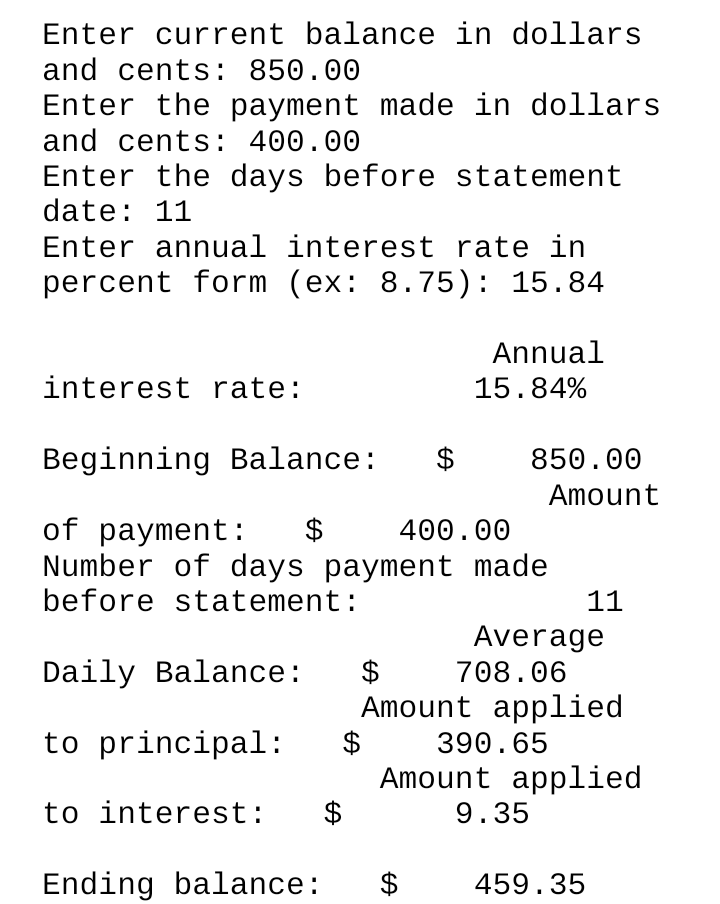
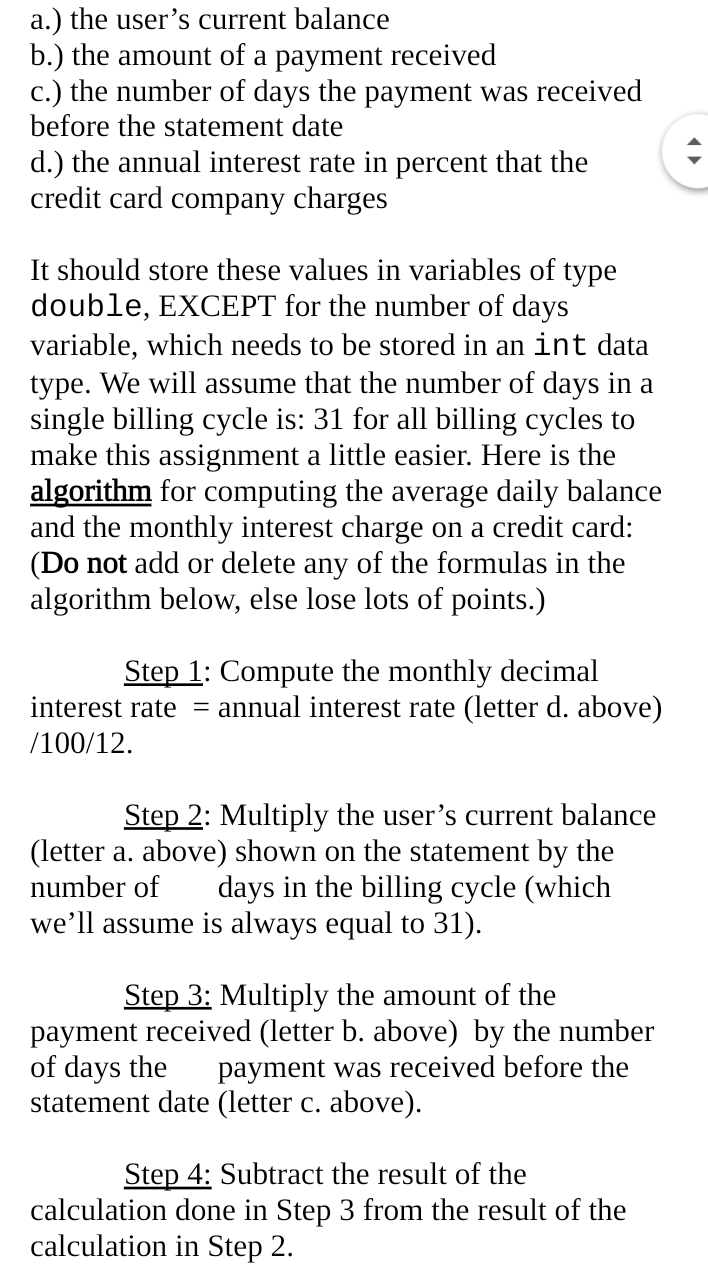
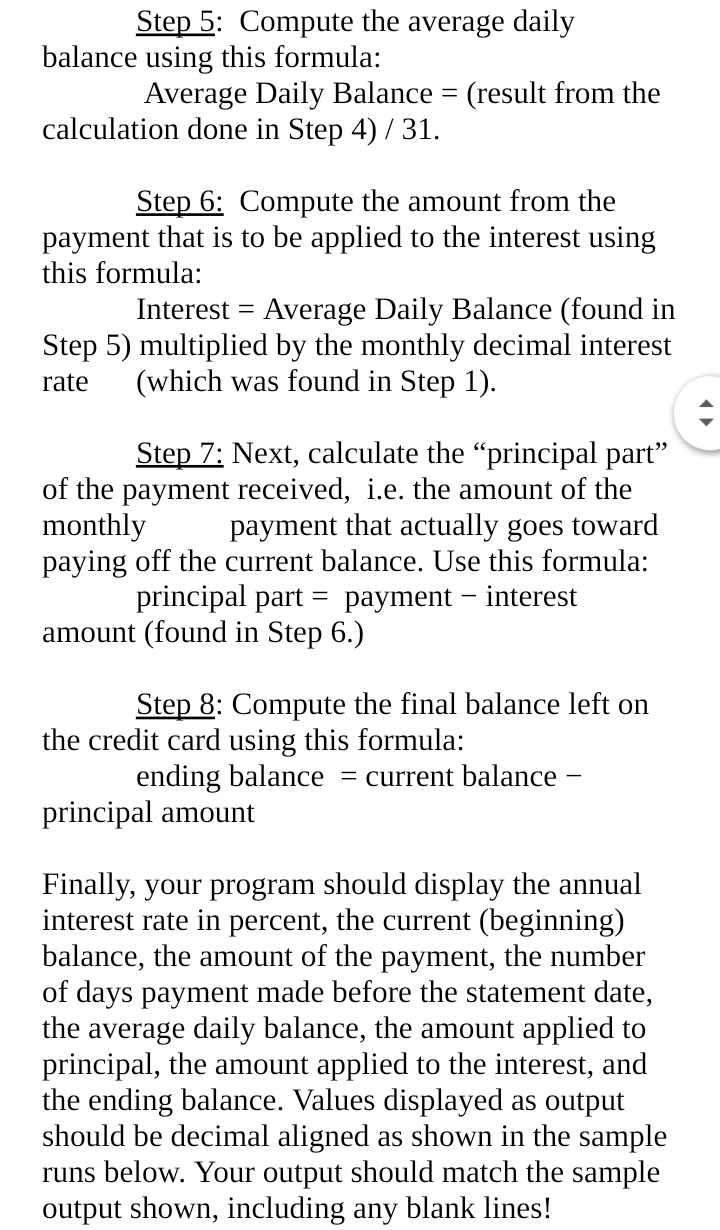
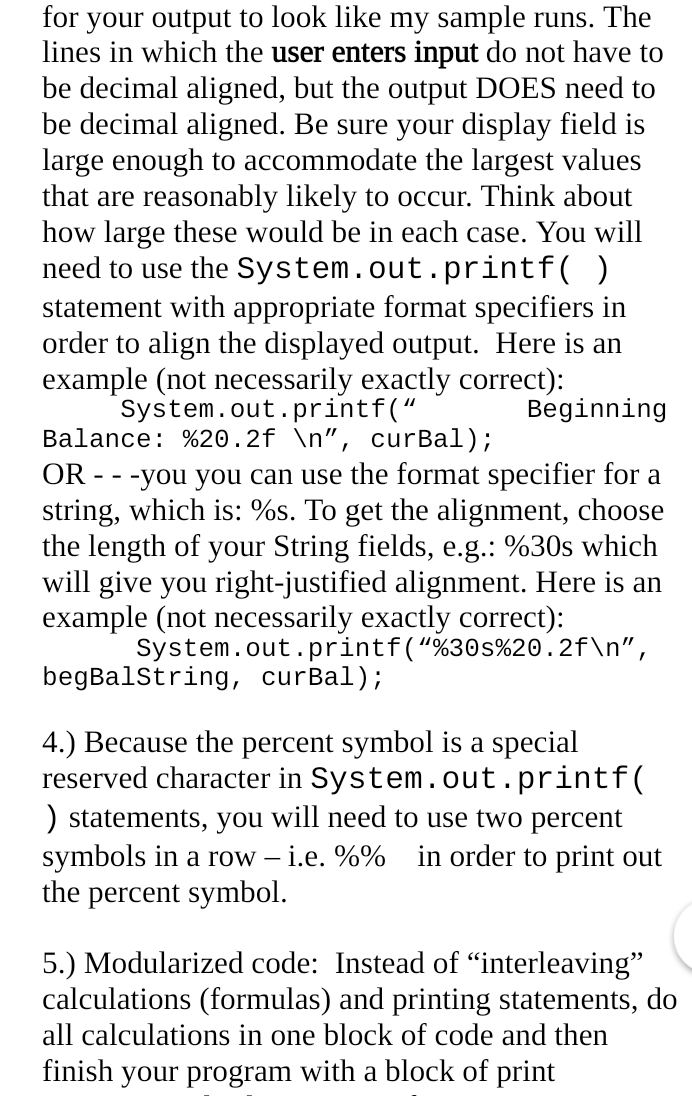
a.) the user's current balance b.) the amount of a payment received c.) the number of days the payment was received before the statement date d.) the annual interest rate in percent that the credit card company charges It should store these values in variables of type double, EXCEPT for the number of days variable, which needs to be stored in an int data type. We will assume that the number of days in a single billing cycle is: 31 for all billing cycles to make this assignment a little easier. Here is the algorithm for computing the average daily balance and the monthly interest charge on a credit card: (Do not add or delete any of the formulas in the algorithm below, else lose lots of points.) Step 1: Compute the monthly decimal interest rate = annual interest rate (letter d. above) /100/12. Step 2: Multiply the user's current balance (letter a. above) shown on the statement by the number of days in the billing cycle (which we'll assume is always equal to 31). Step 3: Multiply the amount of the payment received (letter b. above) by the number of days the payment was received before the statement date (letter c. above). Step 4: Subtract the result of the calculation done in Step 3 from the result of the calculation in Step 2. Step 5: Compute the average daily balance using this formula: Average Daily Balance = (result from the calculation done in Step 4) / 31. Step 6: Compute the amount from the payment that is to be applied to the interest using this formula: Interest = Average Daily Balance (found in Step 5) multiplied by the monthly decimal interest rate (which was found in Step 1). Step 7: Next, calculate the "principal part" of the payment received, i.e. the amount of the monthly payment that actually goes toward paying off the current balance. Use this formula: principal part = payment interest amount (found in Step 6.) Step 8: Compute the final balance left on the credit card using this formula: ending balance = current balance principal amount Finally, your program should display the annual interest rate in percent, the current (beginning) balance, the amount of the payment, the number of days payment made before the statement date, the average daily balance, the amount applied to principal, the amount applied to the interest, and the ending balance. Values displayed as output should be decimal aligned as shown in the sample runs below. Your output should match the sample output shown, including any blank lines! for your output to look like my sample runs. The lines in which the user enters input do not have to be decimal aligned, but the output DOES need to be decimal aligned. Be sure your display field is large enough to accommodate the largest values that are reasonably likely to occur. Think about how large these would be in each case. You will need to use the System. out. printf ( ) statement with appropriate format specifiers in order to align the displayed output. Here is an example (not necessarily exactly correct): System.out. printf(" Beginning Balance: \%20.2f , curBal); OR - - -you you can use the format specifier for a string, which is: \%s. To get the alignment, choose the length of your String fields, e.g.: \%30s which will give you right-justified alignment. Here is an example (not necessarily exactly correct): begBalstring, curBal); 4.) Because the percent symbol is a special reserved character in System. out. printf( ) statements, you will need to use two percent symbols in a row i.e. %% in order to print out the percent symbol. 5.) Modularized code: Instead of "interleaving" calculations (formulas) and printing statements, do all calculations in one block of code and then finish your program with a block of print
Step by Step Solution
There are 3 Steps involved in it

Get step-by-step solutions from verified subject matter experts