







Question: Is someone able to help me with a excel worksheet problem that I am having. If you are please maybe contact me personally. The problem
Is someone able to help me with a excel worksheet problem that I am having. If you are please maybe contact me personally.
The problem looks like something like this.
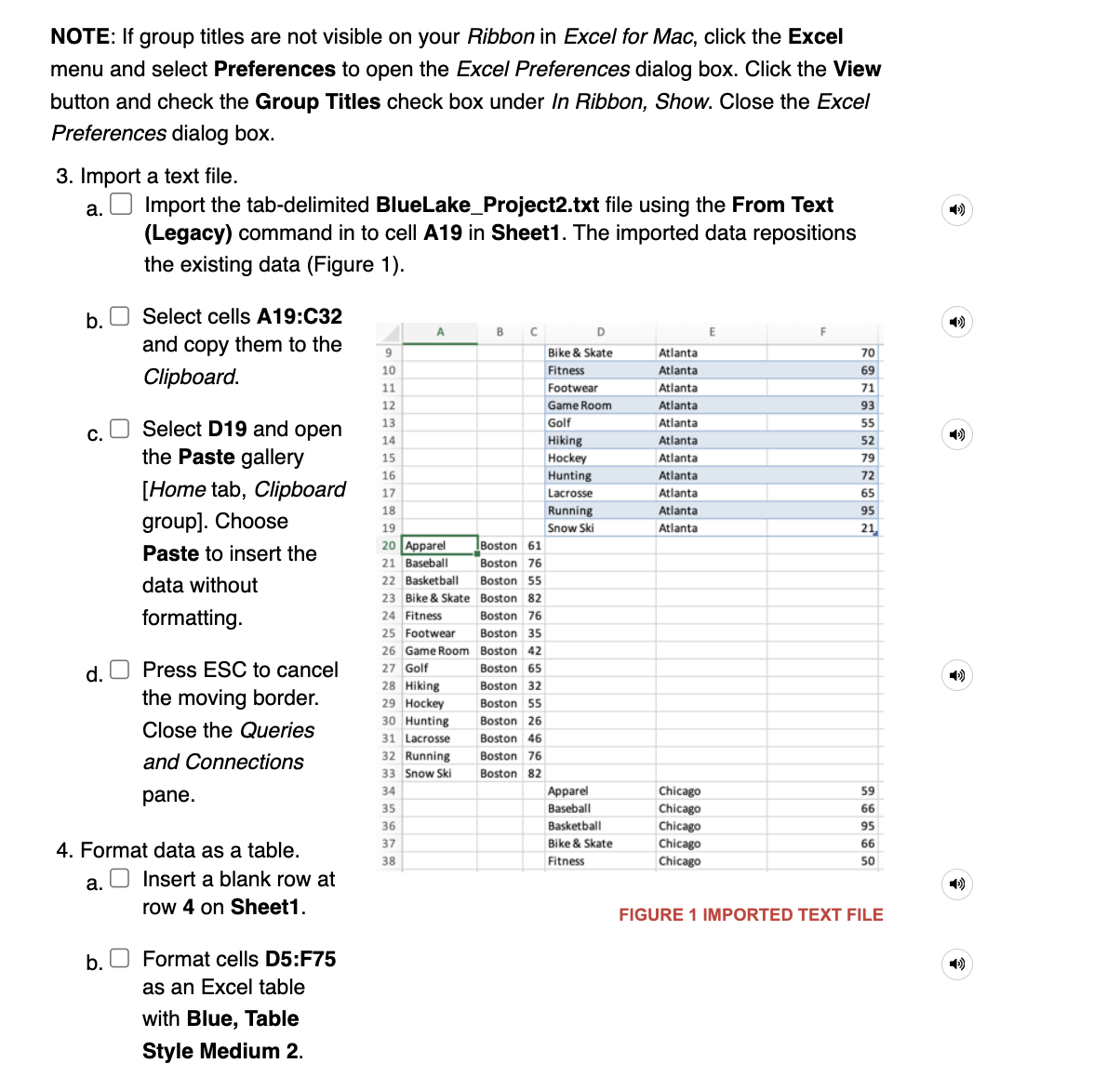
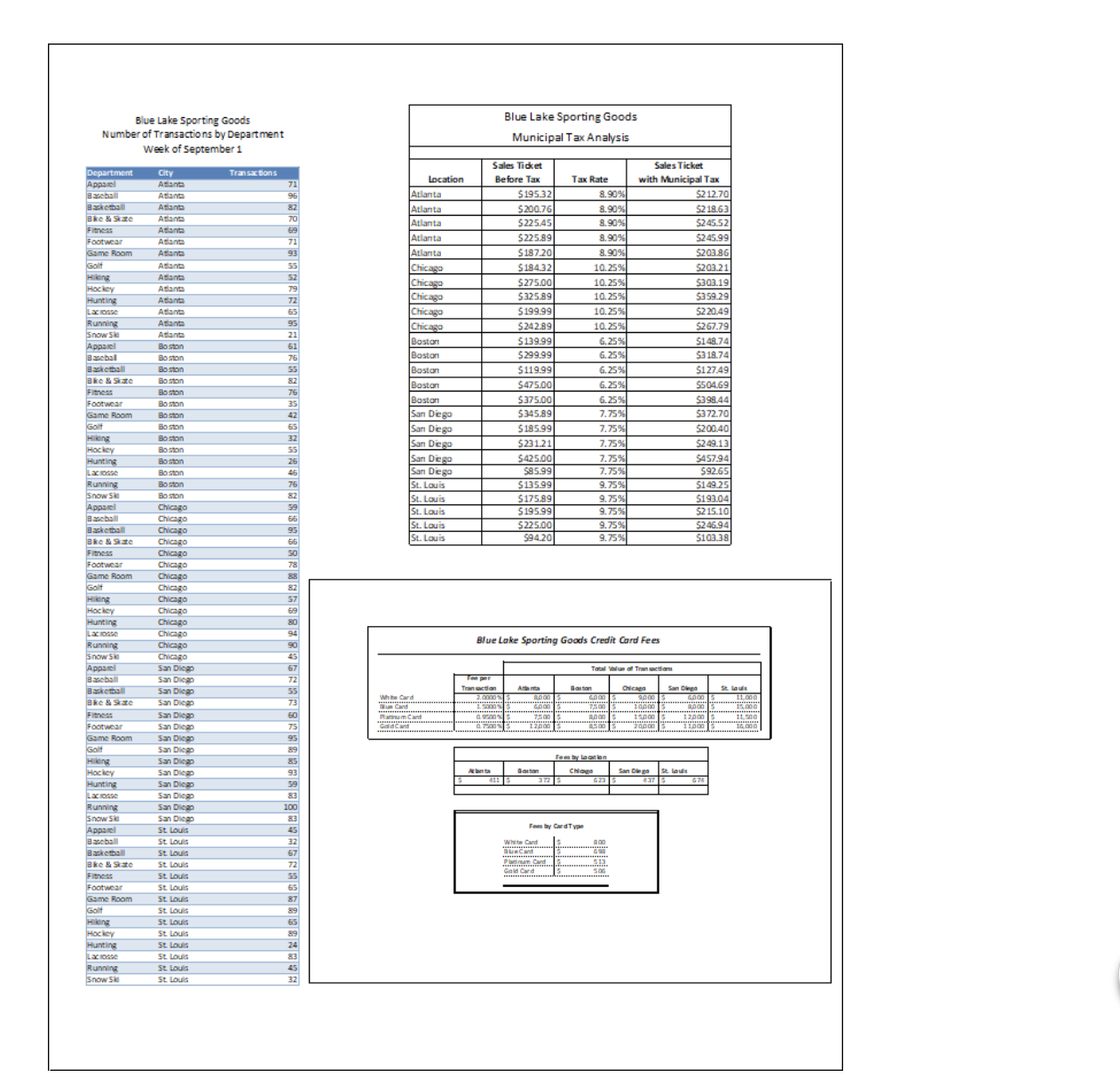
NOTE: If group titles are not visible on your Ribbon in Excel for Mac, click the Excel menu and select Preferences to open the Excel Preferences dialog box. Click the View button and check the Group Titles check box under In Ribbon, Show. Close the Excel Preferences dialog box. 3. Import a text file. a. Import the tab-delimited BlueLake_Project2.txt file using the From Text (Legacy) command in to cell A19 in Sheet1. The imported data repositions the existing data (Figure 1). b. Select cells A19:C32 and copy them to the Clipboard. c. Select D19 and open the Paste gallery [Home tab, Clipboard group]. Choose Paste to insert the data without formatting. d. Press ESC to cancel the moving border. Close the Queries and Connections pane. 4. Format data as a table. a. Insert a blank row at row 4 on Sheet1. FIGURE 1 IMPORTED TEXT FILE b. Format cells D5:F75 as an Excel table with Blue, Table Style Medium 2
Step by Step Solution
There are 3 Steps involved in it

Get step-by-step solutions from verified subject matter experts
 Study Help