







Question: IT 280 - Lab #1: Extended Hello World Instructions Preconditions: - Python is installed. - Chapter 0 and 1 are read To Submit This Program:
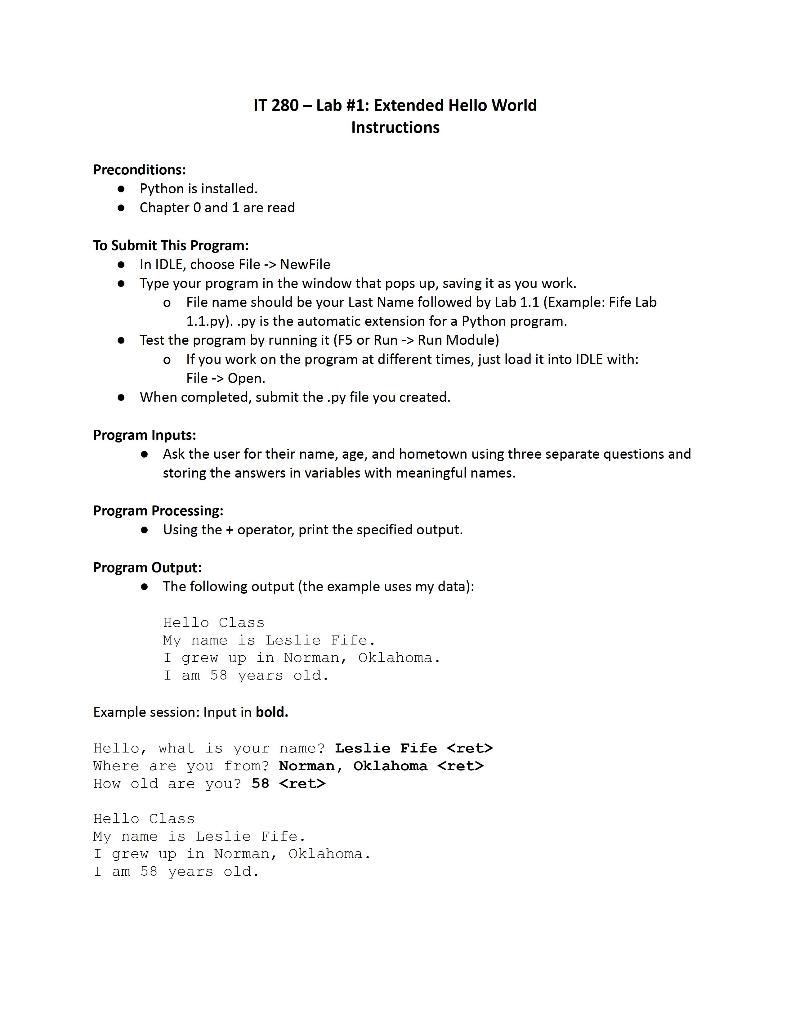
IT 280 - Lab \#1: Extended Hello World Instructions Preconditions: - Python is installed. - Chapter 0 and 1 are read To Submit This Program: - In IDLE, choose File -> NewFile - Type your program in the window that pops up, saving it as you work. - File name should be your Last Name followed by Lab 1.1 (Example: Fife Lab 1.1.py). .py is the automatic extension for a Python program. - Test the program by running it (F5 or Run Run Module) - If you work on the program at different times, just load it into IDLE with: File Open. - When completed, submit the .py file you created. Program Inputs: - Ask the user for their name, age, and hometown using three separate questions and storing the answers in variables with meaningful names. Program Processing: - Using the + operator, print the specified output. Program Output: - The following output (the example uses my data): Hello class My name is Leslie File. I grev up in Norman, oklahoma. I am 58 years old. Example session: Input in bold. Where are you from? Norman, Oklahoma How old are you? 58 Hello Class My name is Leslie fife. I grew up in Norman, Oklahoma. 1 am. 58 years old
Step by Step Solution
There are 3 Steps involved in it

Get step-by-step solutions from verified subject matter experts
 Study Help