







Question: It has to have the ESC and roll again function. It needs to also ask for it after every roll. Lab 6 - Roll Two
It has to have the ESC and roll again function. It needs to also ask for it after every roll.
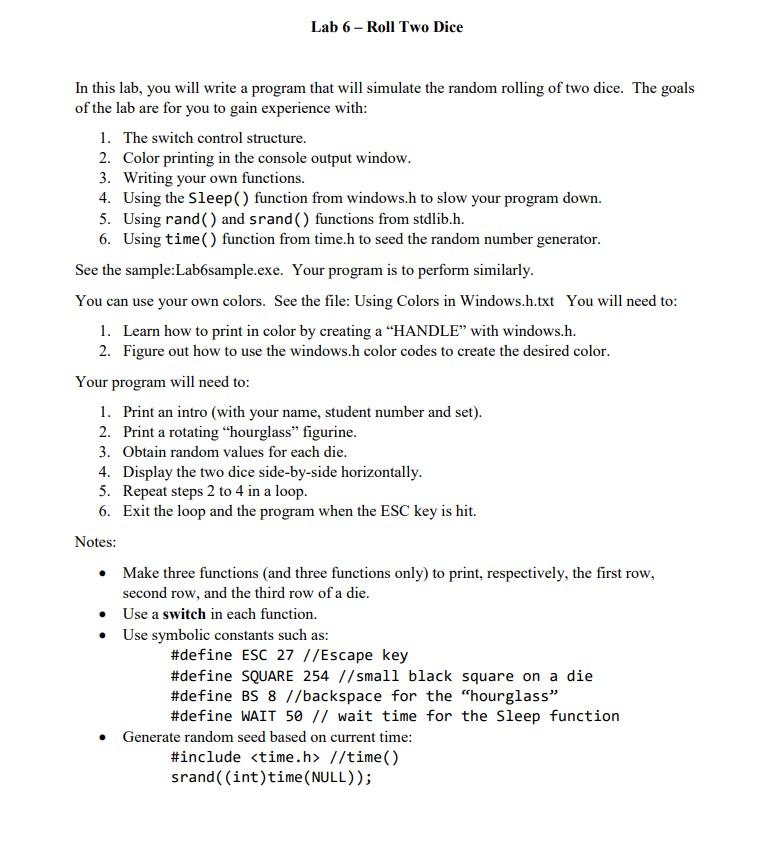
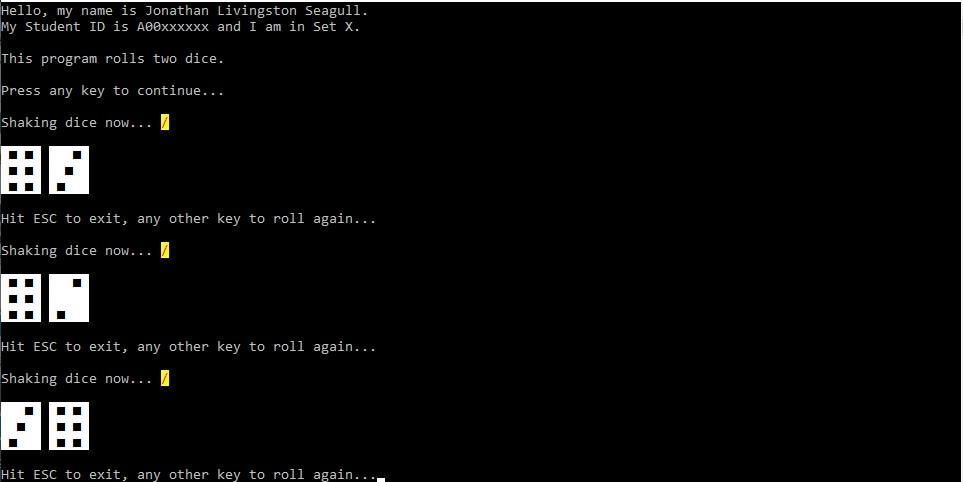
Lab 6 - Roll Two Dice In this lab, you will write a program that will simulate the random rolling of two dice. The goals of the lab are for you to gain experience with: 1. The switch control structure. 2. Color printing in the console output window. 3. Writing your own functions. 4. Using the Sleep() function from windows.h to slow your program down. 5. Using rand() and srand() functions from stdlib.h. 6. Using time() function from time.h to seed the random number generator. See the sample:Labbsample.exe. Your program is to perform similarly. You can use your own colors. See the file: Using Colors in Windows.h.txt You will need to: 1. Learn how to print in color by creating a "HANDLE with windows.h. 2. Figure out how to use the windows.h color codes to create the desired color. Your program will need to: 1. Print an intro (with your name, student number and set). 2. Print a rotating "hourglass" figurine. 3. Obtain random values for each die. 4. Display the two dice side-by-side horizontally. 5. Repeat steps 2 to 4 in a loop. 6. Exit the loop and the program when the ESC key is hit. Notes: Make three functions and three functions only) to print, respectively, the first row, second row, and the third row of a die. Use a switch in each function. Use symbolic constants such as: #define ESC 27 //Escape key #define SQUARE 254 // small black square on a die #define BS 8 //backspace for the "hourglass #define WAIT 50 // wait time for the Sleep function Generate random seed based on current time: #include
Step by Step Solution
There are 3 Steps involved in it

Get step-by-step solutions from verified subject matter experts
 Study Help