







Question: I've copied and pasted the code i have for this project at the end of this question. the coding website is p 5 . js:
I've copied and pasted the code i have for this project at the end of this question. the coding website is pjs:
how do i fix it so that when the mouse is pressed above the y axis midline width or only the stars are drawn, and when the mouse is pressed below the y axis midline, only the grass is drawn? im pretty sure this involves an if and else statement, but nothing that i put has worked.
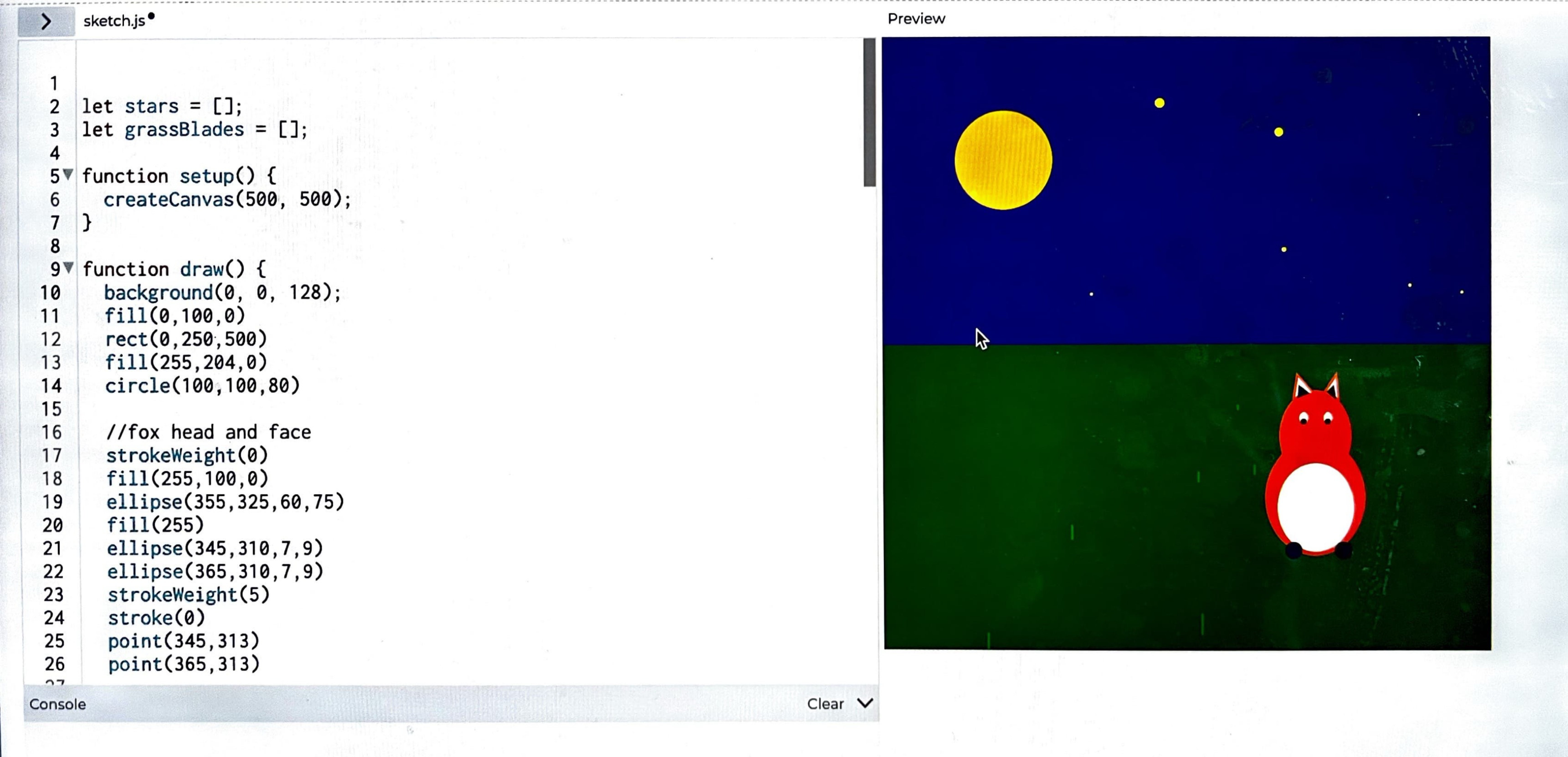
how do i fix it so grass isnt drawn on top of the fox and stars arent drawn on top of the moon when the mouse is pressed? if an ellipse were to be drawn around the fox, it would be approximately ellipse The moon is drawn at
i really am awful with computers so i REALLY need the help, thx
the entire code is currently:
let stars ;
let grassBlades ;
function setup
createCanvas;
function draw
background;
fill
rect
fill
circle
fox head and face
strokeWeight
fill
ellipse
fill
ellipse
ellipse
strokeWeight
stroke
point
point
right fox ear
strokeWeight
stroke
fill
triangle
strokeWeight
fill
triangle
left fox ear
strokeWeight
stroke
fill
triangle
strokeWeight
fill
triangle
fox body
strokeWeight
fill
ellipse
fill
ellipse
fox paws
strokeWeight
stroke
point
point
drawStars;
drawGrass;
Function to draw stars
function drawStars
fill; Yellow stars
noStroke;
for let i ; i stars.length; i
let star starsi;
let distance absstary height ; Distance from horizon middle of canvas
let size mapdistance height ; Size scales based on distance
ellipsestarx star.y size, size;
Function to draw grass blades
function drawGrass
fill; Green grass
noStroke;
for let i ; i grassBlades.length; i
let blade grassBladesi;
let distance absbladey height ; Distance from horizon
let size mapdistance height ; Size scales based on distance
rectbladex blade.y size; Drawing grass as simple rectangles
function mousePressed
let numStars intrandom; Random number of stars between
let numBlades intrandom; Random number of grass blades
Adding stars in the upper half of the canvas
for let i ; i numStars; i
let x random width;
let y random height ; Stars only in the upper half
stars.push x: x y: y ;
Adding grass blades in the lower half of the canvas
for let i ; i numBlades; i
let x random width;
let y randomheight height; Grass only in the lower half
grassBlades.push x: x y: y ;
Function to clear the canvas when r key is pressed
function keyPressed
if key r key R
stars ; Clear all stars
grassBlades ; Clear all grass blades
Step by Step Solution
There are 3 Steps involved in it
1 Expert Approved Answer
Step: 1 Unlock

Question Has Been Solved by an Expert!
Get step-by-step solutions from verified subject matter experts
Step: 2 Unlock
Step: 3 Unlock
 Study Help