Question: I've tried writing the code for this question and keep on getting stuck. I need some help. Thank you! 5. The program Boxes (JMCh16Exercises Boxes

I've tried writing the code for this question and keep on getting stuck. I need some help. Thank you!
I've tried writing the code for this question and keep on gettingstuck. I need some help. Thank you! 5." The program Boxes (JM\\Ch16\\Exercises\\Boxes . java) can display different types of boxes (rectangles) in differentcolors. The user chooses the color of the box from a "combo

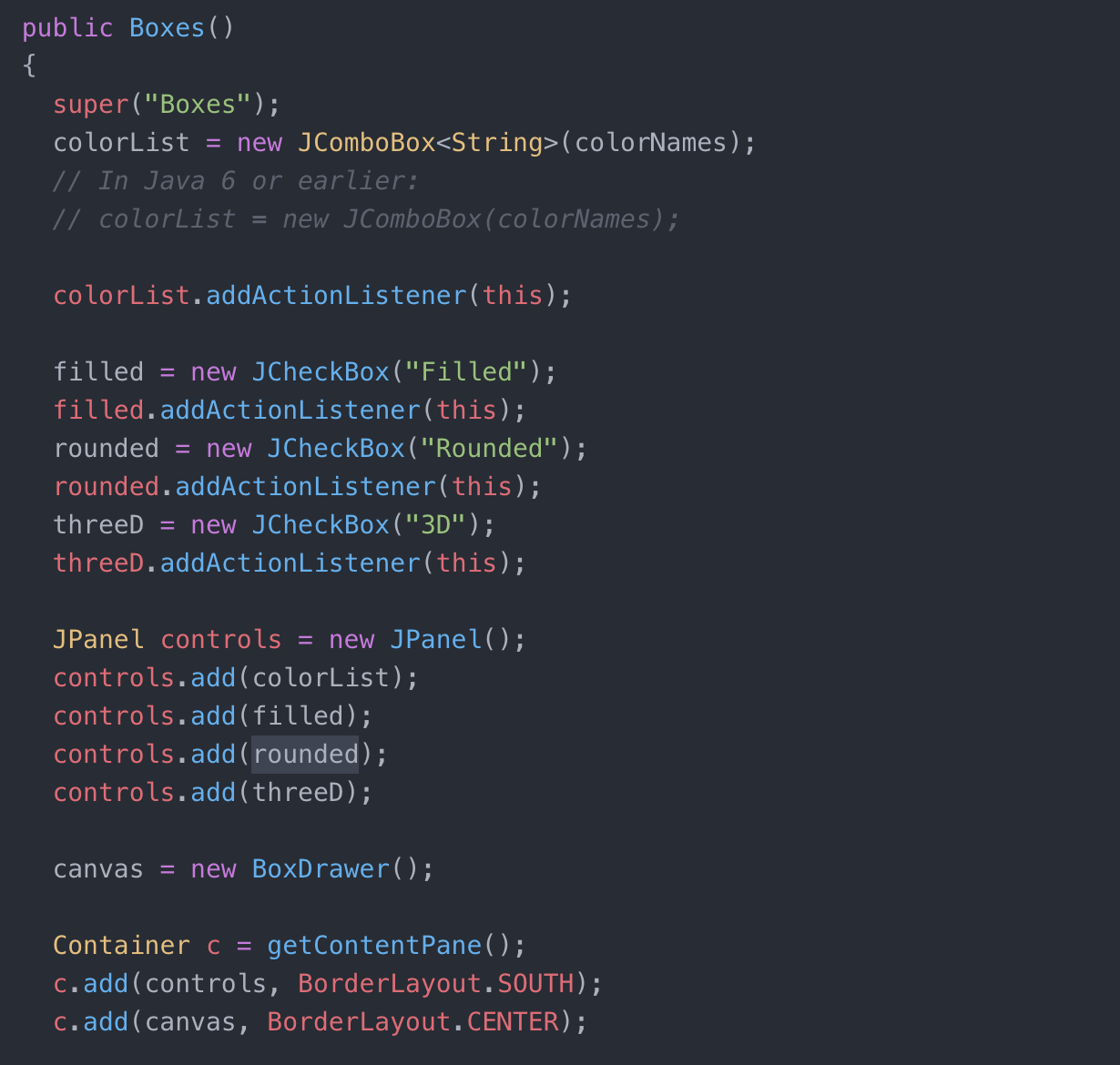
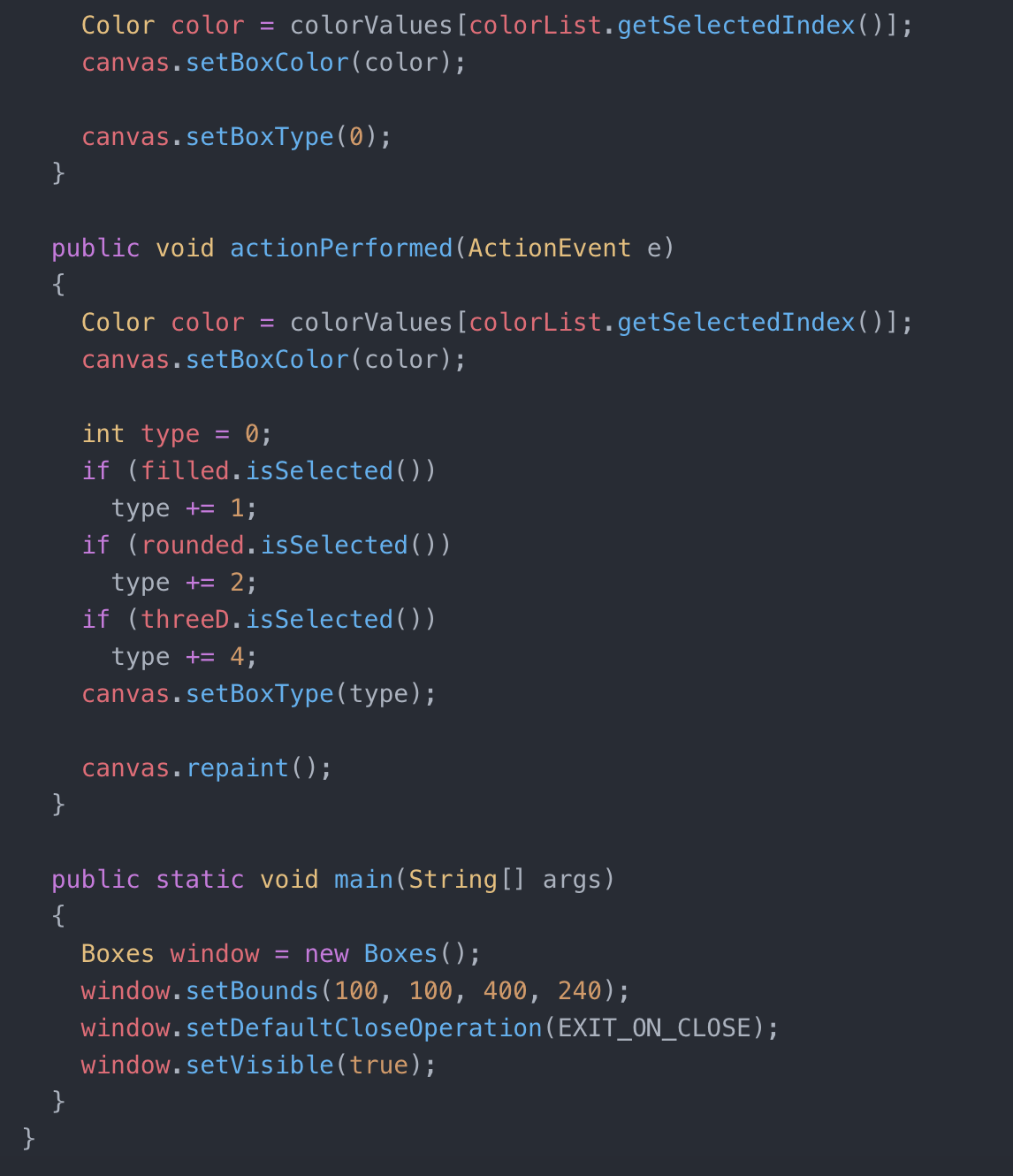
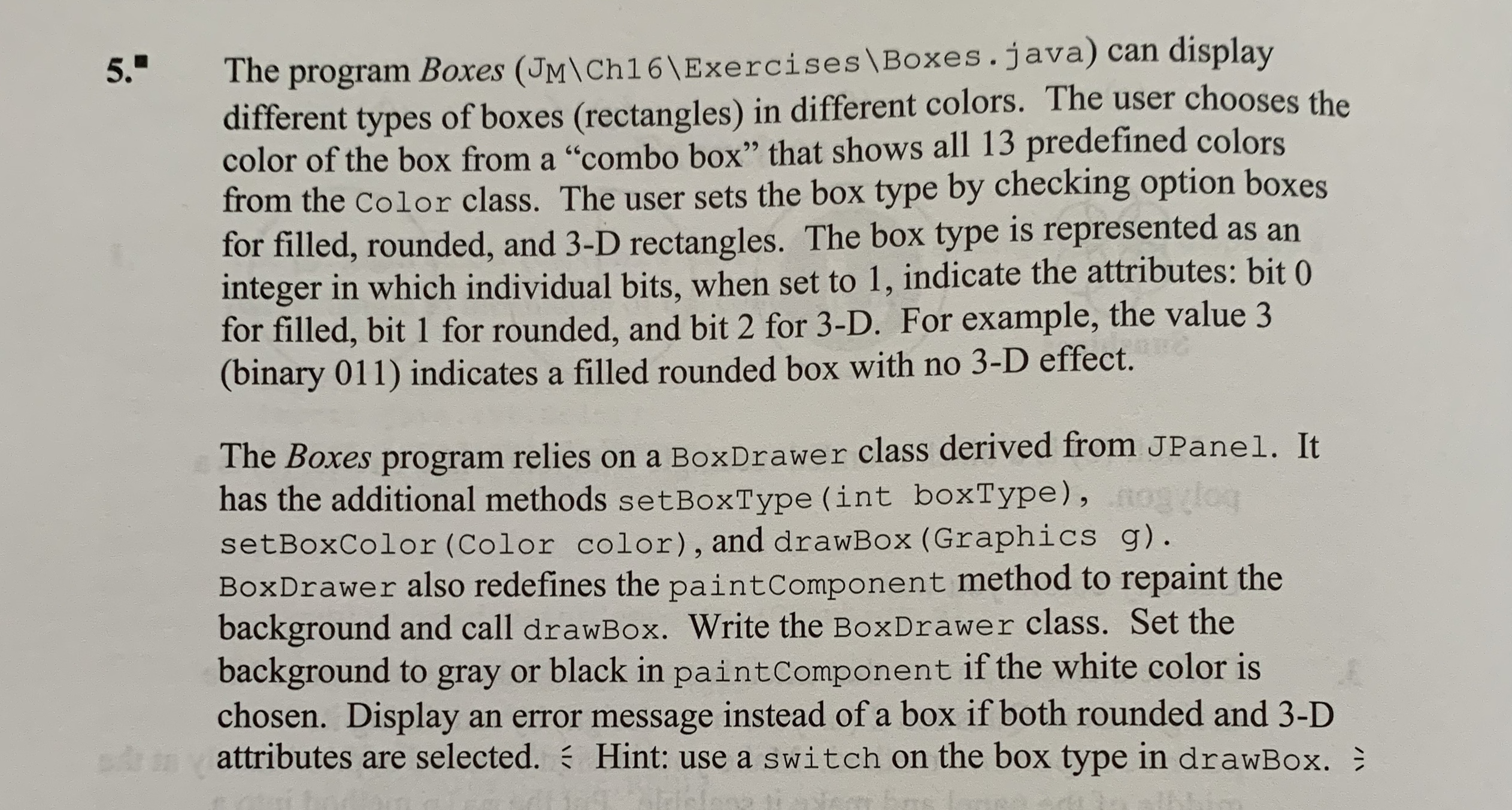
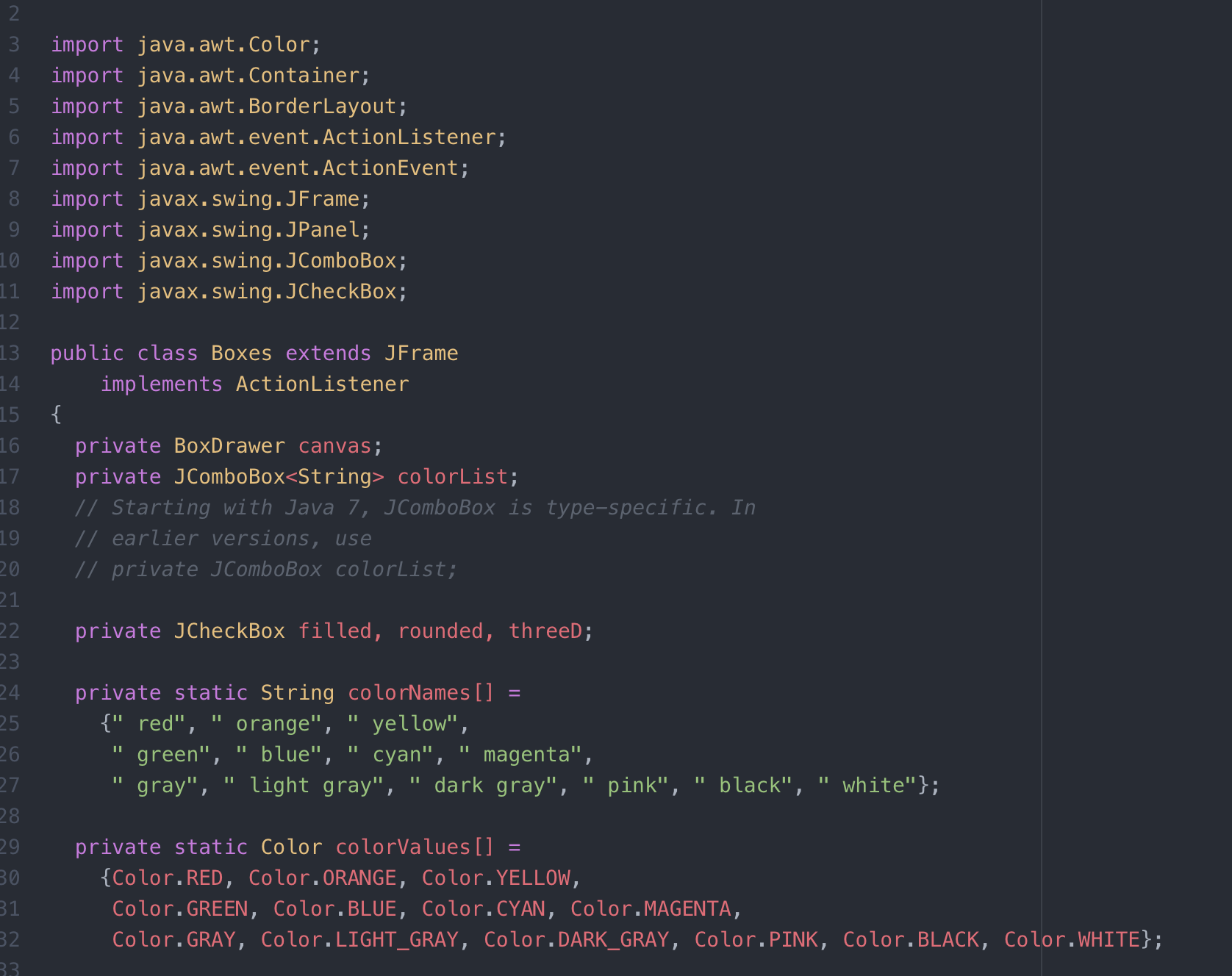
5." The program Boxes (JM\\Ch16\\Exercises \\Boxes . java) can display different types of boxes (rectangles) in different colors. The user chooses the color of the box from a "combo box" that shows all 13 predefined colors from the Color class. The user sets the box type by checking option boxes for filled, rounded, and 3-D rectangles. The box type is represented as an integer in which individual bits, when set to 1, indicate the attributes: bit 0 for filled, bit 1 for rounded, and bit 2 for 3-D. For example, the value 3 (binary 011) indicates a filled rounded box with no 3-D effect. The Boxes program relies on a BoxDrawer class derived from JPanel. It has the additional methods setBoxType (int boxType) , nolog setBoxColor (Color color), and drawBox (Graphics g). BoxDrawer also redefines the paintComponent method to repaint the background and call drawBox. Write the BoxDrawer class. Set the background to gray or black in paintComponent if the white color is chosen. Display an error message instead of a box if both rounded and 3-D attributes are selected. : Hint: use a switch on the box type in drawBox. :import java. awt. Color; import java. awt . Container; import java. awt . BorderLayout; 6 import java. awt . event . ActionListener; import java. awt . event . ActionEvent; 8 import javax. swing . JFrame; 19 import javax. swing. JPanel; 10 import javax. swing. JComboBox; import javax. swing . JCheckBox; public class Boxes extends JFrame implements ActionListener 5 6 private BoxDrawer canvas; private JComboBox colorList; 18 // Starting with Java 7, JComboBox is type-specific. In 19 / / earlier versions, use // private JComboBox colorList; private JCheckBox filled, rounded, threeD; private static String colorNames [ ] = {" red", " orange", " yellow", " green", " blue", " cyan", " magenta", " gray", " light gray", " dark gray", " pink", " black", " white"}; 28 9 private static Color colorValues = BO {Color. RED, Color. ORANGE, Color. YELLOW, Color. GREEN, Color. BLUE, Color. CYAN, Color . MAGENTA, Color. GRAY, Color. LIGHT_GRAY, Color. DARK_GRAY, Color. PINK, Color. BLACK, Color. WHITE};public Boxes () K super ( "Boxes") ; colorList = new JComboBox(colorNames ) ; / / In Java 6 or earlier: // colorList = new JComboBox (colorNames) ; colorList. addActionListener (this) ; filled = new JCheckBox ("Filled") ; filled. addActionListener (this) ; rounded = new JCheckBox ("Rounded") ; rounded . addActionListener (this) ; threeD = new JCheckBox ("3D") ; threeD . addActionListener (this) ; JPanel controls = new JPanel( ) ; controls . add (colorList) ; controls . add (filled) ; controls . add ( rounded) ; controls . add ( threeD) ; canvas = new BoxDrawer ( ) ; Container c = getContentPane ( ) ; c. add (controls, BorderLayout . SOUTH) ; c. add ( canvas, BorderLayout . CENTER) ;Color color = colorValues [colorList. getSelectedIndex ( ) ] ; canvas . setBoxColor (color) ; canvas . setBoxType (0) ; public void actionPerformed (ActionEvent e) Color color = colorValues [colorList . getSelectedIndex ( ) ] ; canvas . setBoxColor (color) ; int type = 0; if (filled. isSelected( ) ) type += 1; if ( rounded. isSelected ( ) ) type += 2; if ( threeD. isSelected( ) ) type += 4; canvas . setBoxType (type) ; canvas . repaint ( ) ; public static void main (String args) Boxes window = new Boxes ( ) ; window. setBounds (100, 100, 400, 240) ; window. setDefaultCloseOperation (EXIT_ON_CLOSE) ; window. setVisible(true)

Step by Step Solution

There are 3 Steps involved in it

1 Expert Approved Answer
Step: 1 Unlock blur-text-image
Question Has Been Solved by an Expert!

Get step-by-step solutions from verified subject matter experts

Step: 2 Unlock
Step: 3 Unlock

Students Have Also Explored These Related Programming Questions!