







Question: java Activity 2 Implement a class Robot that simulates a robot wandering on an infinite plane. The robot is located at a point with integer
java
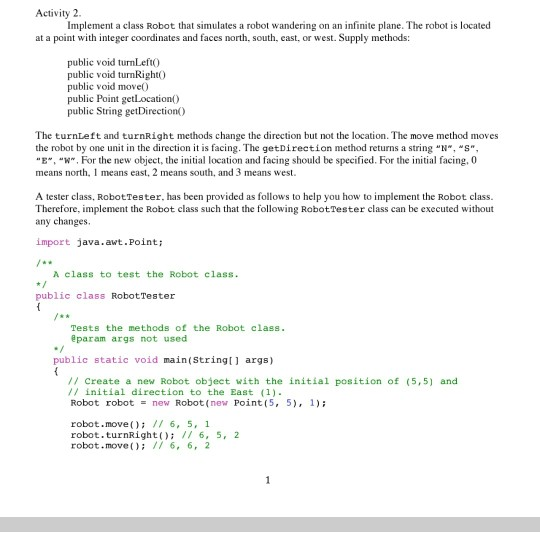
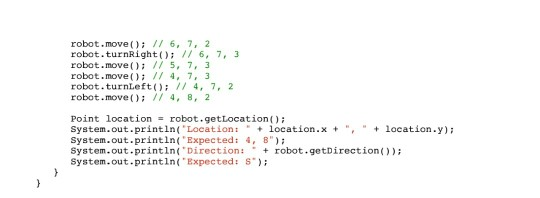
Activity 2 Implement a class Robot that simulates a robot wandering on an infinite plane. The robot is located at a point with integer coordinates and faces north, south, east, or west. Supply methods: public void turn Left public void turnRight) public void move() public Point getLocation() public String getDirection() The turnleft and turnRight methods change the direction but not the location. The move method moves the robot by one unit in the direction it is facing. The getDirection method returns a string "N","S", "E", "W". For the new object, the initial location and facing should be specified. For the initial facing. O means north, I means cast, 2 means south, and 3 means west. A tester class, Robot Tester, has been provided as follows to help you how to implement the Robot class. Therefore, implement the Robot class such that the following Robot Tester class can be executed without any changes. import java.awt.Point; A class to test the Robot class. public class Robot Tester Tests the methods of the Robot class. @param args not used public static void main(String[] args) 1/ Create a new Robot object with the initial position of (5,5) and // initial direction to the East (1) Robot robot = new Robot(new Point(5, 5), 1); robot.move(); // 6, 5, 1 robot. turnRight(); // 6, 5, 2 robot.move(); // 6, 6, 2 robot.move(); // 6, 7, 2 robot. turnRight(); // 6, 7, 3 robot.move(); // 5, 7, 3 robot.move(); // 4, 7, 3 robot.turnLeft(); // 4, 7, 2 robot.move(); // 4, 82 Point location robot.getLocation(); System.out.println('Location: " + location.x + ", " + location.y); System.out.println("Expected: 4,8"); System.out.println("Direction:- + robot.getDirection()); System.out.println("Expected: S')
Step by Step Solution
There are 3 Steps involved in it

Get step-by-step solutions from verified subject matter experts
 Study Help