







Question: JAVA CODING Write a program to: 1. Read a file which contains a list of students' name ; 2. Output the first name, and the
JAVA CODING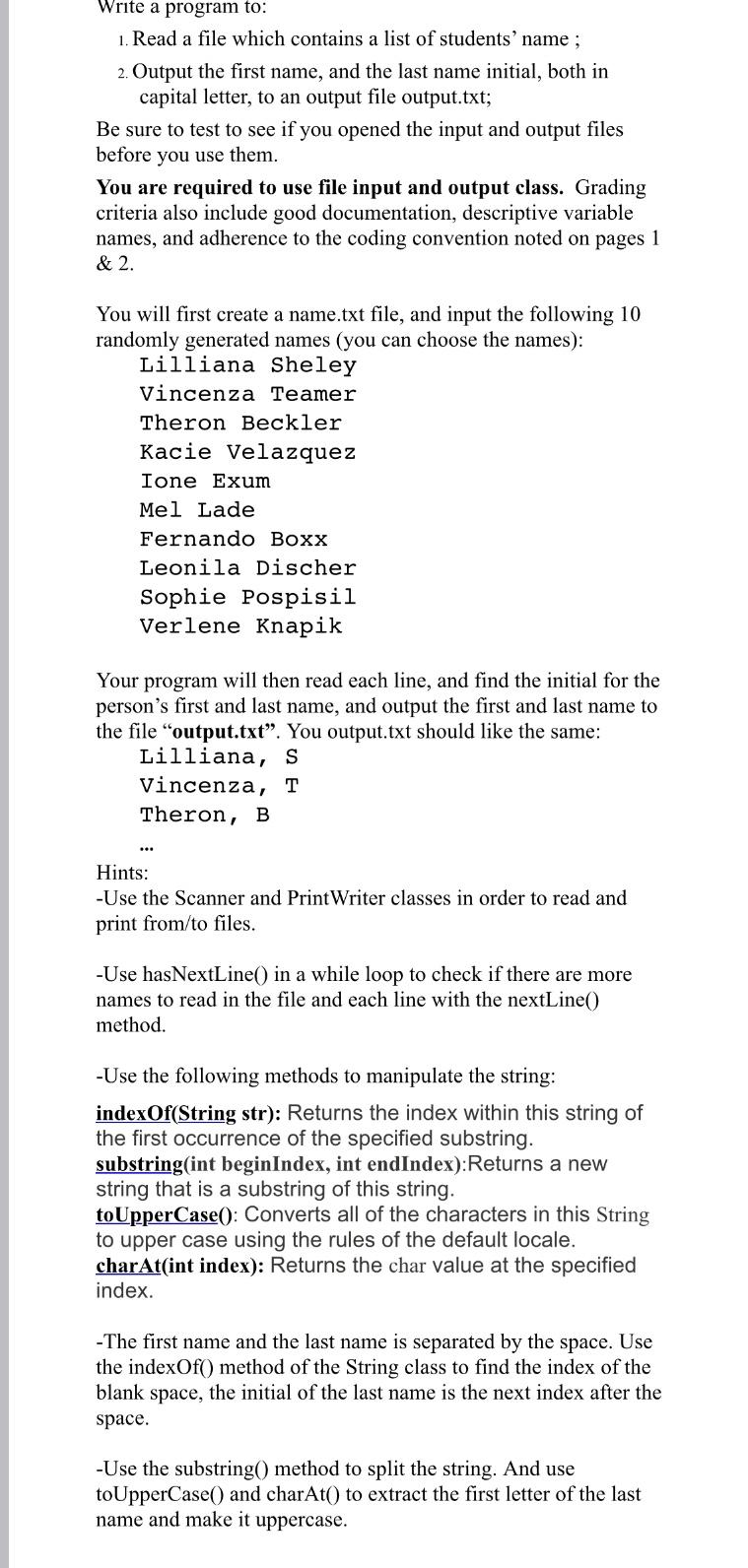
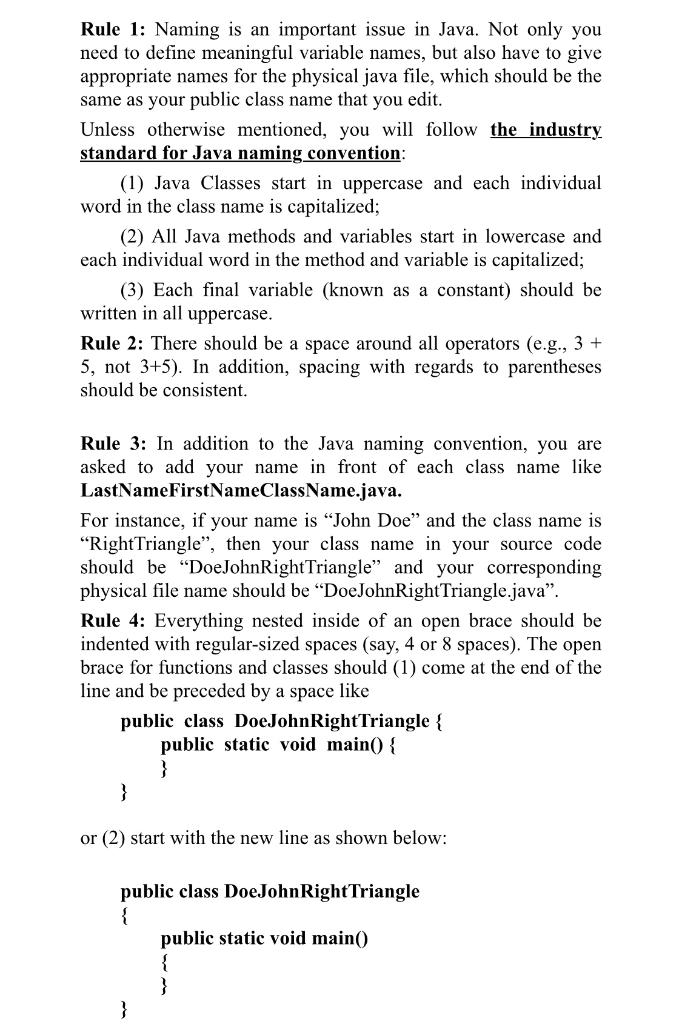
Write a program to: 1. Read a file which contains a list of students' name ; 2. Output the first name, and the last name initial, both in capital letter, to an output file output.txt; Be sure to test to see if you opened the input and output files before you use them. You are required to use file input and output class. Grading criteria also include good documentation, descriptive variable names, and adherence to the coding convention noted on pages 1 & 2. You will first create a name.txt file, and input the following 10 randomly generated names (you can choose the names): Lilliana Sheley Vincenza Teamer Theron Beckler Kacie Velazquez Ione Exum Mel Lade Fernando Boxx Leonila Discher Sophie Pospisil Verlene Knapik Your program will then read each line, and find the initial for the person's first and last name, and output the first and last name to the file "output.txt". You output.txt should like the same: Lilliana, S Vincenza, T Theron, B ... Hints: -Use the Scanner and Print Writer classes in order to read and print from/to files. -Use hasNextLine() in a while loop to check if there are more names to read in the file and each line with the nextLine() method. -Use the following methods to manipulate the string: indexOf(String str): Returns the index within this string of the first occurrence of the specified substring. substring(int beginIndex, int endIndex):Returns a new string that is a substring of this string. toUpperCase(): Converts all of the characters in this String to upper case using the rules of the default locale. charAt(int index): Returns the char value at the specified index. - The first name and the last name is separated by the space. Use the indexOf() method of the String class to find the index of the blank space, the initial of the last name is the next index after the space. -Use the substring() method to split the string. And use toUpperCase() and charAt() to extract the first letter of the last name and make it uppercase. Rule 1: Naming is an important issue in Java. Not only you need to define meaningful variable names, but also have to give appropriate names for the physical java file, which should be the same as your public class name that you edit. Unless otherwise mentioned, you will follow the industry standard for Java naming convention: (1) Java Classes start in uppercase and each individual word in the class name is capitalized; (2) All Java methods and variables start in lowercase and each individual word in the method and variable is capitalized; (3) Each final variable (known as a constant) should be written in all uppercase. Rule 2: There should be a space around all operators (e.g., 3+ 5, not 3+5). In addition, spacing with regards to parentheses should be consistent. Rule 3: In addition to the Java naming convention, you are asked to add your name in front of each class name like LastNameFirstNameClassName.java. For instance, if your name is John Doe and the class name is "RightTriangle", then your class name in your source code should be "DoeJohnRightTriangle" and your corresponding physical file name should be DoeJohnRightTriangle.java". Rule 4: Everything nested inside of an open brace should be indented with regular-sized spaces (say, 4 or 8 spaces). The open brace for functions and classes should (1) come at the end of the line and be preceded by a space like public class DoeJohnRightTriangle { public static void main() { } } or (2) start with the new line as shown below: public class Doe John Right Triangle { public static void main() { } }
Step by Step Solution
There are 3 Steps involved in it

Get step-by-step solutions from verified subject matter experts
 Study Help