







Question: Java Create a drawing JFrame application that draws repetitive triangles, rectangles, and ovals. For this purpose create a set of JPanel's shape classes MyTriangles MyRects,
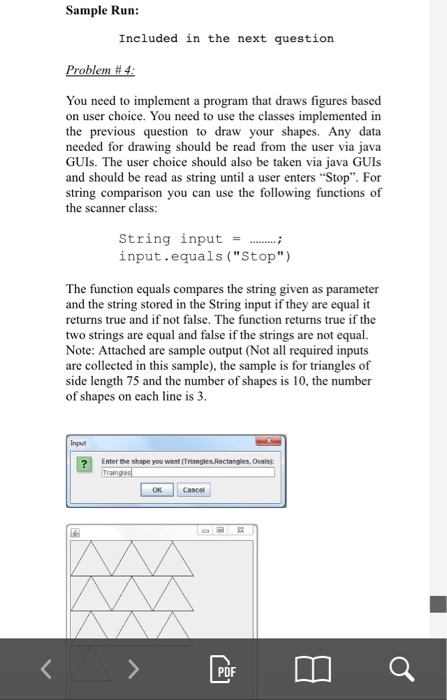
Create a drawing JFrame application that draws repetitive triangles, rectangles, and ovals. For this purpose create a set of JPanel's shape classes MyTriangles MyRects, and MyOvals. The data for class MyTriangles should include side length and number of triangles to be drawn and the number to be drawn on each line. The data of classes MyRects and MyOvals should include a width (non-negative) and a height (non-negative) and and number of shaped to be drawn and the number to be drawn on each line. All data in each class must be private In addition to the data, each class should define at least the a) A constructor with no arguments that sets the b) A constructor with arguments that sets the attributes following methods attribute to 0 to the supplied values. c) Set methods for each individual piece of data that allows the programmer to modify any piece of data in a shape (i.e. if you have a variable sideLength then you should have a method setSideLength) d) Get methods for each individual piece of data that allows the programmer read any piece of data in a shape (i.e. if you have a variable sideLength then you should have a method getSideLength) e) A draw method with the first line: public void paintComponent (Graphics g) that is responsible of drawing its corresponding figure, and it would be called by JPanel draw a shape on the screen. In your JFrame application, you should ask the user for a shape to draw (ovals, triangles, or rectangles). The application dimensions randomly (from 50 to 100) and the number of shapes randomly from to 10) and the number of shapes on each line randomly between (1 to the number of shapes generated randomly at previous step)
Step by Step Solution
There are 3 Steps involved in it

Get step-by-step solutions from verified subject matter experts
 Study Help