







Question: Java - File Operations 1. File Operations Nandhini wants to store a decrypted message, and read an encrypted message sent by her friend. As part
Java - File Operations
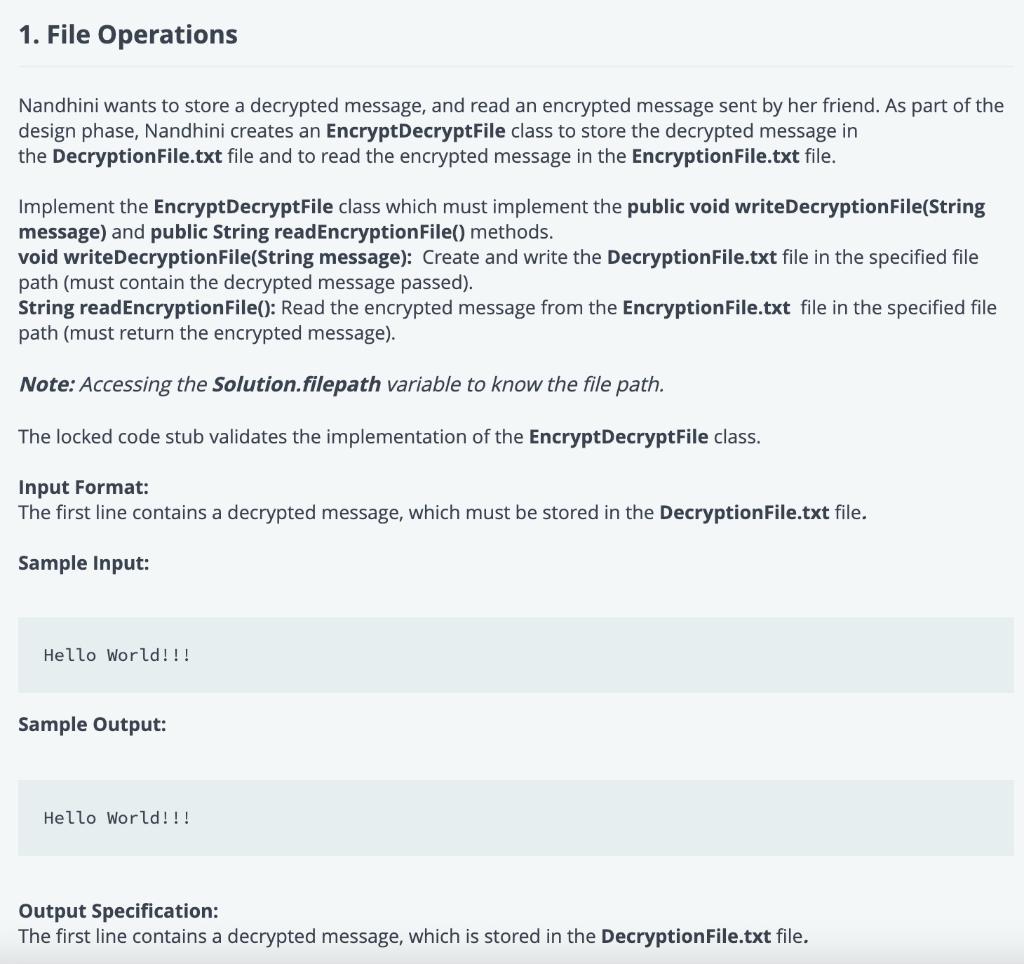
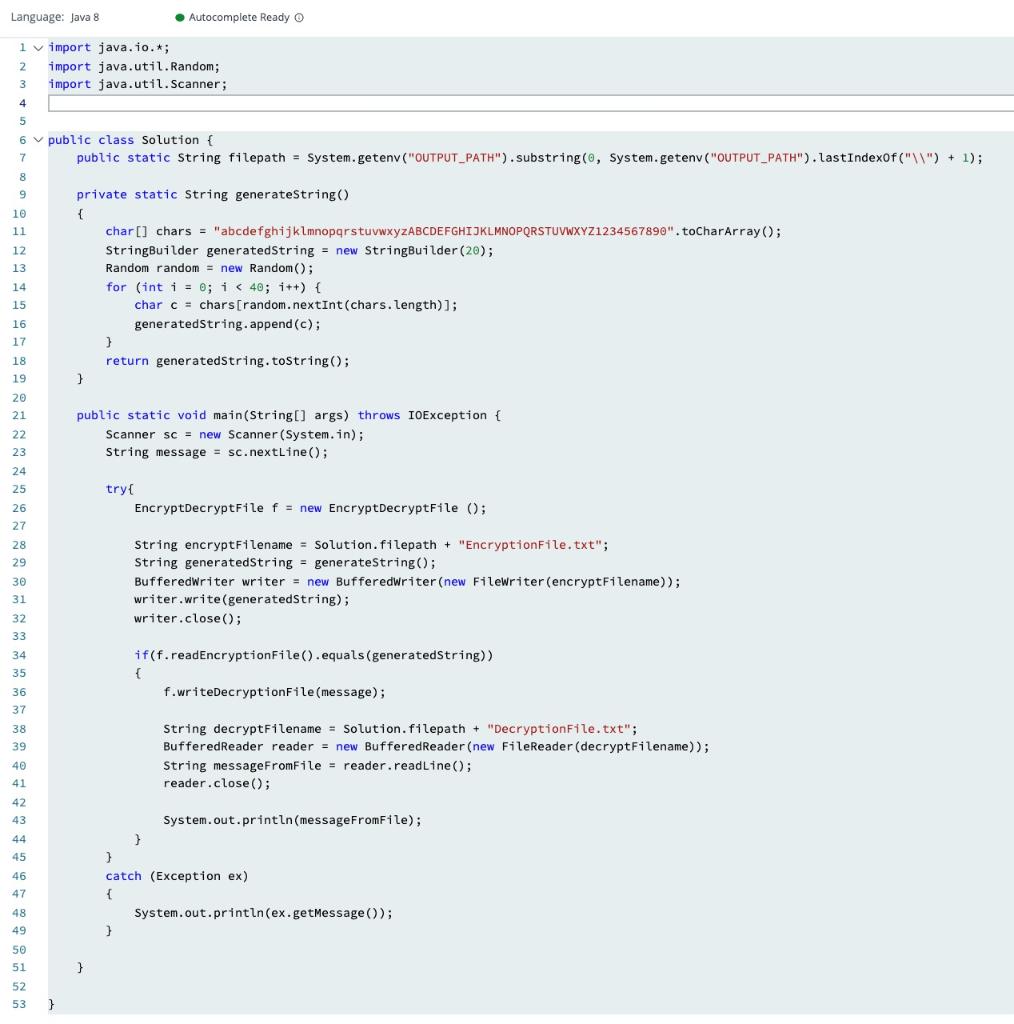
1. File Operations Nandhini wants to store a decrypted message, and read an encrypted message sent by her friend. As part of the design phase, Nandhini creates an EncryptDecryptFile class to store the decrypted message in the DecryptionFile.txt file and to read the encrypted message in the EncryptionFile.txt file. Implement the EncryptDecryptFile class which must implement the public void writeDecryptionFile(String message) and public String readEncryptionFile() methods. void writeDecryptionFile(String message): Create and write the DecryptionFile.txt file in the specified file path (must contain the decrypted message passed). String readEncryptionFile(): Read the encrypted message from the EncryptionFile.txt file in the specified file path (must return the encrypted message). Note: Accessing the solution.filepath variable to know the file path. The locked code stub validates the implementation of the EncryptDecryptFile class. Input Format: The first line contains a decrypted message, which must be stored in the DecryptionFile.txt file. Sample Input: Hello World!!! Sample Output: Hello World!!! Output Specification: The first line contains a decrypted message, which is stored in the DecryptionFile.txt file. Language: Java 8 Autocomplete Ready O 2. 1 import java.io.*; import java.util. Random; import java.util.Scanner; 4 3 5 6. public class Solution { public static String filepath = System.getenv ("OUTPUT_PATH").substring(0, System.geten ("OUTPUT_PATH").lastIndexOf("\") + 1); 7 8 9 10 11 12 13 14 15 private static String generateString() { char[] chars = "abcdefghijklmnopqrstuvwxyZABCDEFGHIJKLMNOPQRSTUVWXYZ1234567890".toCharArray(); StringBuilder generatedString = new StringBuilder (20); Random random = new Random(); for (int i = 0; i
Step by Step Solution
There are 3 Steps involved in it

Get step-by-step solutions from verified subject matter experts
 Study Help