







Question: Java Fundamentals Lab 2 Java Fundamentals Lab Obiectives Write arithmetic expressions to accomplish a task Use casting to convert between primitive types Use a value-retuning
Java Fundamentals
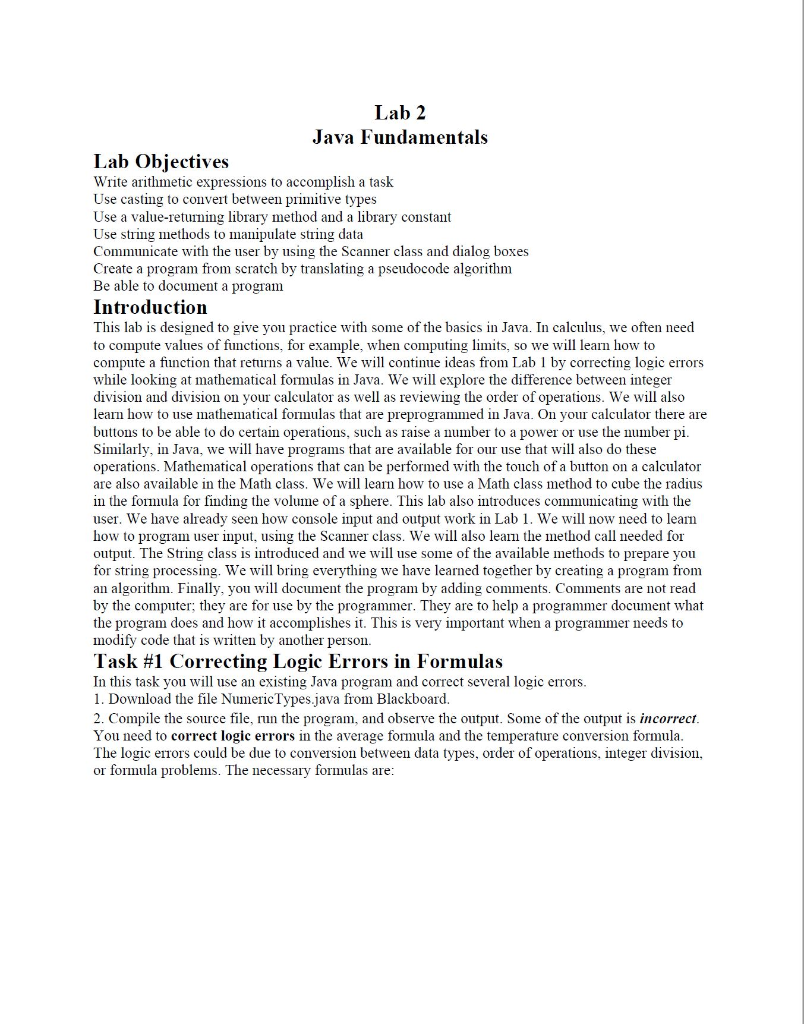
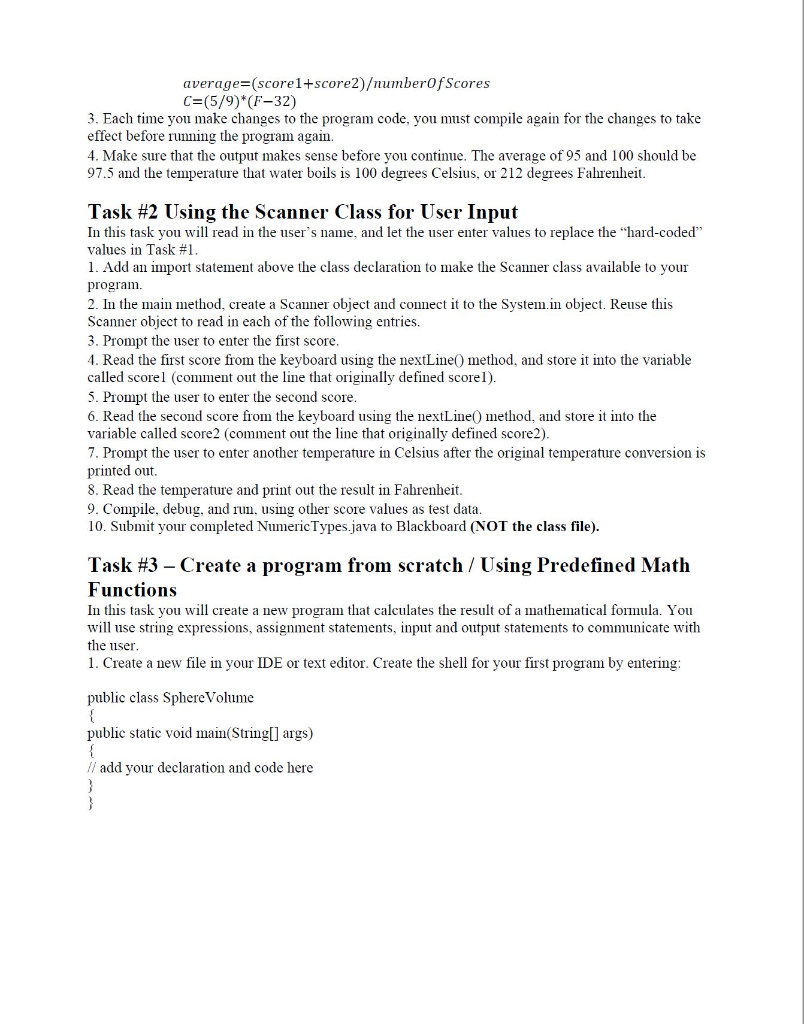
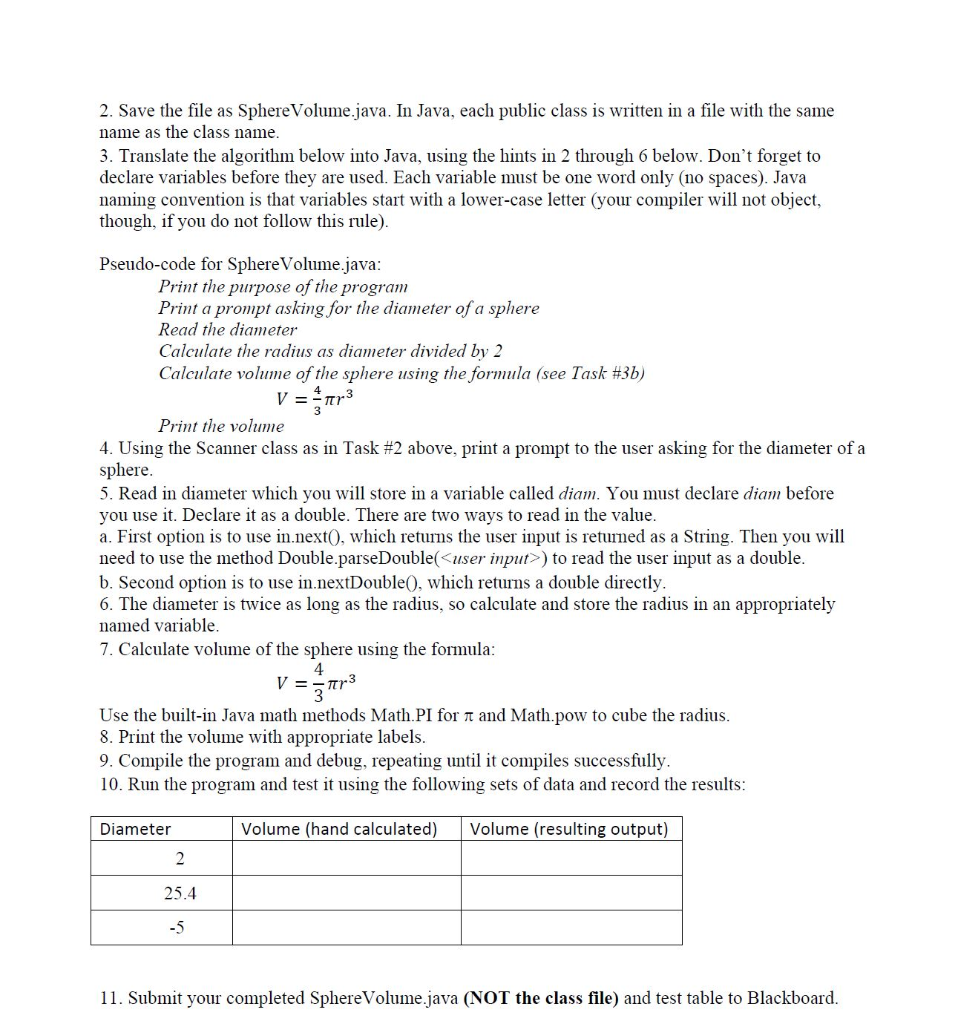
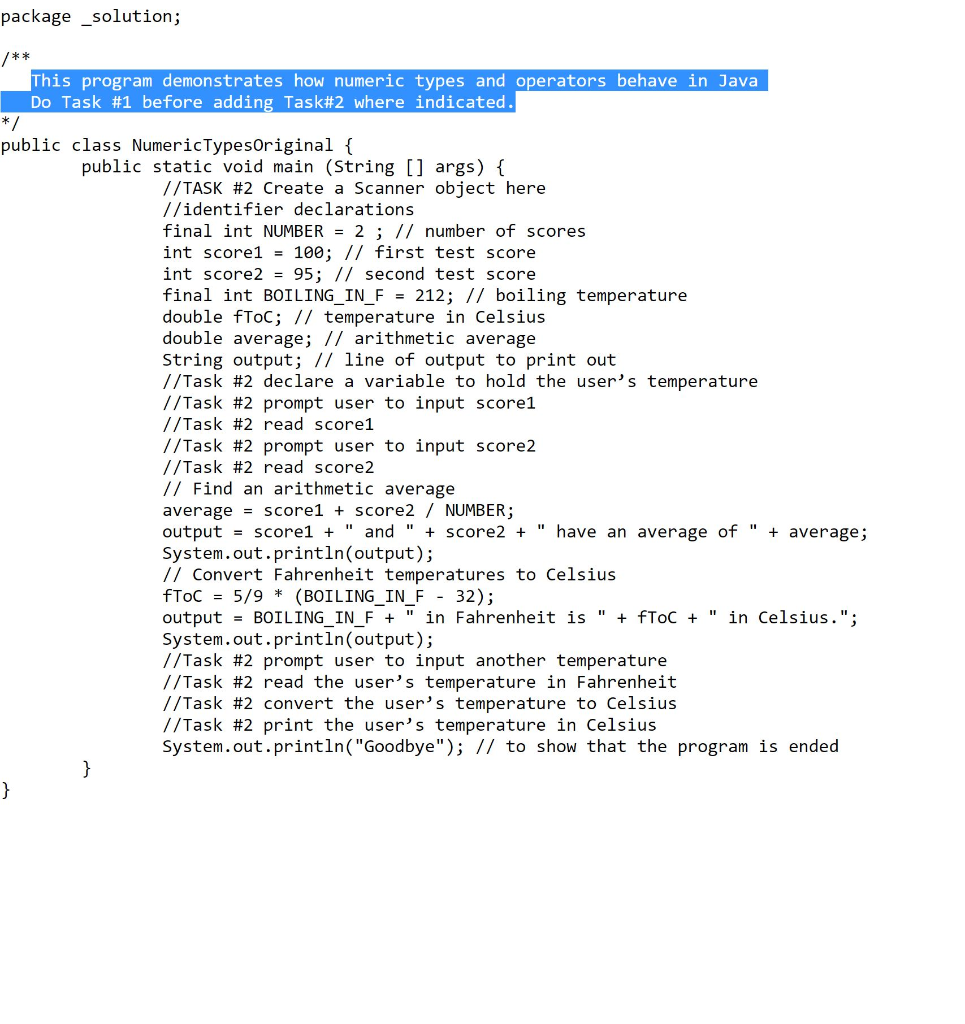
Lab 2 Java Fundamentals Lab Obiectives Write arithmetic expressions to accomplish a task Use casting to convert between primitive types Use a value-retuning library method and a library constant Use string methods to manipulate string data Communicate with the user by using the Scanner class and dialog boxes Create a program from scratch by translating a pseudocode algorithm Be able to document a progranm Introduction This lab is designed to give you practice with some of the basics in Java. In calculus, we often need to compute values of functions, for example, when computing limits, so we will learn how to compute a function that returns a value. We will continue ideas from Lab 1 by correcting logic errors while looking at mathematical formulas in Java. We will explore the difference between integer division and division on your calculator as well as reviewing the order of operations. We will also learn how to use mathematical formulas that are preprogrammed in Java. On your calculator there are buttons to be able to do certain operations, such as raise a number to a power or use the number pi Similarly, in Java, we will have programs that are available for our use that will also do these operations. Mathematical operations that can be performed with the touch of a button on a calculator are also available in the Math class. We will learn how to use a Math class method to cube the radius in the formula for finding the volume of a sphere. This lab also introduces communicating with the user. We have already seen how console input and output work in Lab 1. We will now need to learn how to program user input, using the Scanner class. We will also leam the method call needed for output. The String class is introduced and we will use some of the available methods to prepare you for string processing. We will bring everything we have learned together by creating a program from an algorithm. Finally, you will document the program by adding comments. Comments are not read by the computer they are for use by the programmer. They are to help a programmer document what the program does and how it accomplishes it. This is very important when a programmer needs to modify code that is written by another person. lask #1 Correcting Logic Errors in Formulas In this task you wl use an existing Java program and correct several logic errors 1. Download the file NumericTypes.java from Blackboard. 2. Compile the source file, run the program, and observe the output. Some of the output is incorrect You need to correct logic errors in the average formula and the temperature conversion formula The logic errors could be due to conversion between data types, order of operations, integer division, or formula problems. The necessary formulas are average- (scorel+score2)umberOfScores C (5/9)*(F-32) 3. Each time you make changes to the program code, you must compile again for the changes to take effect before running the program again. 4. Make sure that the output makes sense before you continue. The average of 95 and 100 should be 97.5 and the temperature that water boils is 100 degrees Celsius, or 212 degrees Fahrenheit Task #2 Using the Scanner Class for User Input In this task you will read in the user's name, and let the user enter values to replace the "hard-coded" values in Task #1 1. Add an import statement above the class declaration to make the Scaer class available to your program. 2. In the main method, create a Scanner object and connect it to the System.in object. Reuse this Scanner object to read in each of the following entries. 3. Prompt the user to enter the first score 4. Read the first score from the keyboard using the nextLine0 method, and store it into the variable called scorel (comment out the line that originally defined scorel). 5. Prompt the user to enter the second score 6. Read the second score from the keyboard using the nextLine0 method, and store it into the variable called score2 (comment out the line that originally defined score2) 7. Prompt the user to enter another temperature in Celsius after the original temperature conversion is printed out 8. Read the temperature and print out the result in Fahrenheit 9. Compile, debug, and run, using other score values as test data 10. Submit your completed NumericTypes.java to Blackboard (NOT the class file). Task #3-Create a program from scratch / Using Predefined Math Functions In this task you will create a new program that calculates the result of a mathematical formula. You will use string expressions, assignment statements, input and output statements to communicate with the user 1. Create a new file in your IDE or text editor. Create the shell for your first program by entering public class SphereVolume public static void main(String[] args) // add your declaration and code here 2. Save the file as SphereVolume.java. In Java, each public class is written in a file with the same name as the class name 3. Translate the algorithm below into Java, using the hints in 2 through 6 below. Don't forget to declare variables before they are used. Each variable must be one word only (no spaces). Java naming convention is that variables start with a lower-case letter (your compiler will not object, though, if you do not follow this rule) Pseudo-code for Sphere Volun e.java Print the purpose of the program Print a prompt asking for the diameter of a sphere Read the diameter Calculate the radius as diameter divided by 2 Calculate voluine of the sphere using the formula (see Task #3b) 4 Print the volume 4. Using the Scanner class as in Task #2 above, print a prompt to the user asking for the diameter of a sphere 5. Read in diameter which you will store in a variable called diam. You must declare diam before you use it. Declare it as a double. There are two ways to read in the value a. First option is to use in.nextO, which returns the user input is returmed as a String. Then you will need to use the method Double.parseDoubleinput>) to read the user input as a double b. Second option is to use in.nextDouble0, which returns a double directly 6. The diameter is twice as long as the radius, so calculate and store the radius in an appropriately named variable 7. Calculate volume of the sphere using the formula 4 3 Use the built-in Java math methods Math.PI for and Math.pow to cube the radius 8. Print the volume with appropriate labels 9. Compile the program and debug, repeating until it compiles successfully 10. Run the program and test it using the following sets of data and record the results Diameter Volume (hand calculated) Volume (resulting output) 25.4 -5 11. Submit your completed SphereVolume.java (NOT the class file) and test table to Blackboard Numeric Types and Volume of a Sphere package solution; k * This program demonstrates how numeric types and operators behave in Java Do Task #1 before adding Task#2 where indicated public class NumericTypesOriginal { public static void main (String [] args) f //TASK #2 Create a Scanner object here //identifier declarations final int NUMBER2; // number of scores int score1- 100; // first test score int score2 95; // second test score final int BOILING IN F212; // boiling temperature double floc; // temperature in Celsius double average; // arithmetic average String output; // line of output to print out //Task #2 declare a variable to hold the user's temperature //Task #2 prompt user to input score1 //Task #2 read score1 //Task #2 prompt user to input score2 //Task #2 read score2 // Find an arithmetic average average - score1 score2/ NUMBER; output-score1"and"SCore2+ " have an average of " average; System.out.println(output); // Convert Fahrenheit temperatures to Celsius fToC = 5/9 * (BOILING IN F - 32); output-BOILING_IN_F " in Fahrenheit is"+ fToC " in Celsius."; System.out.println(output); //Task #2 prompt user to input another temperature //Task #2 read the user's temperature in Fahrenheit //Task #2 convert the user's temperature to Celsius //Task #2 print the user's temperature in Celsius System.out.println( "Goodbye"); // to show that the program is ended
Step by Step Solution
There are 3 Steps involved in it

Get step-by-step solutions from verified subject matter experts
 Study Help