







Question: Java GUI/Swing/Jframe Please take a look at my code , pasted below for your access. im reading the text file accountinformation.txt into an array ,
Java GUI/Swing/Jframe
Please take a look at my code , pasted below for your access.
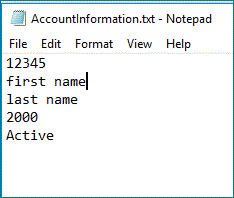
im reading the text file "accountinformation.txt" into an array , it just has a few lines. its shown below.
Im trying to fix it so i can overwrite the 3rd element of the array (shown as "2000" in the text file) with the variable 'new_balance' shown below.
basically what the function is doing is taking user input as string, changing to int and adding it to the 2000, and then update/write out to the text file so that it's permanently changed. Cleanly overwriting the existing 2000 with the new value (not appending to it).Feel free to rewrite the code below any way you need to.
let me know if you need additional info. thanks
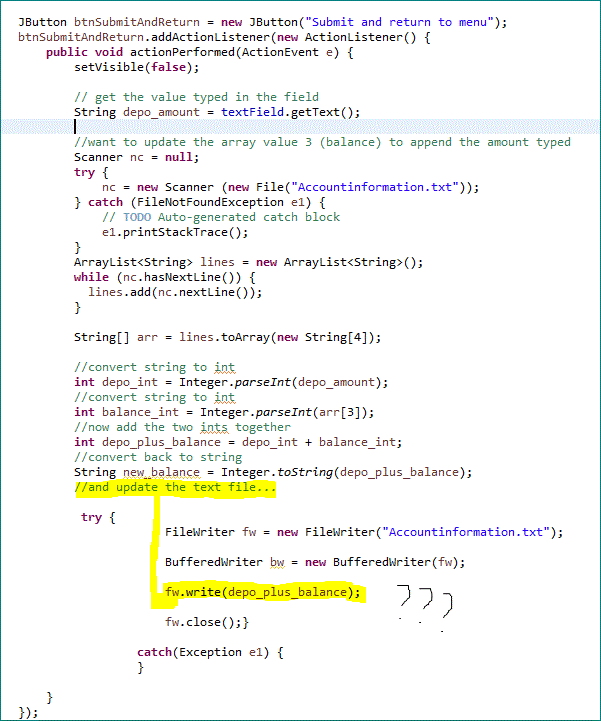
CODE===========================
JButton btnSubmitAndReturn = new JButton("Submit and return to menu");
btnSubmitAndReturn.addActionListener(new ActionListener() {
public void actionPerformed(ActionEvent e) {
setVisible(false);
// get the value typed in the field
String depo_amount = textField.getText();
//want to update the array value 3 (balance) to append the amount typed
Scanner nc = null;
try {
nc = new Scanner (new File("Accountinformation.txt"));
} catch (FileNotFoundException e1) {
// TODO Auto-generated catch block
e1.printStackTrace();
}
ArrayList
while (nc.hasNextLine()) {
lines.add(nc.nextLine());
}
String[] arr = lines.toArray(new String[4]);
//convert string to int
int depo_int = Integer.parseInt(depo_amount);
//convert string to int
int balance_int = Integer.parseInt(arr[3]);
/ow add the two ints together
int depo_plus_balance = depo_int + balance_int;
//convert back to string
String new_balance = Integer.toString(depo_plus_balance);
//and update the text file...
try {
FileWriter fw = new FileWriter("Accountinformation.txt");
BufferedWriter bw = new BufferedWriter(fw);
fw.write(depo_plus_balance);
fw.close();}
catch(Exception e1) {
}
}
});
JButton btnSubmitAndReturn = new' JButton("Submit and return to menu"); btnSubmitAndReturn.addActionListener(new ActionListener) { public void actionPerformed (ActionEvent e) { setVisible(false); // get the value typed in the field String depo_amount-textField.getText); //want to update the array value 3 (balance) to append the amount typed Scanner nc null; try nc new Scanner (new File("Accountinformation.txt ")); = catch (FileNotFoundException e1) // TODO Auto-generated catch block el.printStackTrace(); ArrayList
Step by Step Solution
There are 3 Steps involved in it

Get step-by-step solutions from verified subject matter experts
 Study Help