







Question: JAVA I have been doing part A. this is what the previous code was for part A: I have been using netbeans 8.2 public static
JAVA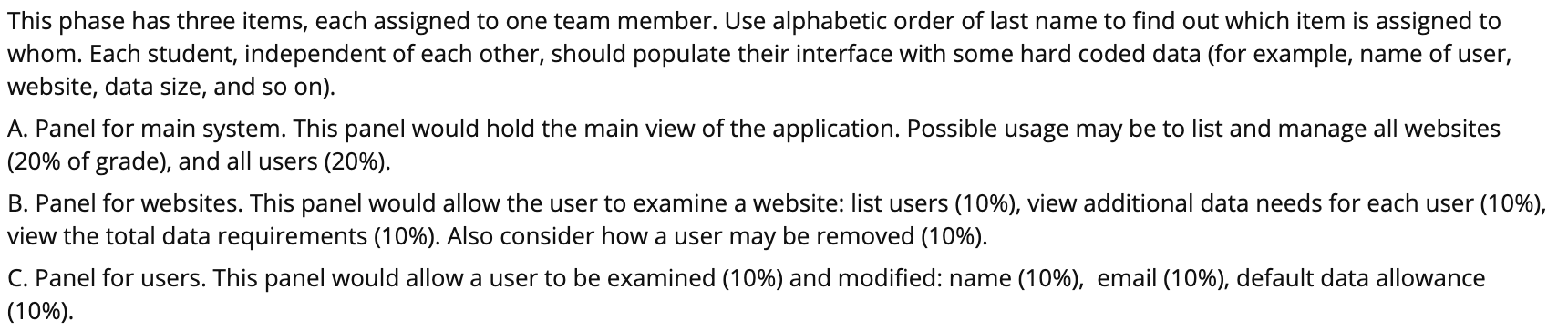
I have been doing part A. this is what the previous code was for part A:
I have been using netbeans 8.2
public static User createUser(String name,String email,double data) { User a = new User(); a.setName(name); a.setEmail(email); a.setDataAllowance(data); return a; } /** * A static method to print the website info */ public static void printWebsite(Website web) { System.out.println("Name: " + web.getName()); System.out.println("Number of users: " + web.getUsersSize()); for(int i=0;iThis phase has three items, each assigned to one team member. Use alphabetic order of last name to find out which item is assigned to whom. Each student, independent of each other, should populate their interface with some hard coded data (for example, name of user, website, data size, and so on). A. Panel for main system. This panel would hold the main view of the application. Possible usage may be to list and manage all websites (20% of grade), and all users (20%). B. Panel for websites. This panel would allow the user to examine a website: list users (10%), view additional data needs for each user (10%), view the total data requirements (10%). Also consider how a user may be removed (10%). C. Panel for users. This panel would allow a user to be examined (10%) and modified: name (10%), email (10%), default data allowance (10%). This phase has three items, each assigned to one team member. Use alphabetic order of last name to find out which item is assigned to whom. Each student, independent of each other, should populate their interface with some hard coded data (for example, name of user, website, data size, and so on). A. Panel for main system. This panel would hold the main view of the application. Possible usage may be to list and manage all websites (20% of grade), and all users (20%). B. Panel for websites. This panel would allow the user to examine a website: list users (10%), view additional data needs for each user (10%), view the total data requirements (10%). Also consider how a user may be removed (10%). C. Panel for users. This panel would allow a user to be examined (10%) and modified: name (10%), email (10%), default data allowance (10%)
Step by Step Solution
There are 3 Steps involved in it

Get step-by-step solutions from verified subject matter experts
 Study Help