







Question: JAVA import java.util.Scanner; import java.nio.file.*; public class PathDemo 2 { public static void main(String[] args) { String name; Scanner keyboard = new Scanner(System.in); System.out.print(Enter a
JAVA
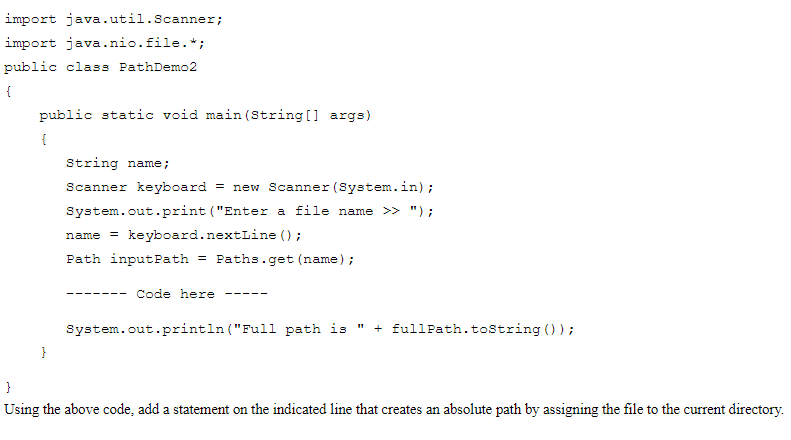
import java.util.Scanner; import java.nio.file.*; public class PathDemo 2 { public static void main(String[] args) { String name; Scanner keyboard = new Scanner(System.in); System.out.print("Enter a file name >> "); name = keyboard.nextLine(); Path inputPath = Paths.get (name); Code here System.out.println("Full path is + fullPath.toString()); } } Using the above code, add a statement on the indicated line that creates an absolute path by assigning the file to the current directory
Step by Step Solution
There are 3 Steps involved in it
1 Expert Approved Answer
Step: 1 Unlock

Question Has Been Solved by an Expert!
Get step-by-step solutions from verified subject matter experts
Step: 2 Unlock
Step: 3 Unlock
 Study Help