







Question: JAVA Important: You don't need to format output values or use JOptionPane dialogs. If you want to ask for user input, you can use the
JAVA
Important:
You don't need to format output values or use JOptionPane dialogs. If you want to ask for user input, you can use the Scanner class. To display results, you can simply print to the console. B01 - Movie ticket register (40 points) Context: You will write a program that can be used to buy movie tickets. Users will enter the name of the movie, their age and day of the week, because there are some discounts available. Your program will ask users if they want to continue purchasing tickets, until the users indicate they want to stop. At that point, your program will print the total amount earned that day.
Important: All movie tickets are worth $10.00.
The discounts are the following: -For kids (13 years old or less), apply 20% discount. -For the elderly (65 years old or more), apply 30% discount.
Your program needs to: Step 1: Ask users what movie they want to watch. Step 2: Ask users for their age. Step 3: Ask users for the day of week. Step 3: Ask users for the day of week. Step 4: Apply discounts as appropriate, if applicable. Step 5: Update total earned so far. Step 6: Ask users if they want to continue (YES/NO). -If YES, then go back to Step 1. -If NO, then print the names of the movies watched, and the total amount earned.
Hint: Here are some functions you may want to use: Scanner class: - public String nextline) - public int nextlnt() Integer class: - public static int parselnt(String s)
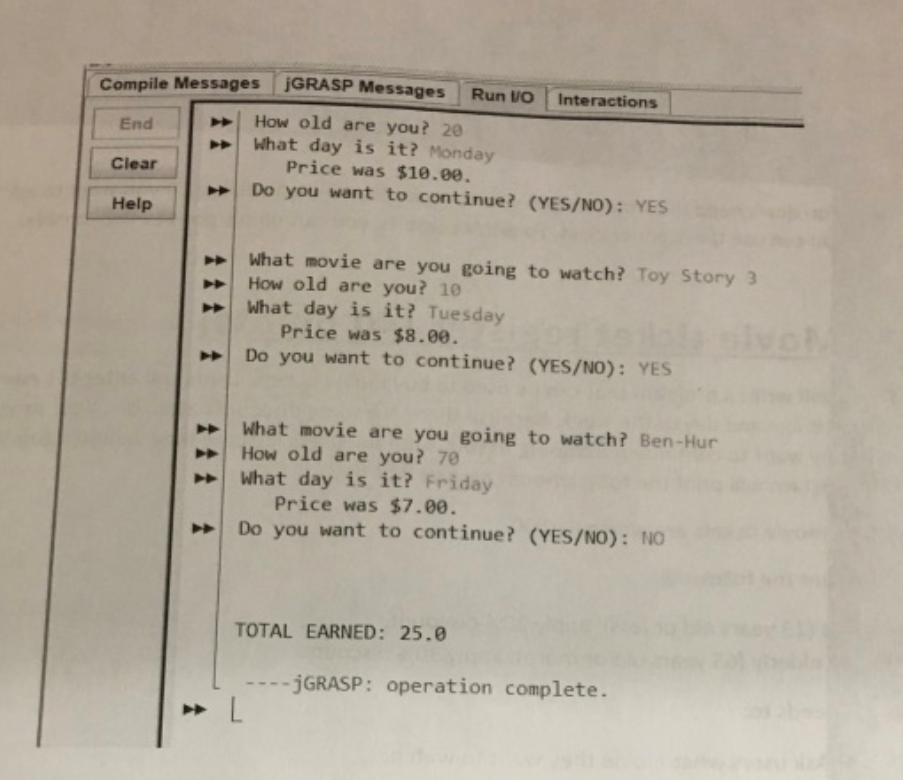
The following is an example of how your program would look like in the console when executed
Step by Step Solution
There are 3 Steps involved in it

Get step-by-step solutions from verified subject matter experts
 Study Help