







Question: java Instructions Today you are going to finish off a method described below. Your work isn't wasted. maybe you could make use of this one
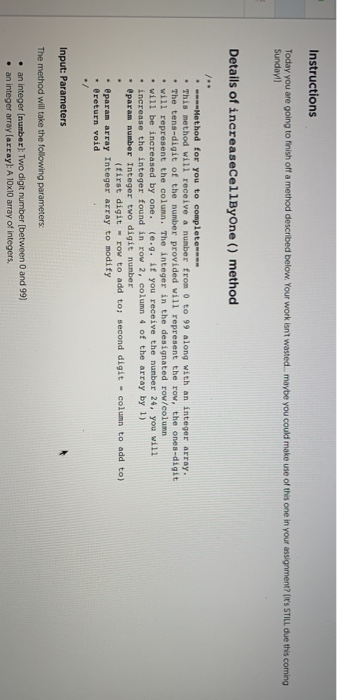
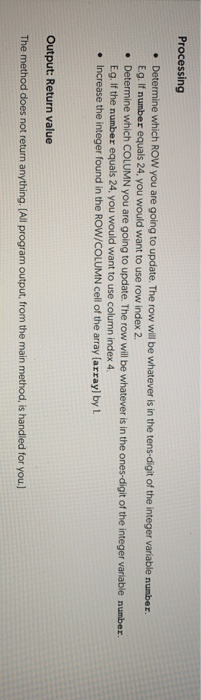
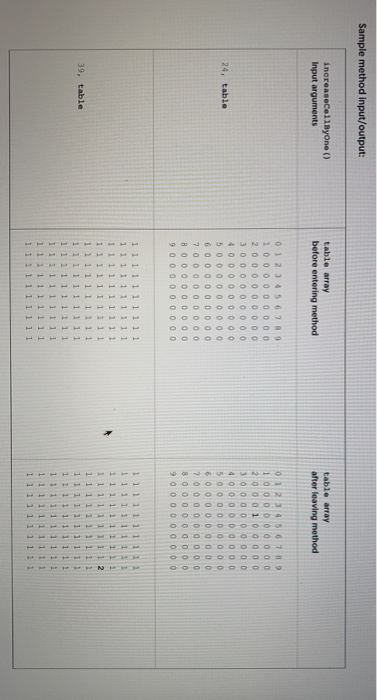
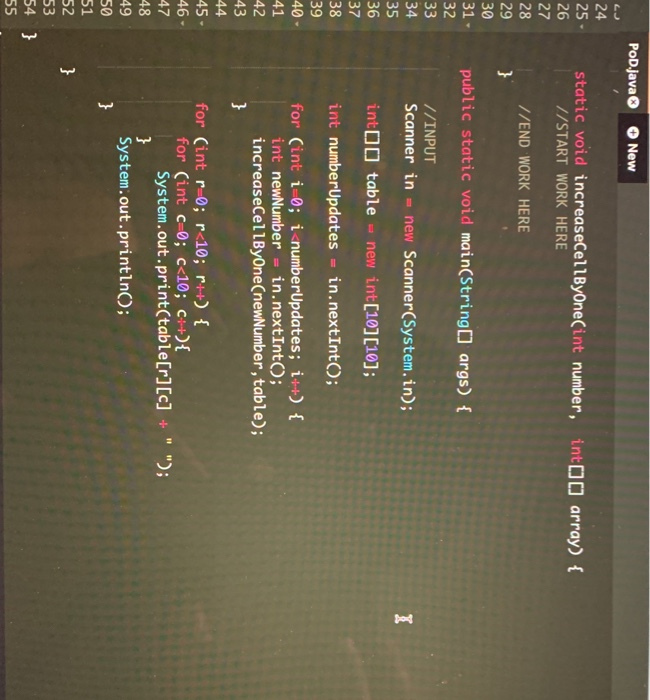
Instructions Today you are going to finish off a method described below. Your work isn't wasted. maybe you could make use of this one in your assignment? (I'S STILL due this coming Sunday) Details of increaseCellByOne () method . ----Method for you to complete This method will receive a number from 0 to 99 along with an integer array. The tens-digit of the number provided will represent the row, the ones-digit will represent the column. The integer in the designated row/column will be increased by one. (.g. if you receive the number 24, you will * increase the integer found in row 2, column 4 of the array by 1) * @param number Integer two digit number first digit - row to add to second digit - column to add to) @param array Integer array to modify @return void Input: Parameters The method will take the following parameters an integer (number) Two digit number between 0 and 99) an integer array(array! A 10x10 array of integers. Processing Determine which ROW you are going to update. The row will be whatever is in the tens-digit of the integer variable number. Eg. If number equals 24, you would want to use row index 2. Determine which COLUMN you are going to update. The row will be whatever is in the ones-digit of the integer variable number Eg. If the number equals 24. you would want to use column index 4 Increase the integer found in the ROW/COLUMN cell of the array(array) by L Output: Return value The method does not return anything. (All program output, from the main method, is handled for you.) Sample method input/output: increaseCellbyone () Input arguments table array before entering method table array after leaving method 0 0 0 0 1 2 0 0 0 0 0 0 0 0 0 0 0 0 0 0 0 0 0 0 0 0 0 0 0 0 0 0 0 24. table 0 1 2 3 4 5 6 7 8 9 1 0 0 0 0 0 0 0 0 0 2 0 0 0 0 0 0 0 0 0 0 0 0 0 0 0 0 0 0 4 0 0 0 0 0 0 0 0 0 5 0 0 0 0 0 0 0 0 0 6 0 0 0 0 0 0 0 0 0 7 o o o o o o o o o 8 o o o oo oo oo 0 0 0 0 0 0 0 0 0 0 4 0 0 0 0 0 0 0 0 0 5 0 0 0 0 0 0 0 0 0 6 0 0 0 0 0 0 0 0 0 7 o o o o o o o o o 8 0 0 0 0 0 0 0 0 0 9 o o o o o o o 0 0 1 1 1 ttttttttt TTTTTTTTTT IITTTTTTTT t ttttttttt 1 1 1 39, table 1 1 1 1 1 1 1 1 1 1 1 1 1 1 1 1 1 1 1 1 1 1 1 1 1 1 1 1 1 1 1 1 1 1 1 1 1 1 1 1 1 1 1 1 1 1 1 1 1 1 1 1 1 1 1 1 1 1 1 1 1 1 1 1 1 1 1 1 1 1 1 1 1 1 1 1 1 1 1 1 1 1 1 1 1 1 1 1 1 1 1 1 1 1 1 1 1 1 1 1 1 1 1 TTTTTTTTTT ITTTTTTTTT 1 2 POD.java New NE static void increaseCellByOne(int number, int[] array) { //START WORK HERE //END WORK HERE 29 31 public static void main(String[] args) { 32 33 34 35 //INPUT Scanner in = new Scanner(System.in); int[[ table = new int[10][10]; 37 38 int numberUpdates = in.nextInt(); 39 40- for (int i 0; i
Step by Step Solution
There are 3 Steps involved in it

Get step-by-step solutions from verified subject matter experts
 Study Help