







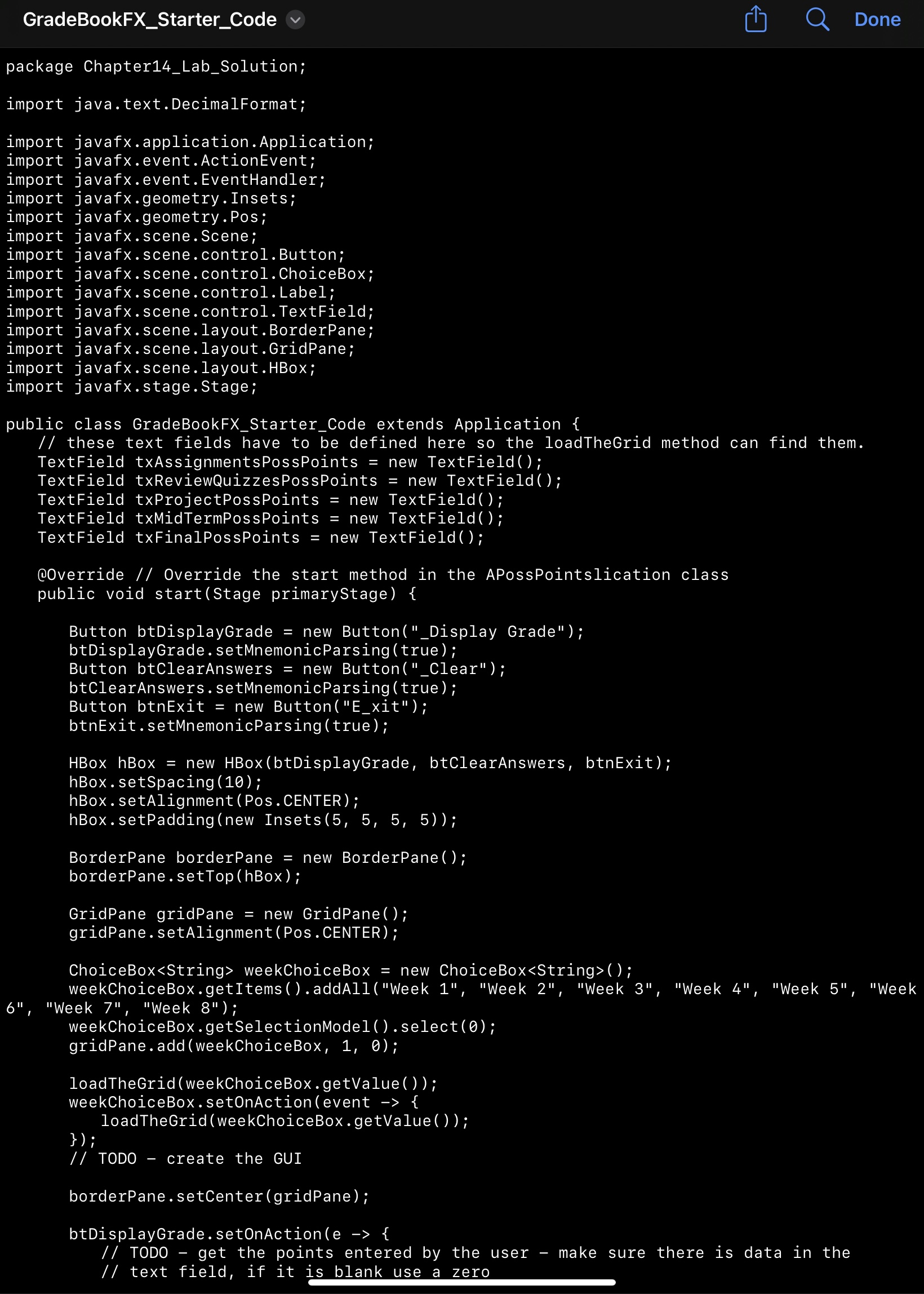
Question: Java / JavaFX program help package Chapter 1 4 _ Lab _ Solution; import java.text.DecimalFormat; import javafx.application.Application; import javafx.event.ActionEvent; import javafx.event.EventHandler; import javafx.geometry.Insets; import javafx.geometry.Pos;
JavaJavaFX program help package ChapterLabSolution;
import java.text.DecimalFormat;
import javafx.application.Application;
import javafx.event.ActionEvent;
import javafx.event.EventHandler;
import javafx.geometry.Insets;
import javafx.geometry.Pos;
import javafx.scene.Scene;
import javafx.scene.control.Button;
import javafx.scene.control.ChoiceBox;
import javafx.scene.control.Label;
import javafx.scene.control.TextField;
import javafx.scene.layout.BorderPane;
import javafx.scene.layout.GridPane;
import javafx.scene.layout.HBox;
import javafx.stage.Stage;
public class GradeBookFXStarterCode extends Application
these text fields have to be defined here so the loadTheGrid method can find them.
TextField txAssignmentsPossPoints new TextField;
TextField txReviewQuizzesPossPoints new TextField;
TextField txProjectPossPoints new TextField;
TextField txMidTermPossPoints new TextField;
TextField txFinalPossPoints new TextField;
@Override Override the start method in the APossPointslication class
public void startStage primaryStage
Button btDisplayGrade new ButtonDisplay Grade";
btDisplayGrade.setMnemonicParsingtrue;
Button btClearAnswers new ButtonClear";
btClearAnswers.setMnemonicParsingtrue;
Button btnExit new ButtonExit";
btnExit.setMnemonicParsingtrue;
HBox hBox new HBoxbtDisplayGrade btClearAnswers, btnExit;
hBox.setSpacing;
hBox.setAlignment PosCENTER;
hBox.setPaddingnew Insets;
BorderPane borderPane new BorderPane;
borderPane.setTophBox;
GridPane gridPane new GridPane;
gridPane.setAlignmentPosCENTER;
ChoiceBox weekChoiceBox.setOnActionevent
loadTheGridweekChoiceBoxgetValue;
;
TODO create the GUI
borderPane.setCentergridPane;
btDisplayGrade.setOnActione
TODO get the points entered by the user make sure there is data in the
text field, if it is blank use a zero
TODO total the possible points and the points earned so far
TODO replace the values to the final version
DecimalFormat df new DecimalFormat####;
double percent ;
String formattedPercent dfformatpercent;
next line is for testing only
System.out.printlnfinal grade formattedPercent;
uncomment next line when you have the text field ready.
txFinalAverage.setTextformattedPercent;
;
btClearAnswers.setOnActionnew EventHandler
Step by Step Solution
There are 3 Steps involved in it
1 Expert Approved Answer
Step: 1 Unlock

Question Has Been Solved by an Expert!
Get step-by-step solutions from verified subject matter experts
Step: 2 Unlock
Step: 3 Unlock
 Study Help