







Question: JAVA Language Create a class named Module2. You should submit your source code file (Module2.java). The Module2 class should contain the following data fields and
JAVA Language
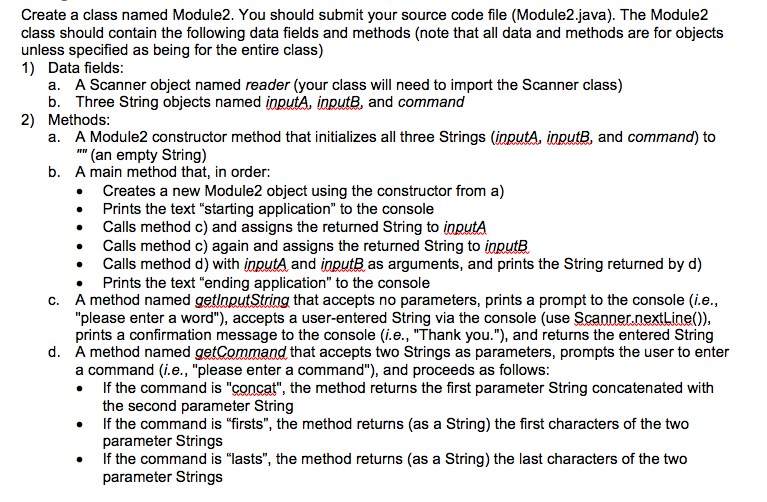
Create a class named Module2. You should submit your source code file (Module2.java). The Module2 class should contain the following data fields and methods (note that all data and methods are for objects unless specified as being for the entire class) 1) Data fields a. A Scanner object named reader (your class will need to import the Scanner class) b. Three String objects named inputA, inputB, and command a. A Module2 constructor method that initializes all three Strings (inputA, inputB, and command) to b. A main method that, in order: 2) Methods " (an empty String) . Creates a new Module2 object using the constructor from a) . Prints the text "starting application" to the console . Calls method c) and assigns the returned String to inputA Calls method c) again and assigns the returned String to note . Calls method d) with inputA and inputB as arguments, and prints the String returned by d) . Prints the text "ending application" to the console c. A method named getlnputString that accepts no parameters, prints a prompt to the console (i.e "please enter a word"), accepts a user-entered String via the console (use Scanner.nextLine)) prints a confirmation message to the console (i.e., "Thank you."), and returns the entered String A method named getCommand that accepts two Strings as parameters, prompts the user to enter a command (i.e., "please enter a command"), and proceeds as follows . If the command is "concat", the method returns the first parameter String concatenated with d. the second parameter String If the command is "firsts", the method returns (as a String) the first characters of the two parameter Strings If the command is "lasts", the method returns (as a String) the last characters of the two parameter Strings
Step by Step Solution
There are 3 Steps involved in it

Get step-by-step solutions from verified subject matter experts
 Study Help