







Question: java netbeans code? java netbeans code? java netbeans code? java netbeans code? ON de ver Bivate Use Tree at once.com In this lab, Students will
 java netbeans code?
  java netbeans code?
  java netbeans code?
 java netbeans code?
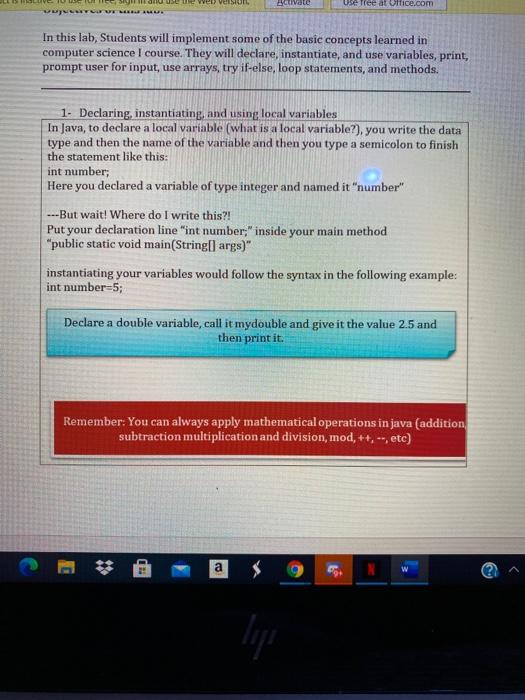
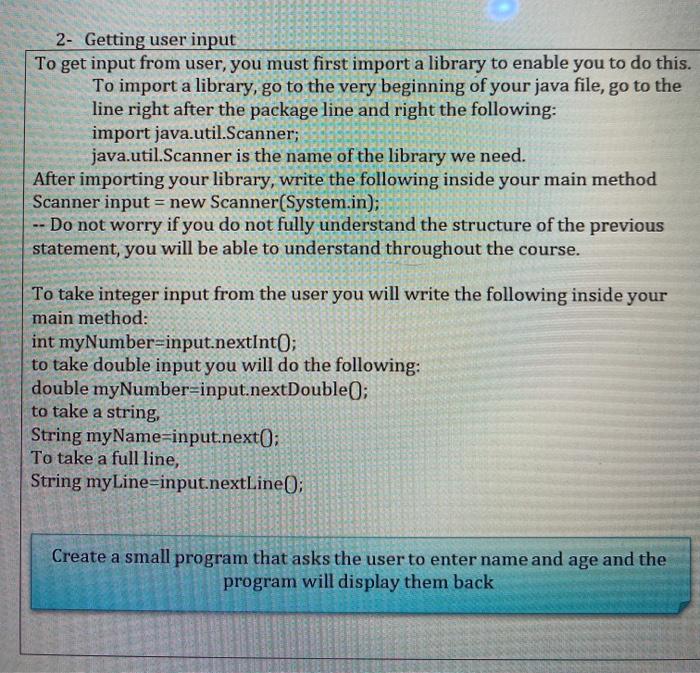
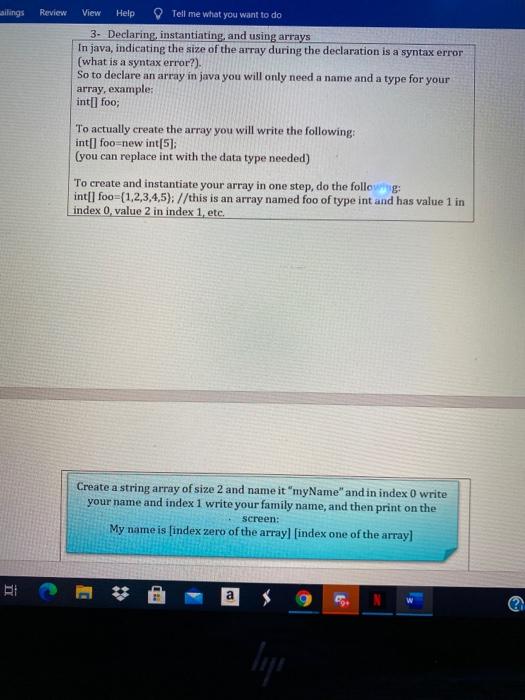
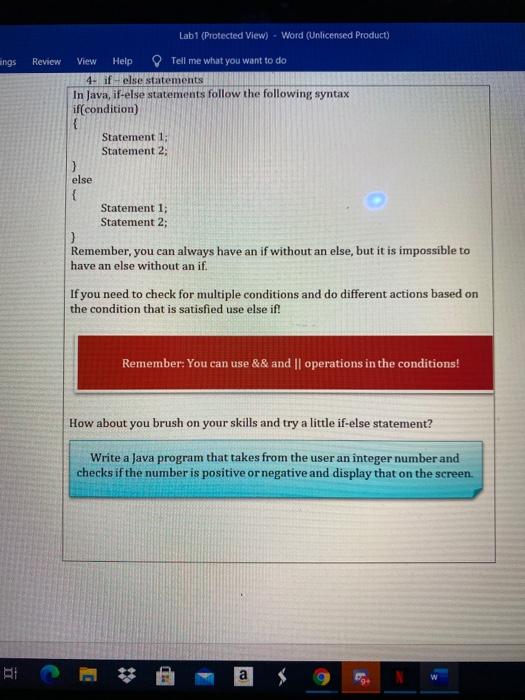
ON de ver Bivate Use Tree at once.com In this lab, Students will implement some of the basic concepts learned in computer science I course. They will declare, instantiate, and use variables, print, prompt user for input, use arrays, try if-else, loop statements, and methods. 1. Declaring, instantiating, and using local variables In Java, to declare a local variable (what is a local variable?), you write the data type and then the name of the variable and then you type a semicolon to finish the statement like this: int number Here you declared a variable of type integer and named it "number" ---But wait! Where do I write this?! Put your declaration line "int number;" inside method "public static void main(String[] args)" instantiating your variables would follow the syntax in the following example: int number=5; your m: Declare a double variable, call it mydouble and give it the value 2.5 and then print it. Remember: You can always apply mathematical operations in java (addition, subtraction multiplication and on, mod, ++, --, etc) a TED ligi 2- Getting user input To get input from user, you must first import a library to enable you to do this. To import a library, go to the very beginning of your java file, go to the line right after the package line and right the following: import java.util.Scanner; java.util.Scanner is the name of the library we need. After importing your library, write the following inside your main method Scanner input = new Scanner(System.in); Do not worry if you do not fully understand the structure of the previous statement, you will be able to understand throughout the course. To take integer input from the user you will write the following inside your main method: int myNumber=input.nextInt(); to take double input you will do the following: double myNumber=input.nextDouble(); to take a string String myName=input.next(); To take a full line, String myLine=input.nextLine; Create a small program that asks the user to enter name and age and the program will display them back ailings Review View Help Tell me what you want to do 3. Declaring, instantiating, and using arrays In java, indicating the size of the array during the declaration is a syntax error (what is a syntax error?). So to declare an array in java you will only need a name and a type for your array, example: int[] foo; To actually create the array you will write the following: int[] foo new int[51: (you can replace int with the data type needed) To create and instantiate your array in one step, do the following: int[] foo={1,2,3,4,5); //this is an array named foo of type int and has value 1 in index 0 value 2 in index 1, etc. Create a string array of size 2 and name it "myName" and in index 0 write your name and index 1 write your family name, and then print on the screen: My name is (index zero of the arrayl [index one of the array PI a Lab1 (Protected View) - Word (Unlicensed Product) angs Review View Help Tell me what you want to do 4- if-else statements In Java, if-else statements follow the following syntax if(condition) Statement 1; Statement 2: } else { Statement 1; Statement 2; 3 Remember, you can always have an if without an else, but it is impossible to have an else without an if. If you need to check for multiple conditions and do different actions based on the condition that is satisfied use else if! Remember: You can use && and || operations in the conditions! How about you brush on your skills and try a little if-else statement? Write a Java program that takes from the user an integer number and checks if the number is positive or negative and display that on the screen. a
Step by Step Solution
There are 3 Steps involved in it

Get step-by-step solutions from verified subject matter experts
 Study Help