







Question: Java Part 5 (Nested Loops) In this section, we'll produce more complex output by wrapping one loop inside another. This so-called nesting produces more complex
Java
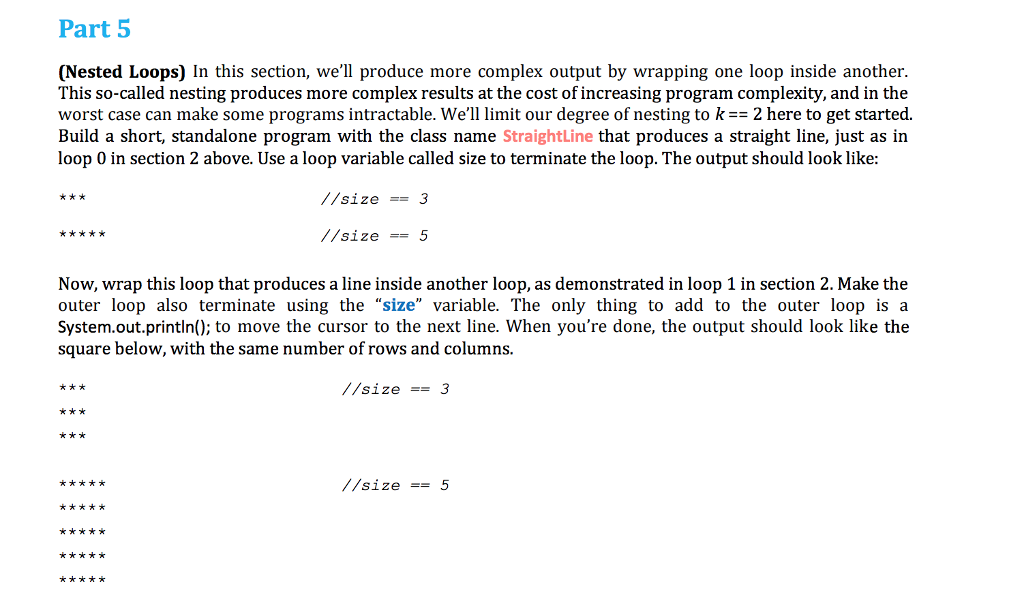
Part 5 (Nested Loops) In this section, we'll produce more complex output by wrapping one loop inside another. This so-called nesting produces more complex results at the cost of increasing program complexity, and in the worst case can make some programs intractable. We'll limit our degree of nesting to k2 here to get started. Build a short, standalone program with the class name StraightLine that produces a straight line, just as in loop 0 in section 2 above. Use a loop variable called size to terminate the loop. The output should look like: //size == 3 //size5 Now, wrap this loop that produces a line inside another loop, as demonstrated in loop 1 in section 2. Make the outer loop also terminate using the "size" variable. The only thing to add to the outer loop is a System.out.println(); to move the cursor to the next line. When you're done, the output should look like the square below, with the same number of rows and columns. //size-= 3 //size-= 5
Step by Step Solution
There are 3 Steps involved in it

Get step-by-step solutions from verified subject matter experts
 Study Help