







Question: JAVA Please explain it in detail. interface SimpleList { /** Get the object at this index. */ public Object get(int index); /** Set the object
JAVA
Please explain it in detail.
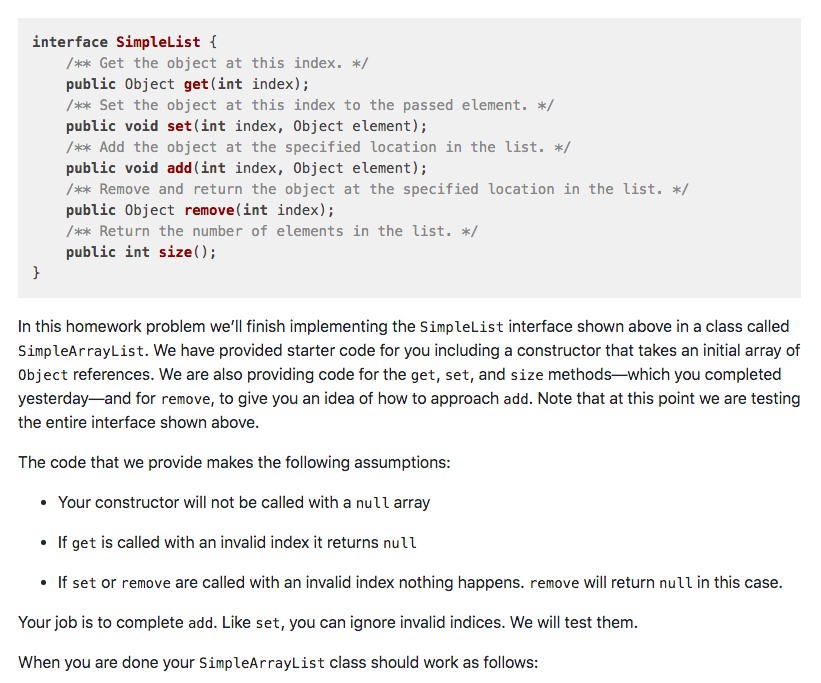
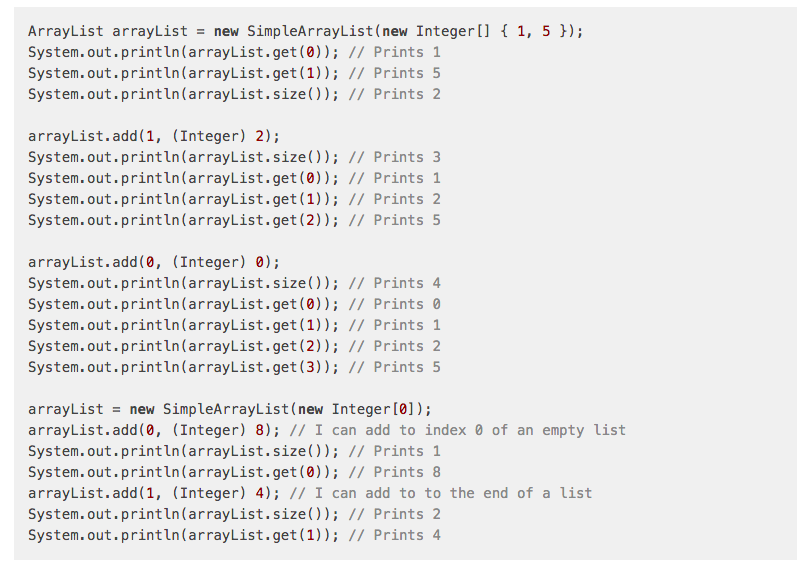
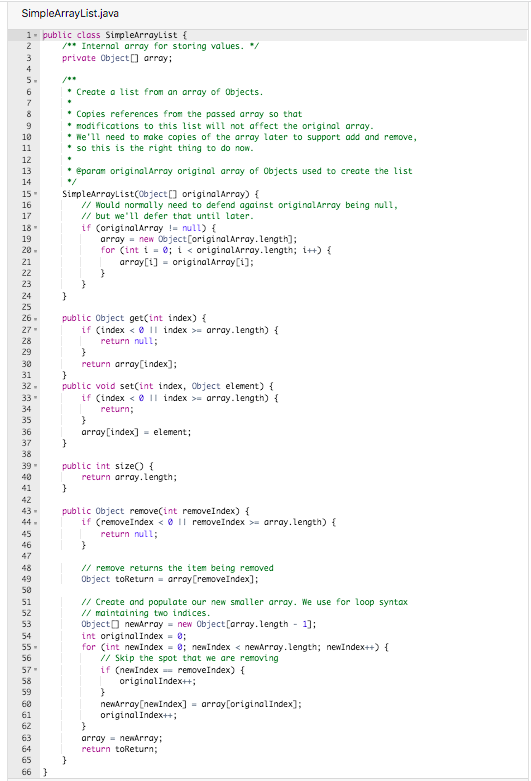
interface SimpleList { /** Get the object at this index. */ public Object get(int index); /** Set the object at this index to the passed element. */ public void set(int index, Object element); /** Add the object at the specified location in the list. */ public void add(int index, Object element); /** Remove and return the object at the specified location in the list. */ public Object remove(int index); /** Return the number of elements in the list. */ public int size(); } In this homework problem we'll finish implementing the SimpleList interface shown above in a class called SimpleArrayList. We have provided starter code for you including a constructor that takes an initial array of Object references. We are also providing code for the get, set, and size methodswhich you completed yesterdayand for remove, to give you an idea of how to approach add. Note that at this point we are testing the entire interface shown above. The code that we provide makes the following assumptions: Your constructor will not be called with a null array If get is called with an invalid index it returns null If set or remove are called with an invalid index nothing happens. remove will return null in this case. Your job is to complete add. Like set, you can ignore invalid indices. We will test them. When you are done your SimpleArrayList class should work as follows: ArrayList arrayList = new SimpleArrayList(new Integer[] { 1, 5 }); System.out.println(arrayList.get()); // Prints 1 System.out.println(arrayList.get(1)); // Prints 5 System.out.println(arrayList.size()); // Prints 2 arrayList.add(1, (Integer) 2); System.out.println(arrayList.size()); // Prints 3 System.out.println(arrayList.get(0)); // Prints 1 System.out.println(arrayList.get(1)); // Prints 2 System.out.println(arrayList.get(2)); // Prints 5 arrayList.add(0, (Integer) 0); System.out.println(arrayList.size()); // Prints 4 System.out.println(arrayList.get()); // Prints O System.out.println(arrayList.get(1)); // Prints 1 System.out.println(arrayList.get(2)); // Prints 2 System.out.println(arrayList.get(3)); // Prints 5 arrayList = new SimpleArrayList(new Integer[0]); arrayList.add(0, (Integer) 8); // I can add to index 0 of an empty list System.out.println(arrayList.size()); // Prints 1 System.out.println(arrayList.get(0)); // Prints 8 arrayList.add(1, (Integer) 4); // I can add to to the end of a list System.out.println(arrayList.size()); // Prints 2 System.out.println(arrayList.get(1)); // Prints 4 SimpleArrayList.java 1. public class SimpleArrayList { 2 /** Internal array for storing values. */ 3 private Object array: 4 5. 6 Create a list from an array of Objects. 7 8 Copies references from the passed array so that 9 modifications to this list will not affect the original array. 19 We'll need to make copies of the array later to support add and remove, 11 so this is the right thing to do now. 12 13 @param original Array original array of objects used to create the list 14 */ 15 SimpleArrayList(Object() originalArray) { 16 // Would normally need to defend against original Array being null, 17 // but we'll defer that until later. 18 if (originalArray != null) { 19 array = new Object (original Array.Length); 20 for (int i = 0; i = array.Length) { 28 return null; 29 } 33 return array[index]; 31 } 32 public void set(int index, Object element) { 33 - if (index = array.Length) { 34 return; 35 } 36 array[index] = element; 37 } 38 39 public int size { 40 return array.length; 41 } 42 43 - public Object remove(int removeIndex) { 44 if (removeIndex = array.Length) { 45 return null; 46 } 47 48 // remove returns the item being removed 49 Object toReturn = array(remove Index]: 53 51 // Create and populate our new smaller array. We use for loop syntax 52 // maintaining two indices. 53 Object newArray = new Object[array.Length - 1); 54 int original Index = 0; 55 for (int newIndex = 0; newIndex
Step by Step Solution
There are 3 Steps involved in it

Get step-by-step solutions from verified subject matter experts
 Study Help