







Question: java please! no arraylist use arrays and loops import java.util.Scanner; import model.Utilities; public class GetGroupedNumbersApp { public static void main(String[] args) { Scanner input =
 java please! no arraylist use arrays and loops
import java.util.Scanner;
import model.Utilities;
public class GetGroupedNumbersApp {
public static void main(String[] args) { Scanner input = new Scanner(System.in); /* Prompt the user for an array of numbers. */ System.out.println("How many numbers do you want to input?"); int howMany = input.nextInt(); int[] numbers = new int[howMany]; int i = 0; while(i "); input.close(); }
}
utilities:
public static int[] getGroupedNumbers(int[] numbers) { int[] result = null; /* Your implementation of this method starts here. * Recall from Week 1's tutorial videos: * 1. No System.out.println statements should appear here. * Instead, an explicit, final `return` statement is placed for you. * 2. No Scanner operations should appear here (e.g., input.nextInt()). * Instead, refer to the input parameters of this method. */ /* Your implementation ends here. */ return result; } }
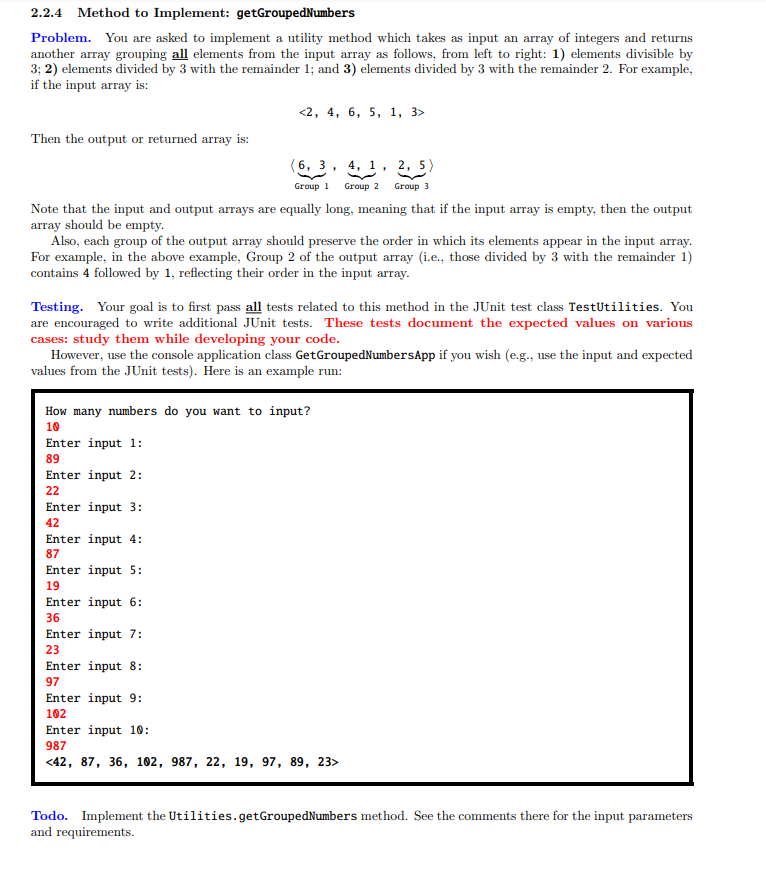
2.2.4. Method to Implement: getGroupedNumbers Problem. You are asked to implement a utility method which takes as input an array of integers and returns another array grouping all elements from the input array as follows, from left to right: 1) elements divisible by 3; 2) elements divided by 3 with the remainder 1; and 3) elements divided by 3 with the remainder 2. For example, if the input array is: Then the output or returned array is: (6,3, 4, 1, 2,5 ) Group 1 Group 2 Group 3 Note that the input and output arrays are equally long, meaning that if the input array is empty, then the output array should be empty. Also, each group of the output array should preserve the order in which its elements appear in the input array. For example, in the above example, Group 2 of the output array (i.e., those divided by 3 with the remainder 1) contains 4 followed by 1, reflecting their order in the input array. Testing. Your goal is to first pass all tests related to this method in the JUnit test class TestUtilities. You are encouraged to write additional JUnit tests. These tests document the expected values on various cases: study them while developing your code. However, use the console application class GetGroupedNumbersApp if you wish (e.g., use the input and expected values from the JUnit tests). Here is an example run: How many numbers do you want to input? 10 Enter input 1: 89 Enter input 2: 22 Enter input 3: 42 Enter input 4: 87 Enter input 5: 19 Enter input 6: 36 Enter input 7: 23 Enter input 8: 97 Enter input 9: 102 Enter input 10: 987 Todo. Implement the Utilities.getGroupedNumbers method. See the comments there for the input parameters and requirements
Step by Step Solution
There are 3 Steps involved in it

Get step-by-step solutions from verified subject matter experts
 Study Help