







Question: java pls its attached at the bottom More Fun with Flags (GUIs and Inheritance) Summary Create three JPanel flags and use the Flag Frame class
 java pls
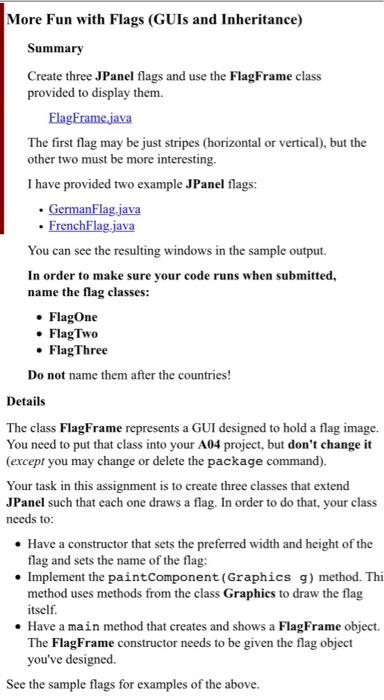
More Fun with Flags (GUIs and Inheritance) Summary Create three JPanel flags and use the Flag Frame class provided to display them. FlagFrame java The first flag may be just stripes (horizontal or vertical), but the other two must be more interesting. I have provided two example JPanel flags: GermanFlag.java FrenchFlag.java You can see the resulting windows in the sample output. In order to make sure your code runs when submitted, name the flag classes: FlagOne Flag Two FlagThree Do not name them after the countries! Details The class FlagFrame represents a GUI designed to hold a flag image. You need to put that class into your A04 project, but don't change it (except you may change or delete the package command). Your task in this assignment is to create three classes that extend JPanel such that each one draws a flag. In order to do that, your class needs to: Have a constructor that sets the preferred width and height of the flag and sets the name of the flag: Implement the paint Component (Graphics g) method. Thi method uses methods from the class Graphics to draw the flag itself. Have a main method that creates and shows a Flag Frame object. The Flag Frame constructor needs to be given the flag object you've designed See the sample flags for examples of the above. package a04: import javax.swing.JFrame; import javax.swing.JPanel; * A JFrame to hold and display a flag. * @author public class Flagframe extends JFrame { Create the frame for the flag. * @param theflag the flag to display public plagFrame (JPanel theFlag) super (thePlag.getName()); setDefaultCloseOperation (JFrame.EXIT_ON_CLOSE); add/thePlag); pack(); > More Fun with Flags (GUIs and Inheritance) Summary Create three JPanel flags and use the Flag Frame class provided to display them. FlagFrame java The first flag may be just stripes (horizontal or vertical), but the other two must be more interesting. I have provided two example JPanel flags: GermanFlag.java FrenchFlag.java You can see the resulting windows in the sample output. In order to make sure your code runs when submitted, name the flag classes: FlagOne Flag Two FlagThree Do not name them after the countries! Details The class FlagFrame represents a GUI designed to hold a flag image. You need to put that class into your A04 project, but don't change it (except you may change or delete the package command). Your task in this assignment is to create three classes that extend JPanel such that each one draws a flag. In order to do that, your class needs to: Have a constructor that sets the preferred width and height of the flag and sets the name of the flag: Implement the paint Component (Graphics g) method. Thi method uses methods from the class Graphics to draw the flag itself. Have a main method that creates and shows a Flag Frame object. The Flag Frame constructor needs to be given the flag object you've designed See the sample flags for examples of the above. package a04: import javax.swing.JFrame; import javax.swing.JPanel; * A JFrame to hold and display a flag. * @author public class Flagframe extends JFrame { Create the frame for the flag. * @param theflag the flag to display public plagFrame (JPanel theFlag) super (thePlag.getName()); setDefaultCloseOperation (JFrame.EXIT_ON_CLOSE); add/thePlag); pack(); >
Step by Step Solution
There are 3 Steps involved in it

Get step-by-step solutions from verified subject matter experts
 Study Help