







Question: JAVA PROGRAMMING (answer ASAP please and i will give thumbs up) Task 2: Modify the drawSpaceSimulation() method This method currently draws vertical bars across each
JAVA PROGRAMMING (answer ASAP please and i will give thumbs up)
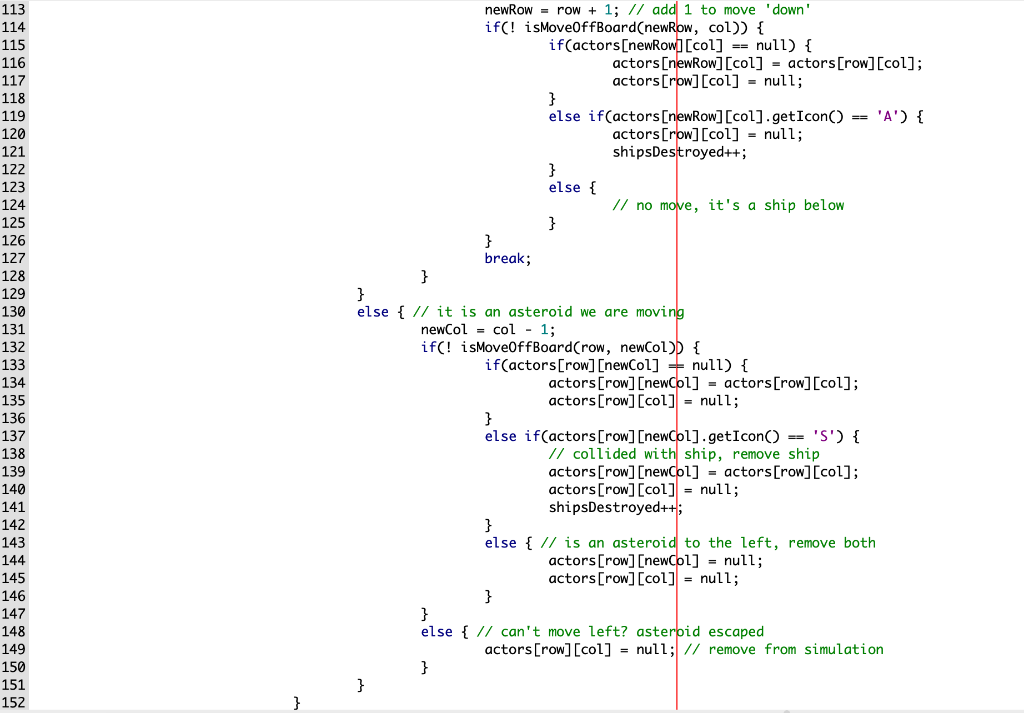
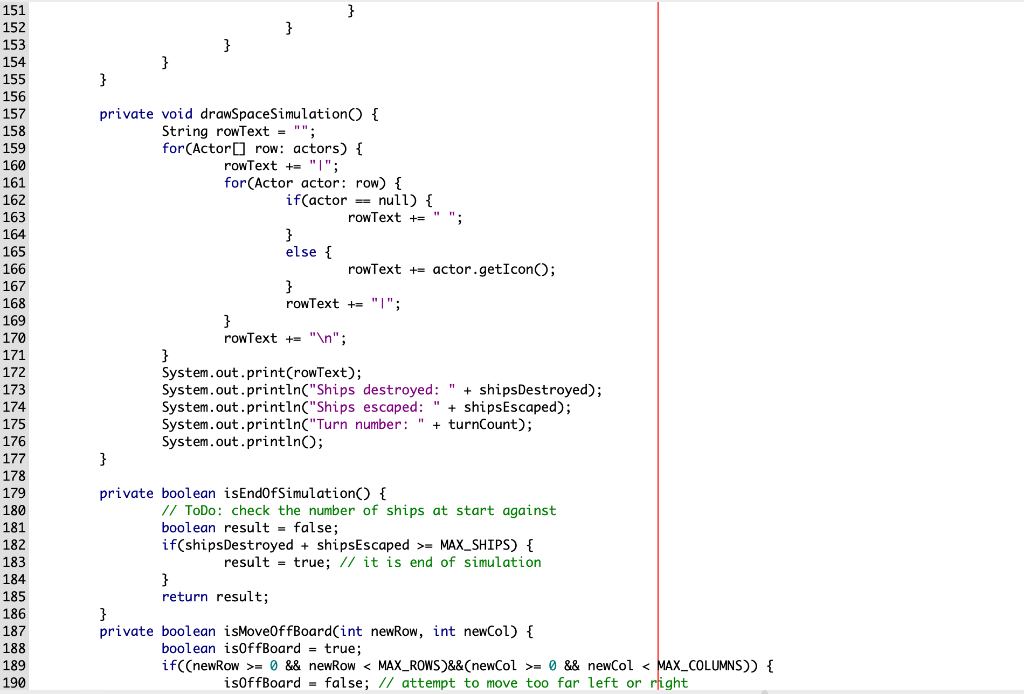
Task 2: Modify the drawSpaceSimulation() method This method currently draws vertical bars across each of the rows, but this may not always be desirable. Modify the program start-up, as well as SpaceExplorationSimulator, so that the user is asked if they want vertical bars or not. Save the result in a boolean value, which drawSpaceSimulation() will use to determine if the bars should be drawn or not. Note that if the bars are not drawn, there should still be a single space ( ) where each of the bars would appear. Task 3: Modify the moveActors() method There is currently too much duplicate code in this method, which includes a deeply-nested decision structure. Additionally, there are magic numbers in use within the decision structure, numerical values whose meaning would only be known to someone deeply familiar with the program. Your modifications should include: Replace the numerical values with named constants (i.e. use fixed static variables in place of the numerical values). Create and use appropriate private methods to remove code duplication, especially when moving the Actors. Task 4: Chain your constructors() The junior programmer has not chained their constructors. Since you work for a company that encourages good programming practices, you will want to fix this oversight.
CODE IN JAVA:
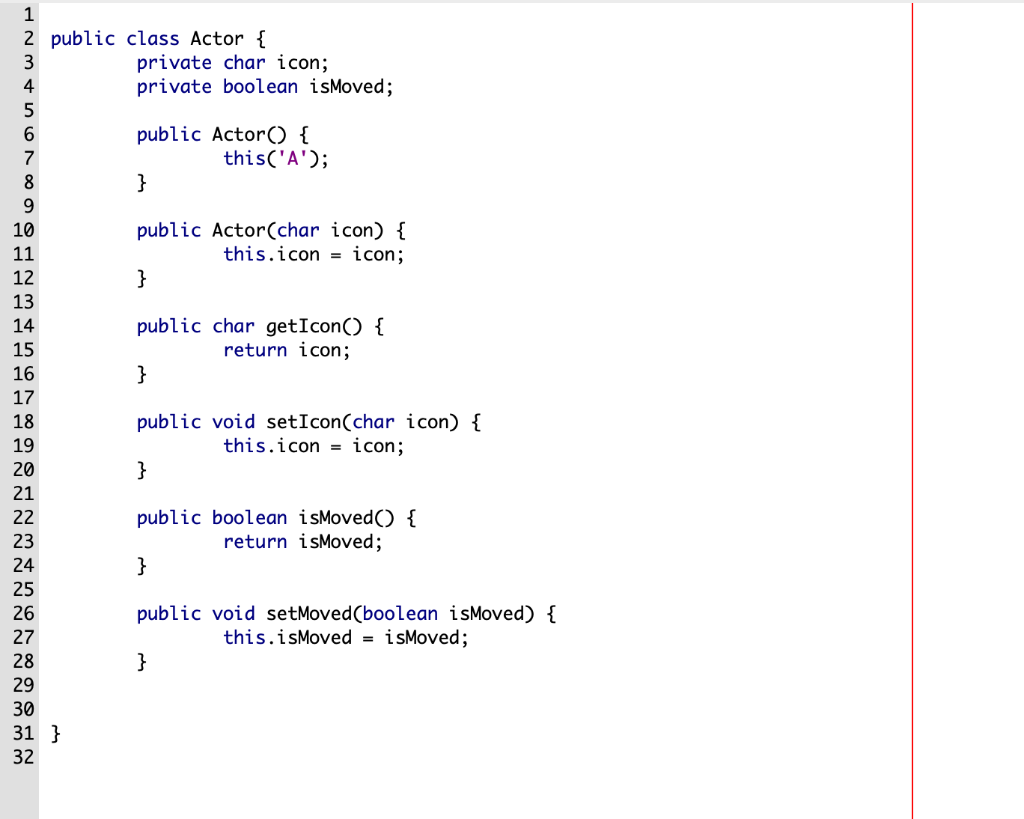
//ACTOR.JAVA
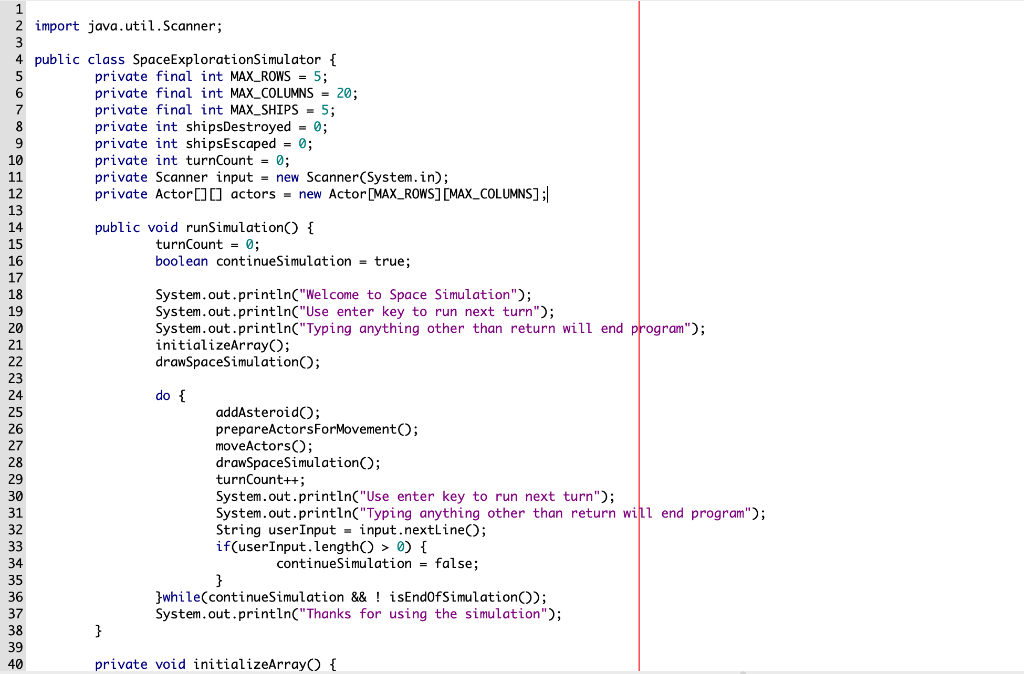
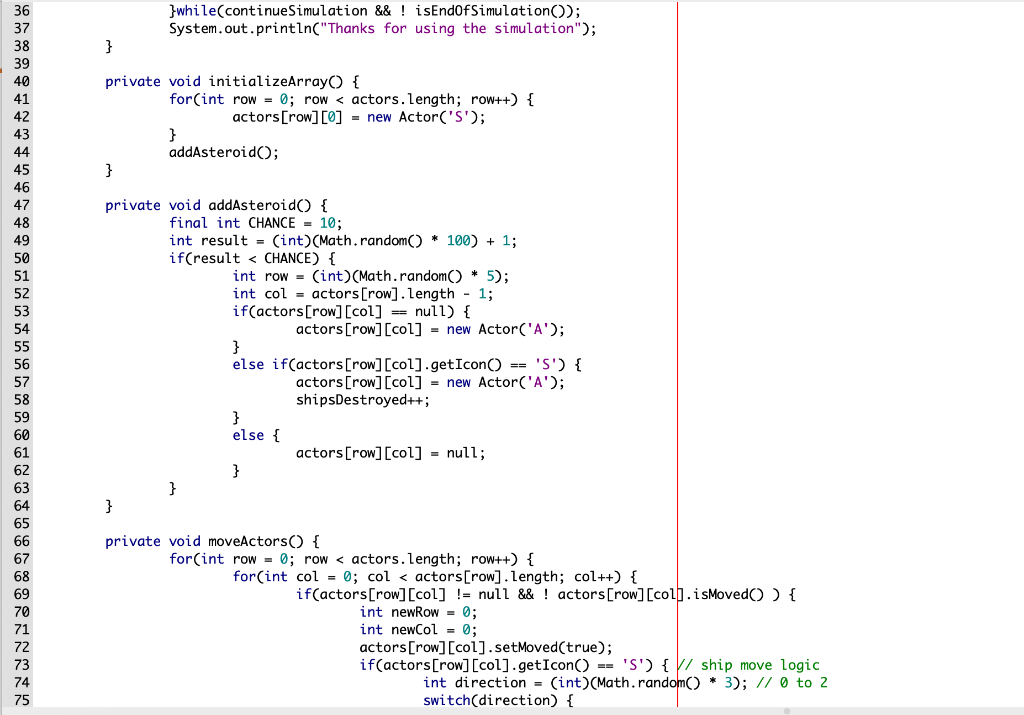
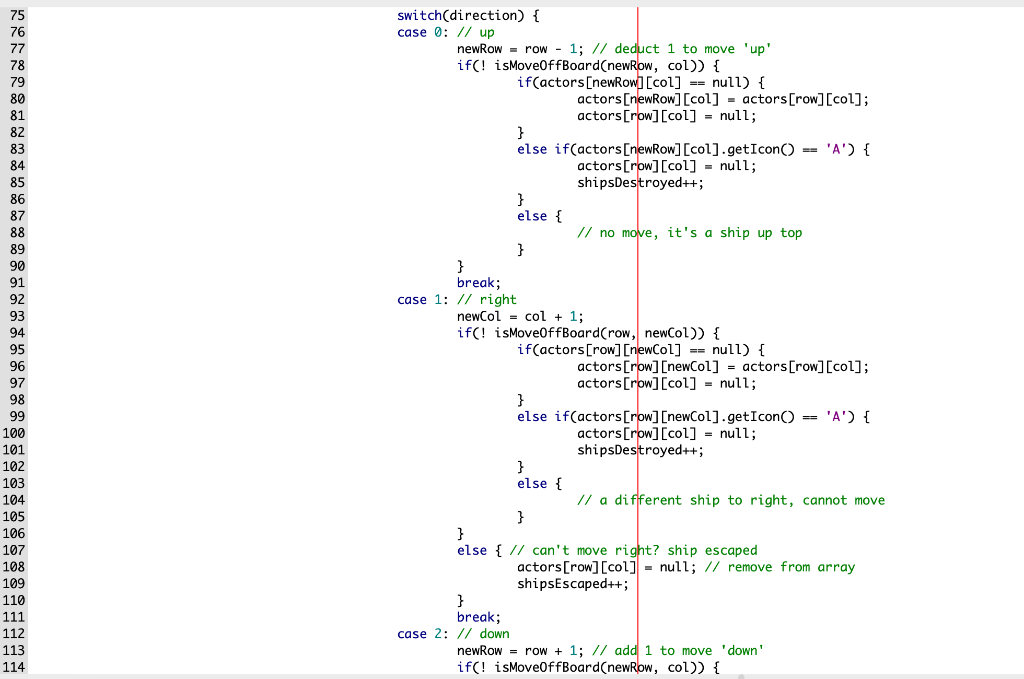
//// SPACE exploaration simulator.java
 //SPACEPROGRAM.JAVA
public class SpaceProgram {
public static void main(String[] args) { // TODO instantiate the SpaceExplorationSimulator // TODO call the runSimulation() method SpaceExplorationSimulator simulator = new SpaceExplorationSimulator(); simulator.runSimulation(); }
}
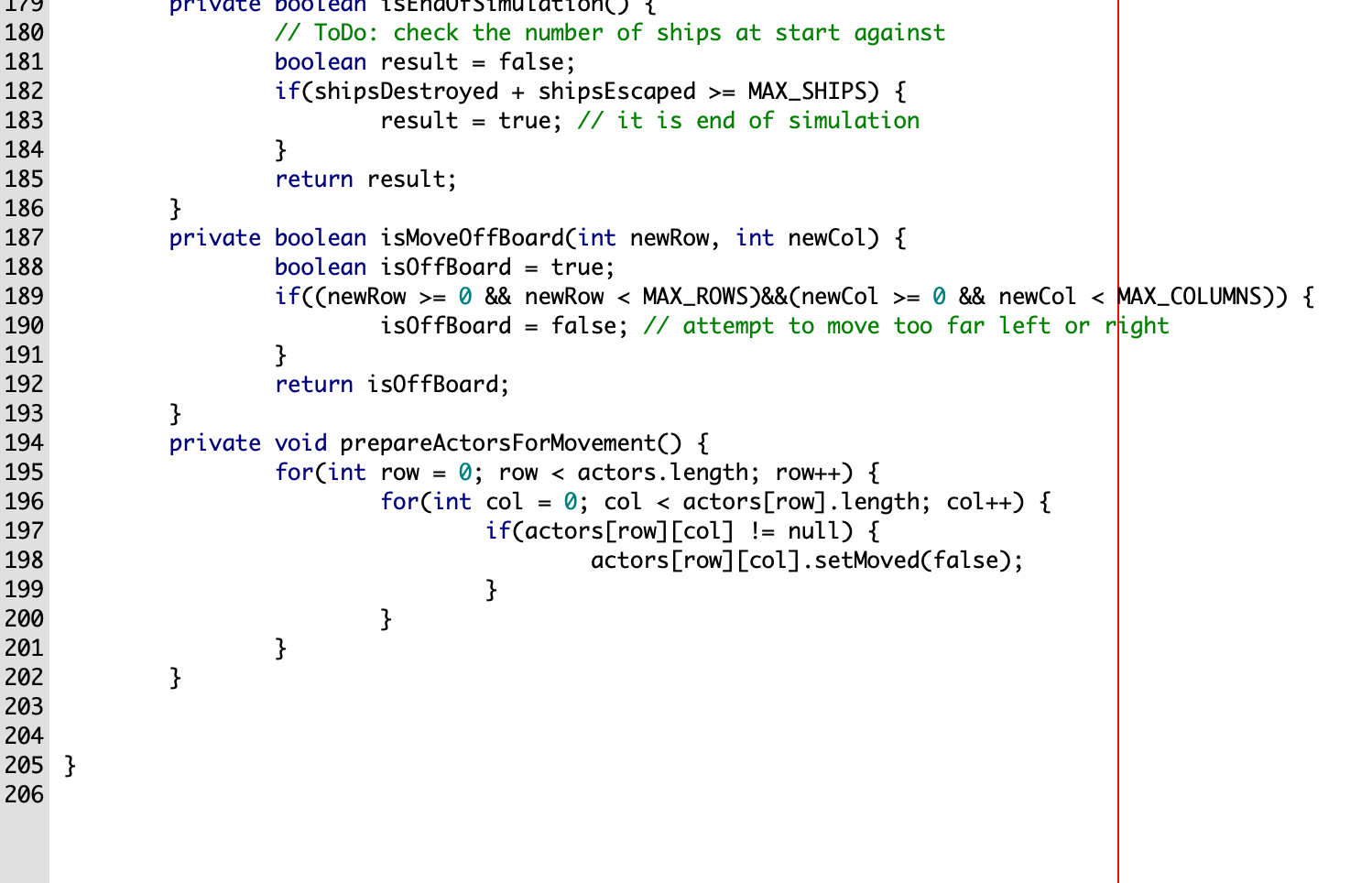
1 2 public class Actor { 3 private char icon; 4 private boolean isMoved; 5 6 public Actor() { 7 this('A'); 8 } 9 10 public Actor(char icon) { 11 this.icon = icon; 12 } 13 14 public char getIcon() { 15 return icon; 16 } 17 18 public void setIcon(char icon) { 19 this.icon = icon; 20 } 21 22 public boolean isMoved() { 23 return isMoved; 24 } 25 26 public void setMoved(boolean isMoved) { 27 this.isMoved = isMoved; 28 } 29 30 31 } 32 2 import java.util.Scanner; 4 public class SpaceExploration Simulator { 5 private final int MAX_ROWS = 5; 6 private final int MAX_COLUMNS = 20; 7 private final int MAX_SHIPS = 5; 8 private int shipsDestroyed = 0; 9 private int shipsEscaped = 0; 10 private int turnCount = 0; 11 private Scanner input = new Scanner(System.in); 12 private Actor [] [] actors = new Actor [MAX_ROWS][MAX_COLUMNS] ;| 13 14 public void runSimulation() { 15 turnCount = 0; 16 boolean continue Simulation = true; 17 18 System.out.println("Welcome to Space Simulation"); 19 System.out.println("Use enter key to run next turn"); System.out.println("Typing anything other than return will end program"); 21 initializeArray(); 22 drawSpaceSimulation(); 23 24 do { addAsteroido; 26 prepareActorsForMovement(); 27 moveActors(); 28 drawSpaceSimulation(); turnCount++; System.out.println("Use enter key to run next turn"); System.out.println("Typing anything other than return will end program"); String user Input - input.nextLine(); if(user Input. length() > 0) { 34 continue Simulation = false; 35 } 36 }while(continue Simulation && ! isEndOfSimulation); 37 System.out.println("Thanks for using the simulation"); 38 } 39 40 private void initializeArray() { }while(continue Simulation && ! isEndOfSimulation(); System.out.println("Thanks for using the simulation"); } private void initializeArray() { for(int row = 0; row = MAX_SHIPS) { result = true; // it is end of simulation } return result; } private boolean isMoveOffBoard(int newRow, int newcol) { boolean isOffBoard = true; if((newRow >= 0 && newRow = 0 && newcol = MAX_SHIPS) { result true; // it is end of simulation } return result; } private boolean isMoveOffBoard(int newrow, int newcol) { boolean isoffBoard true; if((newRow >= 0 && newrow = 0 && newCol 0) { 34 continue Simulation = false; 35 } 36 }while(continue Simulation && ! isEndOfSimulation); 37 System.out.println("Thanks for using the simulation"); 38 } 39 40 private void initializeArray() { }while(continue Simulation && ! isEndOfSimulation(); System.out.println("Thanks for using the simulation"); } private void initializeArray() { for(int row = 0; row = MAX_SHIPS) { result = true; // it is end of simulation } return result; } private boolean isMoveOffBoard(int newRow, int newcol) { boolean isOffBoard = true; if((newRow >= 0 && newRow = 0 && newcol = MAX_SHIPS) { result true; // it is end of simulation } return result; } private boolean isMoveOffBoard(int newrow, int newcol) { boolean isoffBoard true; if((newRow >= 0 && newrow = 0 && newCol
Step by Step Solution
There are 3 Steps involved in it

Get step-by-step solutions from verified subject matter experts
 Study Help