







Question: JAVA programming COMP 306 Lab3 Object Oriented Programming Dragand Drop Lab (10 possible points) This lab is focused on the implementation and use of Drag
JAVA programming
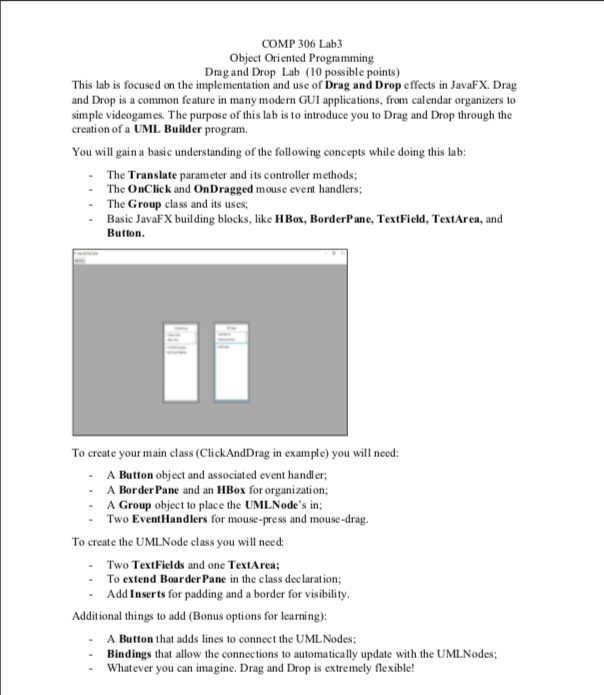
COMP 306 Lab3 Object Oriented Programming Dragand Drop Lab (10 possible points) This lab is focused on the implementation and use of Drag and Drop effects in JavaFX. Drag and Drop is a common feature in many modern GUI applications, from calendar organizers to simple videogames. The purpose of this lab is to introduce you to Drag and Drop through the creation of a UML Builder program. You will gain a basic understanding of the following concepts while doing this lab: The Translate parameter and its controller methods -The OnClick and OnDragged mouse event handlers - The Group class and its uses Basic JavaFX building blocks, like HBox, BorderPane, TextField, TextArea, and Button To create your main class (ClickAndDrag in example) you will need: A Button object and associated event handler A Border Pane and an HBox for organization; A Group object to place the UMLNode's in; Two EventHandlers for mouse-press and mouse-drag To create the UMLNode class you will need Two Text Fields and one TextArea: -To extend BoarderPane in the class declaration Add Inserts for padding and a border for visibility Additional things to add (Bonus options for learning): A Button that adds lines to connect the UMLNodes Bindings that allow the connections to automatically update with the UMLNodes Whatever you can imagine. Drag and Drop is extremely flexible! COMP 306 Lab3 Object Oriented Programming Dragand Drop Lab (10 possible points) This lab is focused on the implementation and use of Drag and Drop effects in JavaFX. Drag and Drop is a common feature in many modern GUI applications, from calendar organizers to simple videogames. The purpose of this lab is to introduce you to Drag and Drop through the creation of a UML Builder program. You will gain a basic understanding of the following concepts while doing this lab: The Translate parameter and its controller methods -The OnClick and OnDragged mouse event handlers - The Group class and its uses Basic JavaFX building blocks, like HBox, BorderPane, TextField, TextArea, and Button To create your main class (ClickAndDrag in example) you will need: A Button object and associated event handler A Border Pane and an HBox for organization; A Group object to place the UMLNode's in; Two EventHandlers for mouse-press and mouse-drag To create the UMLNode class you will need Two Text Fields and one TextArea: -To extend BoarderPane in the class declaration Add Inserts for padding and a border for visibility Additional things to add (Bonus options for learning): A Button that adds lines to connect the UMLNodes Bindings that allow the connections to automatically update with the UMLNodes Whatever you can imagine. Drag and Drop is extremely flexible
Step by Step Solution
There are 3 Steps involved in it

Get step-by-step solutions from verified subject matter experts
 Study Help