







Question: Java Programming For this problem we are going to draw a rainbow Getting Set Up You will need some of the graphics classes in your
Java Programming
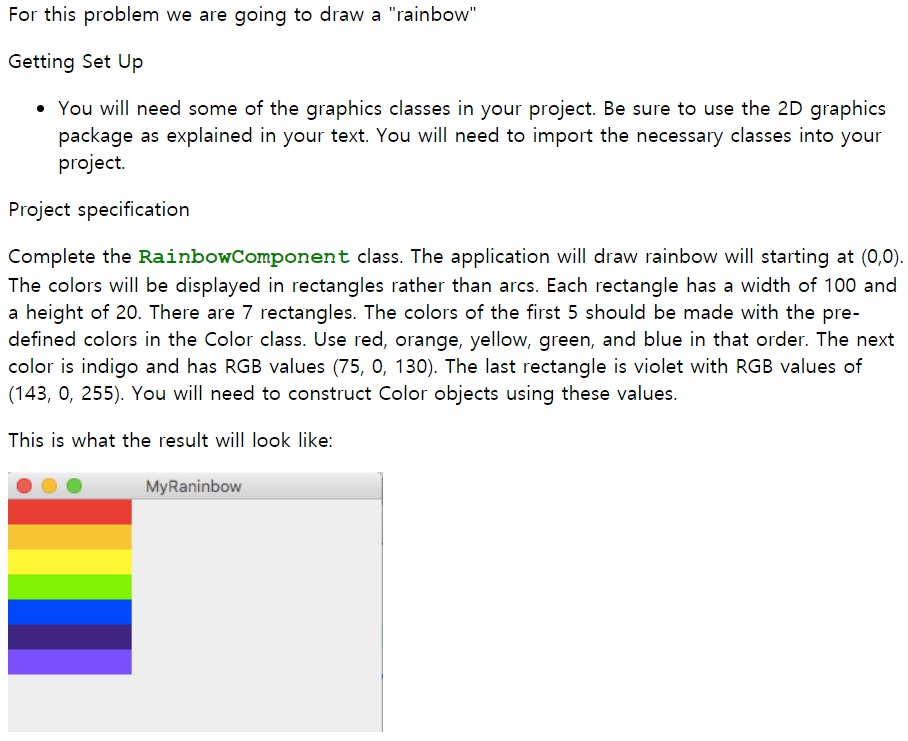
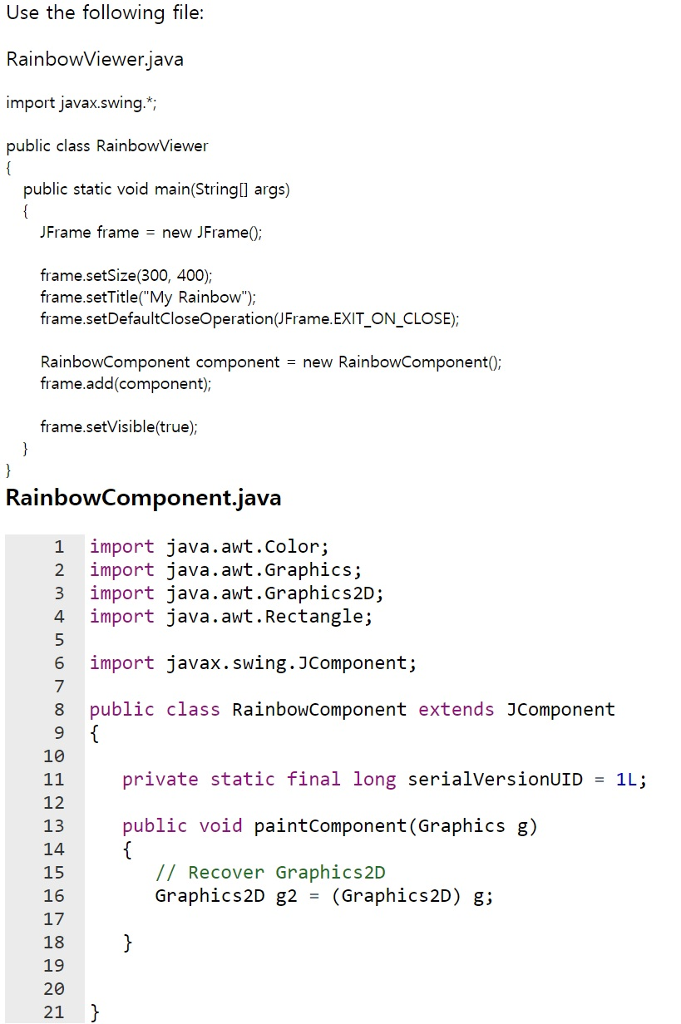
For this problem we are going to draw a "rainbow" Getting Set Up You will need some of the graphics classes in your project. Be sure to use the 2D graphics package as explained in your text. You will need to import the necessary classes into your project. Project specification Complete the RainbowComponent class. The application will draw rainbow will starting at (0,0) The colors will be displayed in rectangles rather than arcs. Each rectangle has a width of 100 and a height of 20. There are 7 rectangles. The colors of the first 5 should be made with the pre defined colors in the Color class. Use red, orange, yellow, green, and blue in that order. The next color is indigo and has RGB values (75, 0, 130). The last rectangle is violet with RGB values of (143, 0, 255). You will need to construct Color objects using these values This is what the result will look like: MyRaninbow Use the following file: RainbowViewer.iava import javax.swing.* public class RainbowViewer public static void main(Stringl args) JFrame frame = new JFrame() frame.setSize(300, 400); frame.setTitle(My Rainbow"); frame.setDefaultCloseOperation(JFrame.EXIT ON CLOSE); RainbowComponent componentnew RainbowComponent0 frame.add(component) frame.setVisible(true) RainbowComponent.java 1 import java.awt.color; 2 import java.awt.Graphics; 3 import java.awt.Graphics2D; 4 import java.awt.Rectangle; import javax.swing. JCompone nt; 8 public class RainbowComponent extends JComponent 10 private static final long serialVersionUID1L; 12 13 14 15 16 17 18 19 20 21 public void paintComponent (Graphics g) // Recover Graphics2D Graphics2D g2-(Graphics2D) g
Step by Step Solution
There are 3 Steps involved in it

Get step-by-step solutions from verified subject matter experts
 Study Help