







Question: Java programming lab Java has a built-in library called Swing that allows the programmer to create programs with a graphical user interface. Using Swing, you
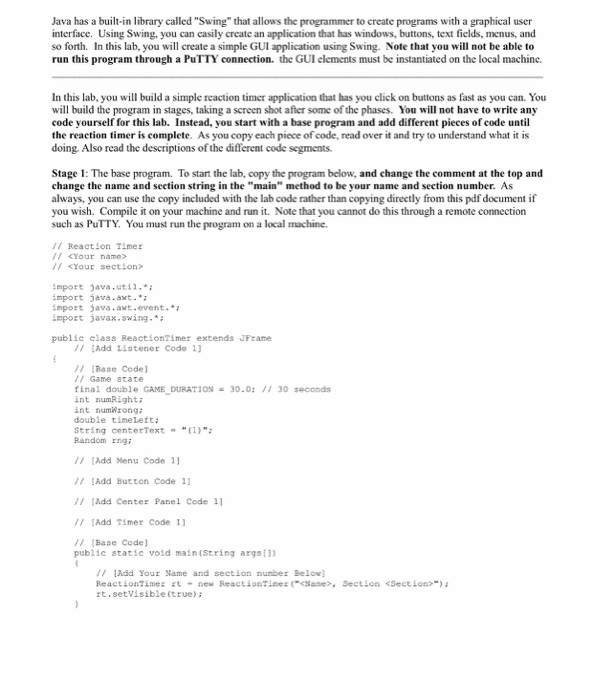
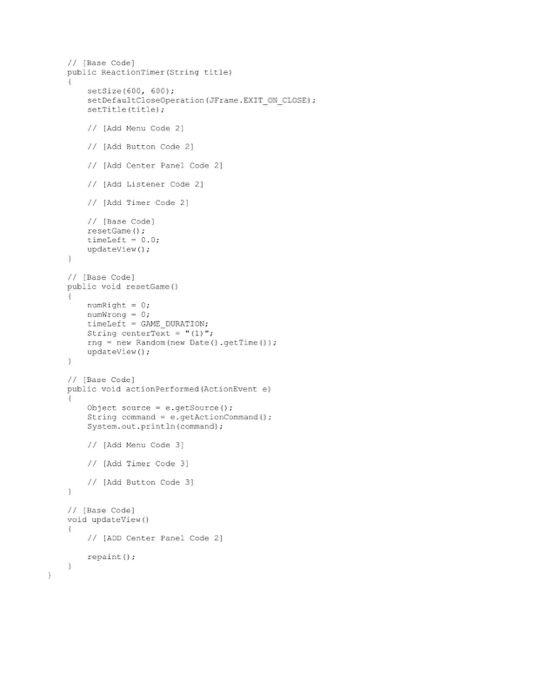
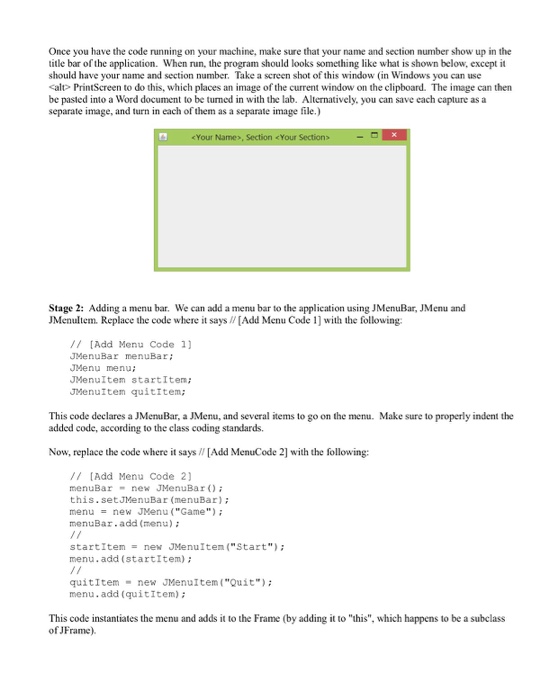
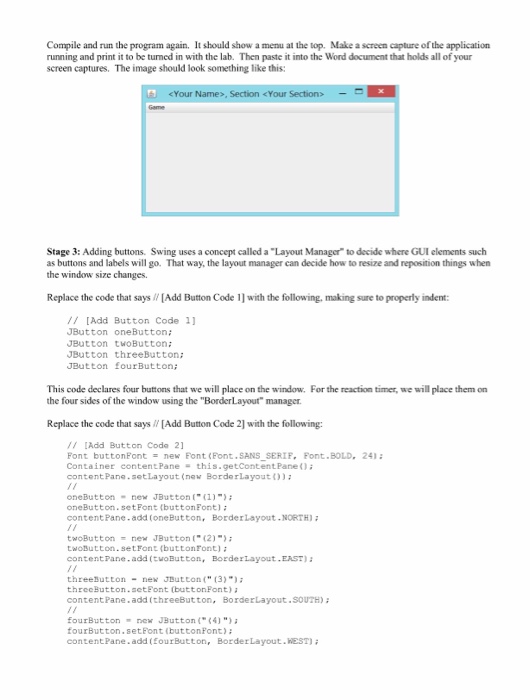
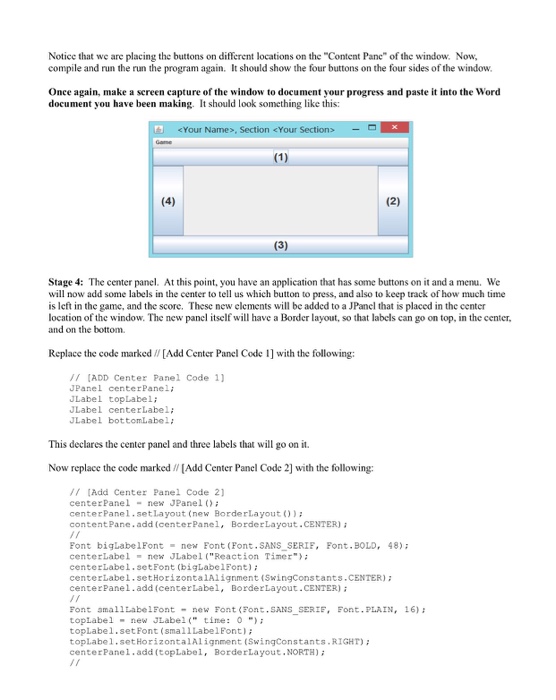
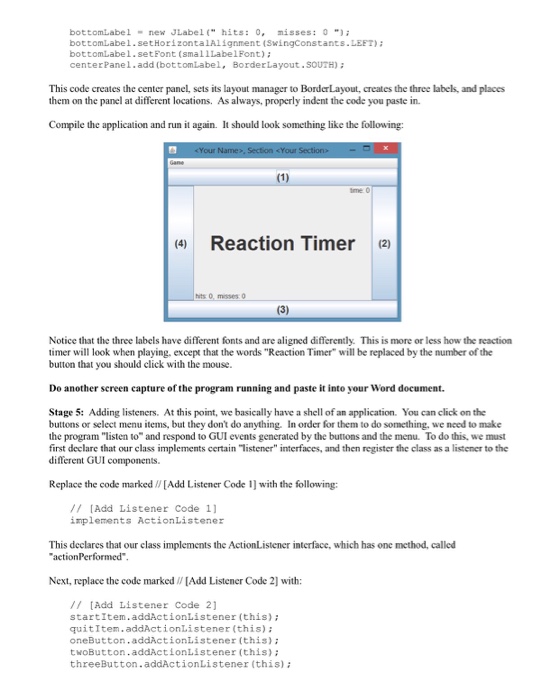
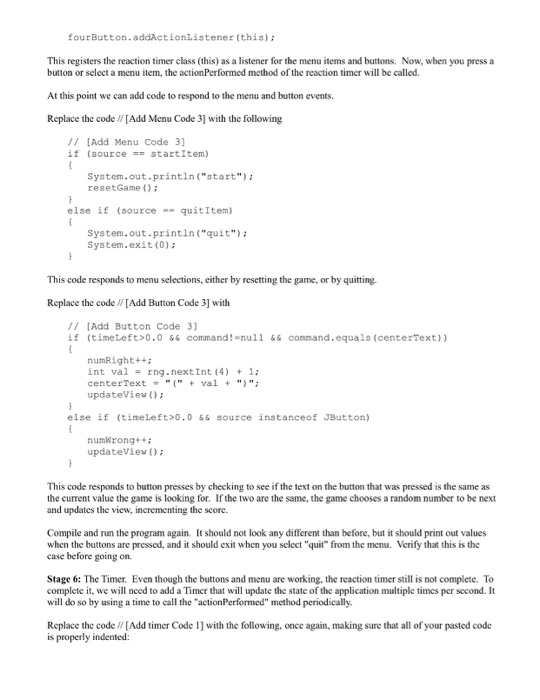
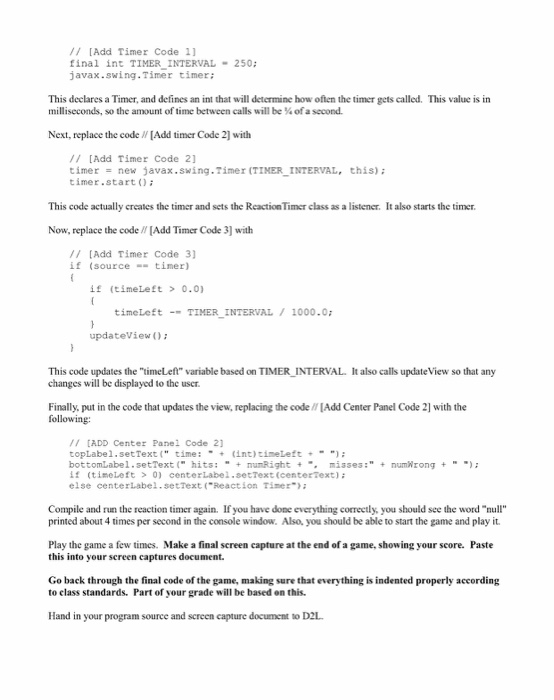
Java has a built-in library called "Swing" that allows the programmer to create programs with a graphical user interface. Using Swing, you can casily create an application that has windows, buttons, text fields, menus, and so forth. In this lab, you will create a simple GUI application using Swing. Note that you will not be able to run this program through a PuTTY connection. the GUI elements must be instantiated on the local machine. In this lab, you will build a simple reaction timer application that has you click on buttons as fast as you can. You will build the program in stages, taking a screen shot after some of the phases. You will not have to write any code yourself for this lab. Instead, you start with a base program and add different pieces of code until the reaction timer is complete. As you copy each piece ofcode, read over it and try to understand what it is doing. Also read the descriptions ofthe different code segments. Stage 1 The base program. To start the lab, copy the program below, and change the comment at the top and change the name and section string in the "main" method to be your name and section number. As always, you can use the copy included with the lab code rather than copying directly from this pdf document if you wish. Compile it on your machine and run it. Note that you cannot do this through a remote connection such as PuTTY. You must run the program on a local machine. Reaction Timer
Step by Step Solution
There are 3 Steps involved in it

Get step-by-step solutions from verified subject matter experts
 Study Help