







Question: java runtime environment running deadlock simulation. There are two additional process command files (b0.dat and b1.dat) in the distribution. Run the deadlock simulator with this
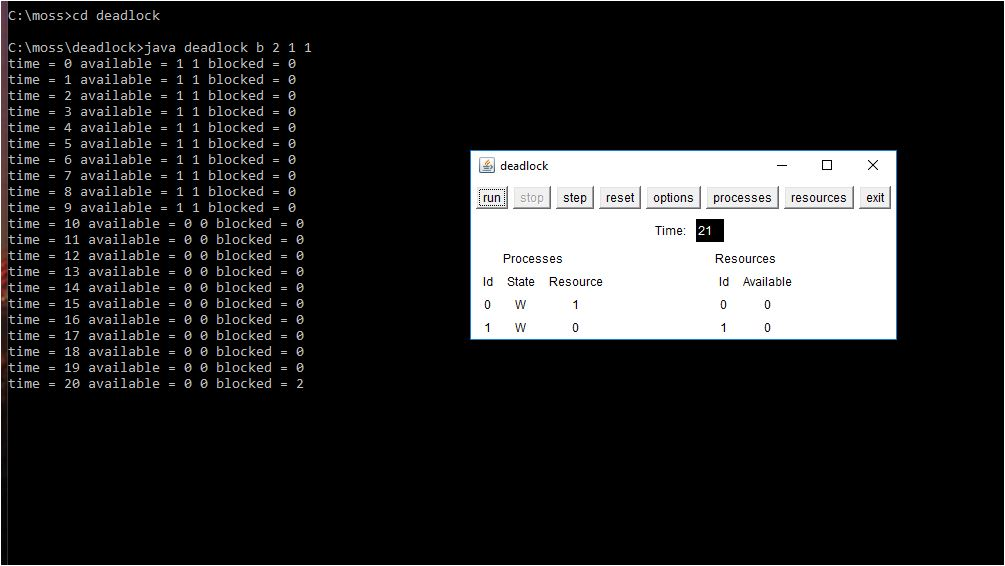
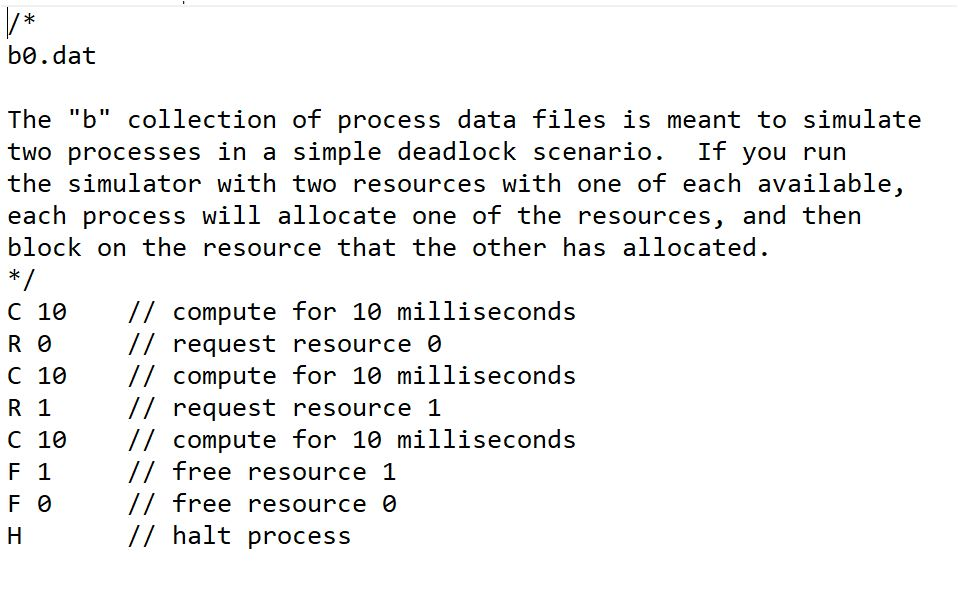
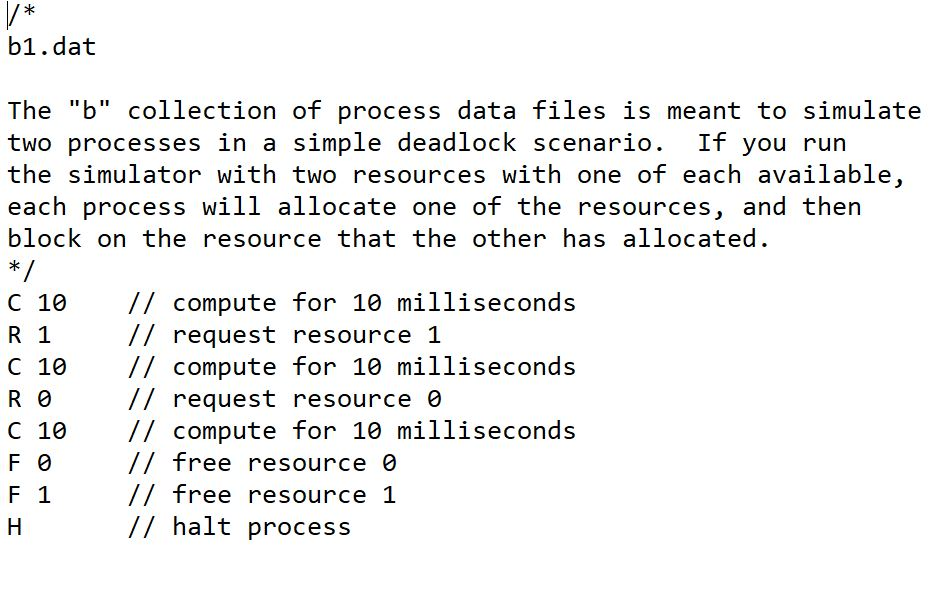
java runtime environment running deadlock simulation. There are two additional process command files ("b0.dat" and "b1.dat") in the distribution. Run the deadlock simulator with this command:
1. java deadlock b 2 1 1, what happens? screenshot below
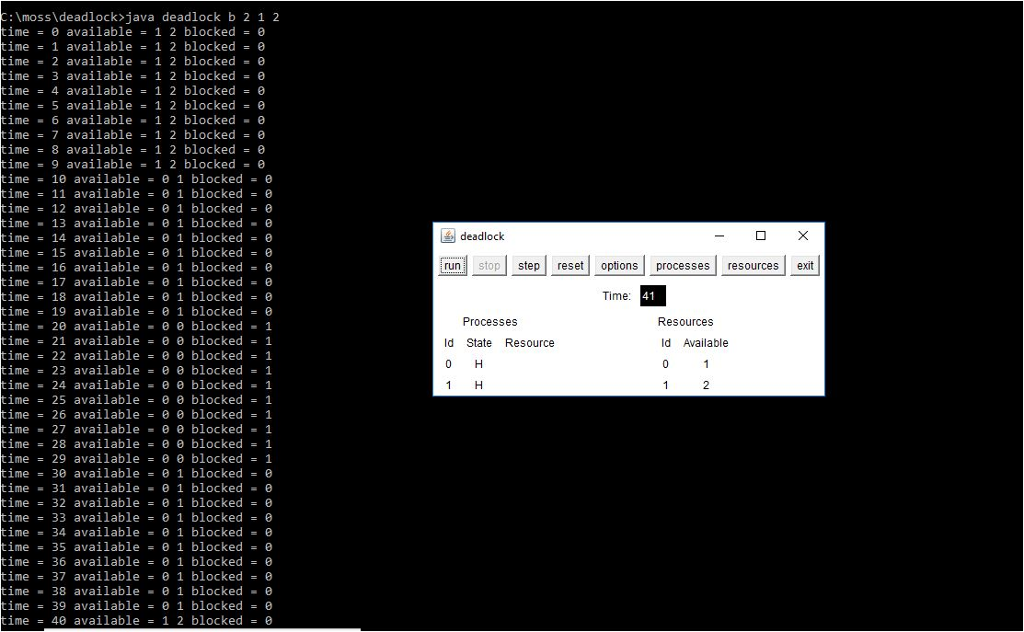
2. run java deadlock b 2 1 2 (screenshot below)
3. Why does the first command result in a deadlock but the second does not?
4. Explain your answer in terms of what is going on in the process command files, b0.dat and b1.dat
 Second simulation
C: moss>cd deadlock C: moss\deadlock>java deadlock b 2 1 1 time = 0 available = 1 1 blocked = e time = 1 available = 1 1 blocked = 0 time = 2 available = 1 1 blocked = 0 time = 3 available = 1 1 blocked = 0 time = 4 available = 1 1 blocked = 0 time = 5 available = 1 1 blocked = 0 time = 6 available = 1 1 blocked = 0 time = 7 available = 1 1 blocked = 0 time = 8 available = 1 1 blocked = 0 time = 9 available = 1 1 blocked time = 10 available = 0 blocked = time = 11 available = 0 blocked time = 12 available = 0 blocked time = 13 available = 0 blocked time = 14 available = 0 blocked = time 15 available = 0 0 blocked = time = 16 available = 0 blocked = time = 17 available = 0 blocked time = 18 available = 0 blocked = time = 19 available = 0 blocked = time = 20 available = 0 blocked = 2 deadlock run-stop-step-reset options processes resources exit Time 21 Processes Resources ld State Resource ld Available
Step by Step Solution
There are 3 Steps involved in it

Get step-by-step solutions from verified subject matter experts
 Study Help