







Question: java script write in html COMPRO - Maktab w07225 gener 3. Create a JavaScript file named as your student ID (101010101.js) and perform following: a.
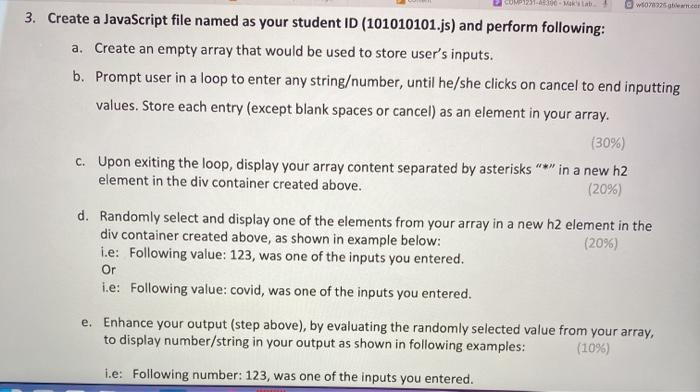

COMPRO - Maktab w07225 gener 3. Create a JavaScript file named as your student ID (101010101.js) and perform following: a. Create an empty array that would be used to store user's inputs. b. Prompt user in a loop to enter any stringumber, until he/she clicks on cancel to end inputting values. Store each entry (except blank spaces or cancel) as an element in your array. (30%) c. Upon exiting the loop, display your array content separated by asterisks "*" in a new h2 element in the div container created above. (20%) d. Randomly select and display one of the elements from your array in a new h2 element in the div container created above, as shown in example below: (20%) i.e: Following value: 123, was one of the inputs you entered. i.e: Following value: covid, was one of the inputs you entered. e. Enhance your output (step above), by evaluating the randomly selected value from your array, to display number/string in your output as shown in following examples: (10%) i.e: Following number: 123, was one of the inputs you entered. Or i.e: Following number: 123, was one of the inputs you entered. Or i.e: Following string: covid, was one of the inputs you entered
Step by Step Solution
There are 3 Steps involved in it

Get step-by-step solutions from verified subject matter experts
 Study Help