







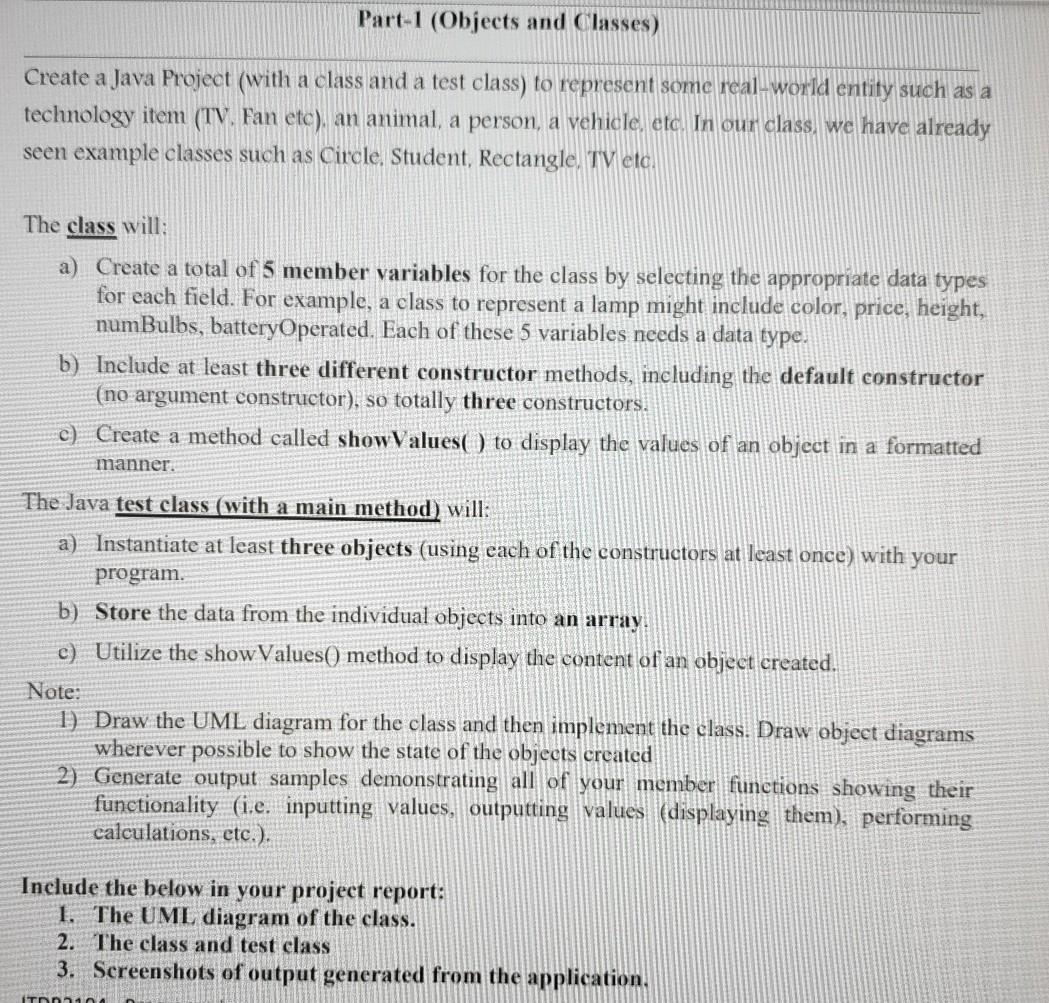
Question: java using NetBeans Part-1 (Objects and Classes) Create a Java Project (with a class and a test class) to represent some real-world entity such as
java using NetBeans
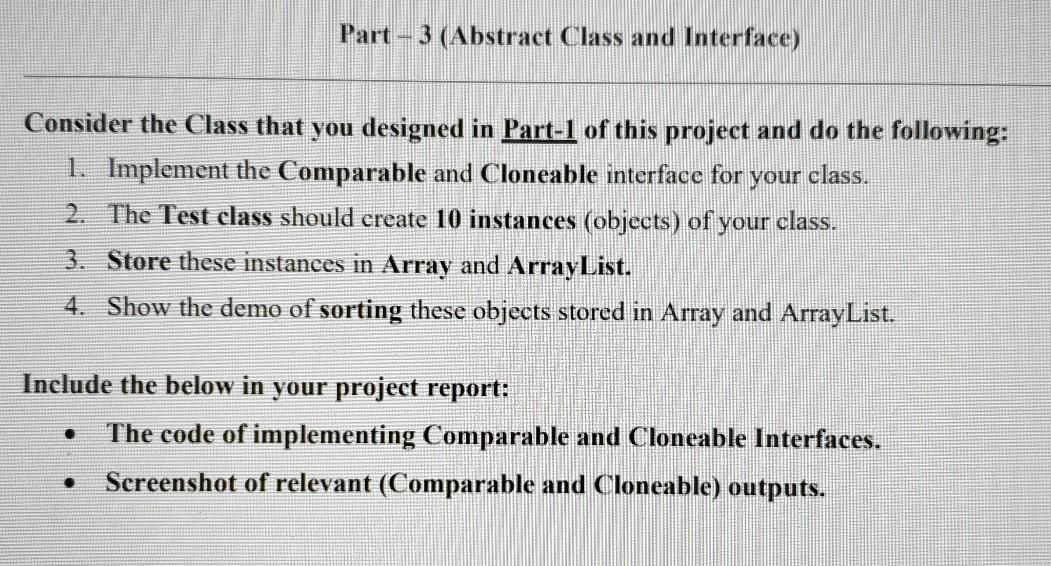
Part-1 (Objects and Classes) Create a Java Project (with a class and a test class) to represent some real-world entity such as a technology item (TV. Fan ete), an animal, a person, a vehicle, etc. In our class we have already seen example classes such as Circle Student, Rectangle, TV etc. The class will: a) Create a total of 5 member variables for the class by selecting the appropriate data types for each field. For example, a class to represent a lamp might include color, price, height, numBulbs, batteryOperated. Each of these 5 variables needs a data type. b) Include at least three different constructor methods, including the default constructor (no argument constructor), so totally three constructors. c) Create a method called showValues() to display the values of an object in a formatted manner. The Java test class (with a main method) will: a) Instantiate at least three objects (using each of the constructors at least once) with your program. b) Store the data from the individual objects into an array. c) Utilize the showValues() method to display the content of an object created. Note: 1) Draw the UML diagram for the class and then implement the class. Draw object diagrams wherever possible to show the state of the objects created 2) Generate output samples demonstrating all of your member functions showing their functionality (i.e. inputting values, outputting values (displaying them), performing calculations, etc.). Include the below in your project report: 1. The UML diagram of the class. 2. The class and test class 3. Screenshots of output generated from the application. ITO Part-3 (Abstract Class and Interface) Consider the Class that you designed in Part-1 of this project and do the following: 1. Implement the Comparable and Cloneable interface for your class. 2. The Test class should create 10 instances (objects) of your class. 3. Store these instances in Array and ArrayList. 4. Show the demo of sorting these objects stored in Array and ArrayList. Include the below in your project report: The code of implementing Comparable and Cloneable Interfaces. Screenshot of relevant (Comparable and Cloneable) outputs
Step by Step Solution
There are 3 Steps involved in it

Get step-by-step solutions from verified subject matter experts
 Study Help