







Question: Java written from scratch Objective: The goal of this assignment is to learn about empirical performance testing to compare the speed of different algorithms. Deliverables:
Java
written from scratch 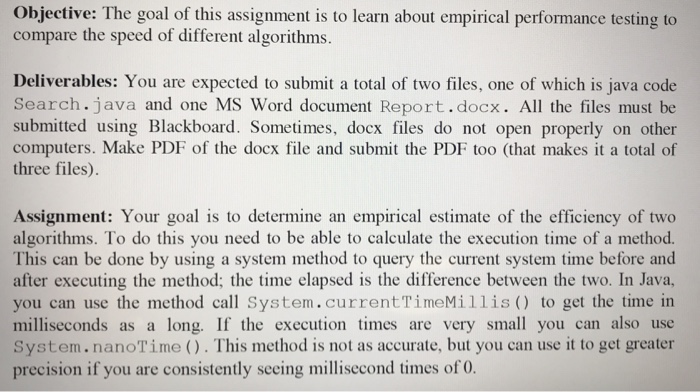
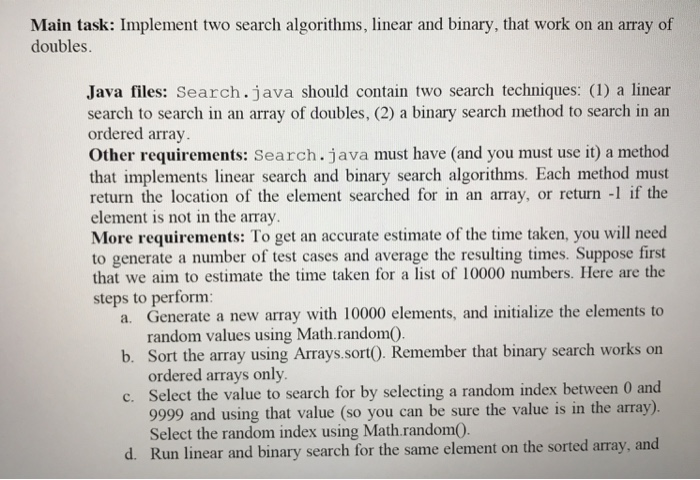
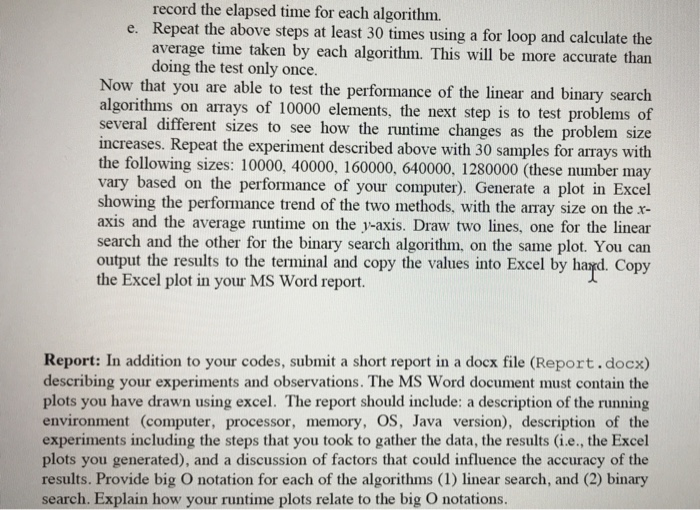
Objective: The goal of this assignment is to learn about empirical performance testing to compare the speed of different algorithms. Deliverables: You are expected to submit a total of two files, one of which is java code Search.java and one MS Word document Report.docx. All the files must be submitted using Blackboard. Sometimes, docx files do not open properly on other computers. Make PDF of the docx file and submit the PDF too (that makes it a total of three files) Assignment: Your goal is to determine an empirical estimate of the efficiency of two algorithms. To do this you need to be able to calculate the execution time of a method. This can be done by using a system method to query the current system time before and after executing the method; the time elapsed is the difference between the two. In Java, you can use the method call System.currentTimeMillis) to get the time in milliseconds as a long. If the execution times are very small you can also use System.nanoTime (). This method is not as accurate, but you can use it to get greater precision if you are consistently seeing millisecond times of 0. Objective: The goal of this assignment is to learn about empirical performance testing to compare the speed of different algorithms. Deliverables: You are expected to submit a total of two files, one of which is java code Search.java and one MS Word document Report.docx. All the files must be submitted using Blackboard. Sometimes, docx files do not open properly on other computers. Make PDF of the docx file and submit the PDF too (that makes it a total of three files) Assignment: Your goal is to determine an empirical estimate of the efficiency of two algorithms. To do this you need to be able to calculate the execution time of a method. This can be done by using a system method to query the current system time before and after executing the method; the time elapsed is the difference between the two. In Java, you can use the method call System.currentTimeMillis) to get the time in milliseconds as a long. If the execution times are very small you can also use System.nanoTime (). This method is not as accurate, but you can use it to get greater precision if you are consistently seeing millisecond times of 0
Step by Step Solution
There are 3 Steps involved in it

Get step-by-step solutions from verified subject matter experts
 Study Help