







Question: JavaFx Program that bounds the rectangle to the outter most circles. The circles are placed by the user clicking with the mouse in the parent
JavaFx Program that bounds the rectangle to the outter most circles. The circles are placed by the user clicking with the mouse in the parent box. The program should look similar to this...
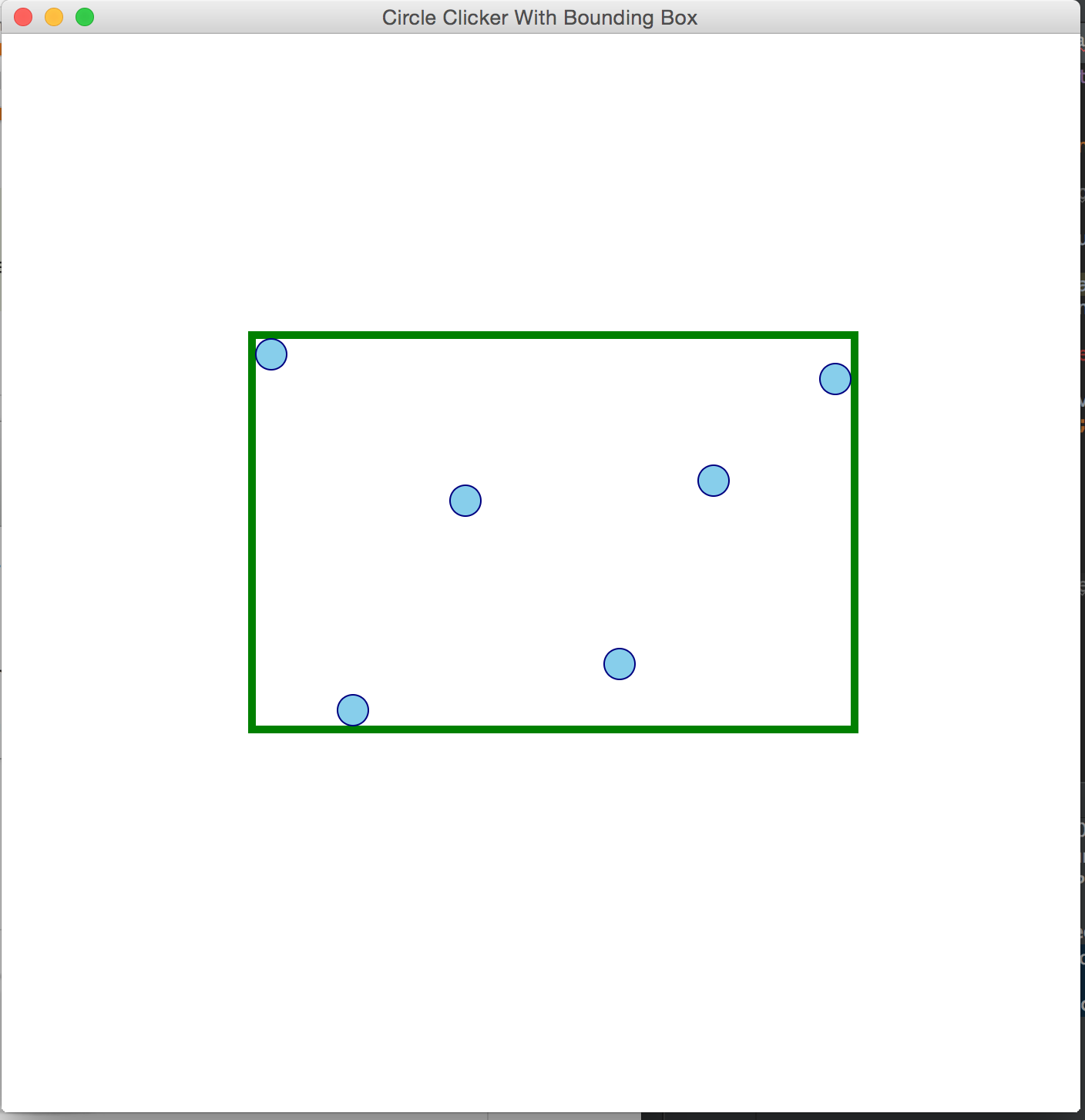 Create an application that solves the programming 15.17 on page 623 of Liang.
Try it out: CircleBounds.jar
Remember: the children of a Pane are in a list. So, List methods are available.
Hint:
Interface?
A plain Pane for the interface.
Create circle?
A listener for the Pane that creates a circle at the point clicked, provided that the left button, PRIMARY, is clicked.
Remove circle?
A listener for the circles that removes the circle from the Pane, provided that the right button, SECONDARY, is clicked.
What is the target of the remove circle listener?
The circle listener is added to the circle when it is created.
Which circle to remove?
In the circle listener, use the getSource() method to get the Circle object that was clicked. EventSource() returns an Object, but you dont really need to cast it to Circle, except for debugging purposes.
Computing bounding box?
Go through the children of the pane.
All of the children are circles, except the bounding rectangle
The rectangle can be checked for by using ==
Keep track of minY, maxY, minX and maxX
Computing bounding box details?
Subtract the circle radius from minX to get the bound rectangle x
Add the circle diameter to the difference of maxX and minX to get the bounding rectangle width
Similar for y and height
What if the rectangle boundary is thicker?
Subtract half the stroke width of the boundary from the bounding rectangle x computed above
Add the stroke width of the bboundary to the bounding box width computed above.
Similar for y and height
Step by Step Solution
There are 3 Steps involved in it

Get step-by-step solutions from verified subject matter experts
 Study Help