







Question: JavaFX Student Database (20 marks / 4%) In this assignment you'll create an JavaFx application that allows the user to enter and sort a
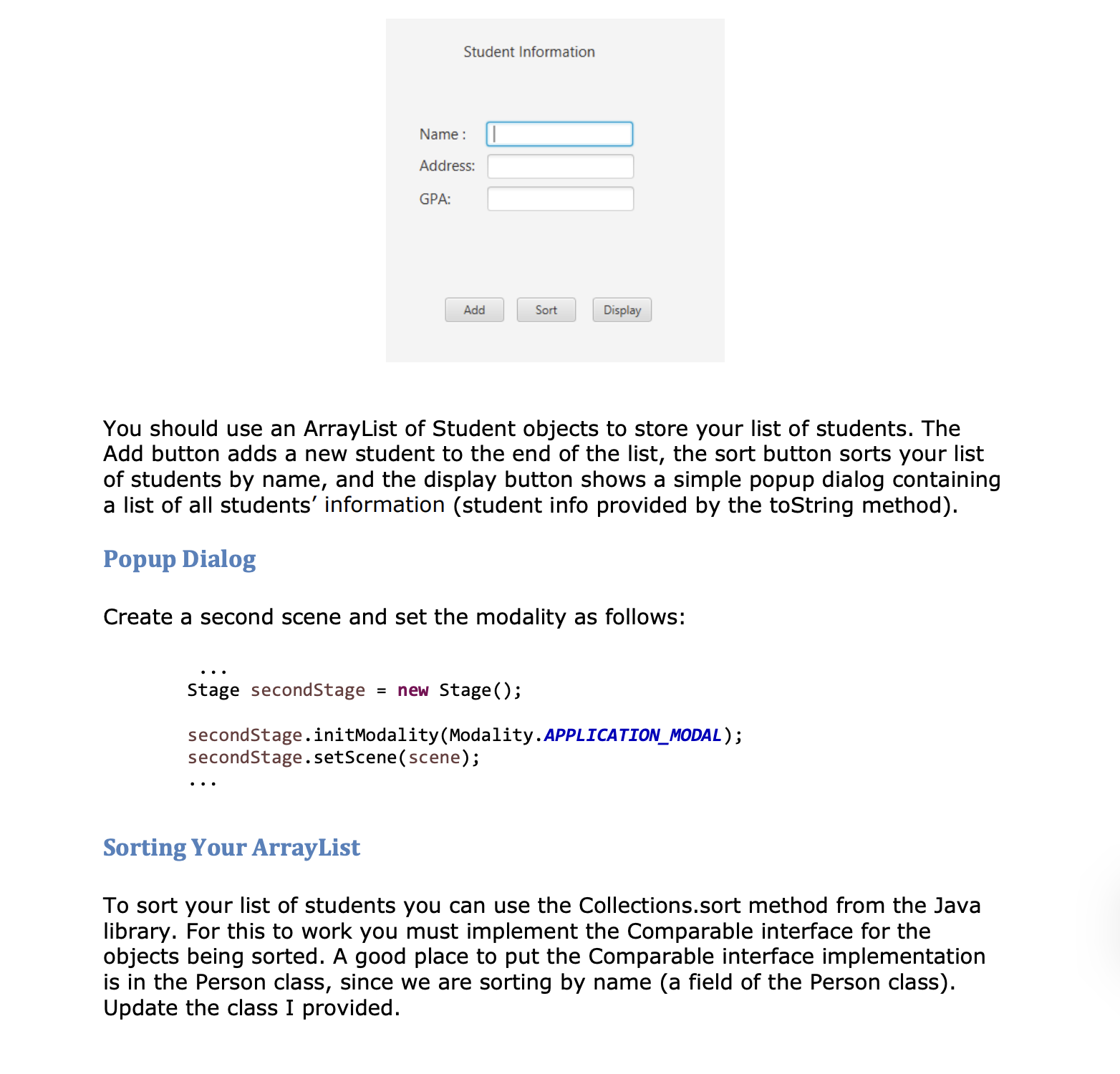
JavaFX Student Database (20 marks / 4%) In this assignment you'll create an JavaFx application that allows the user to enter and sort a student database. You'll be creating a JavaFx GUI, and get some experience using abstract classes and interfaces. Student Class Implement a class called Student to store student information. Your class should be based on the abstract class Person provided with this assignment. In addition to the inherited fields and methods, include the following fields/methods: . A field to store the student's GPA An implementation for the abstract method currentStatus. This could simply return the string "Student". A toString method that includes the GPA and follows the format of Person.toString. Hint: You could call the superclass to do most of the work. Any required getters or setters You'll be using your Student class in a list of students created by your GUI. JavaFx GUI Create an JavaFx application which allows you to enter student information. Your GUI should have one activity with the following components: Text fields to enter the student's name, address, and GPA Buttons (Button) to add a new student, sort the list of students, and display the list of students. Any required labels or other items to make your GUI look good and be easy to use. The following image shows a possible GUI design, but this is just a fairly boring example, design your GUI in the way you think is best. Student Information Name: Address: GPA: Add Sort Display You should use an ArrayList of Student objects to store your list of students. The Add button adds a new student to the end of the list, the sort button sorts your list of students by name, and the display button shows a simple popup dialog containing a list of all students' information (student info provided by the toString method). Popup Dialog Create a second scene and set the modality as follows: Stage second Stage = new Stage(); second Stage.initModality (Modality. APPLICATION_MODAL); secondStage.setScene (scene); Sorting Your ArrayList To sort your list of students you can use the Collections.sort method from the Java library. For this to work you must implement the Comparable interface for the objects being sorted. A good place to put the Comparable interface implementation is in the Person class, since we are sorting by name (a field of the Person class). Update the class I provided.
Step by Step Solution
There are 3 Steps involved in it

Get step-by-step solutions from verified subject matter experts
 Study Help