







Question: JavaScript Alert serch engin >Timer >my name >student data function myFunction() { function searchEngine() { == function myName() { var person = if (person null
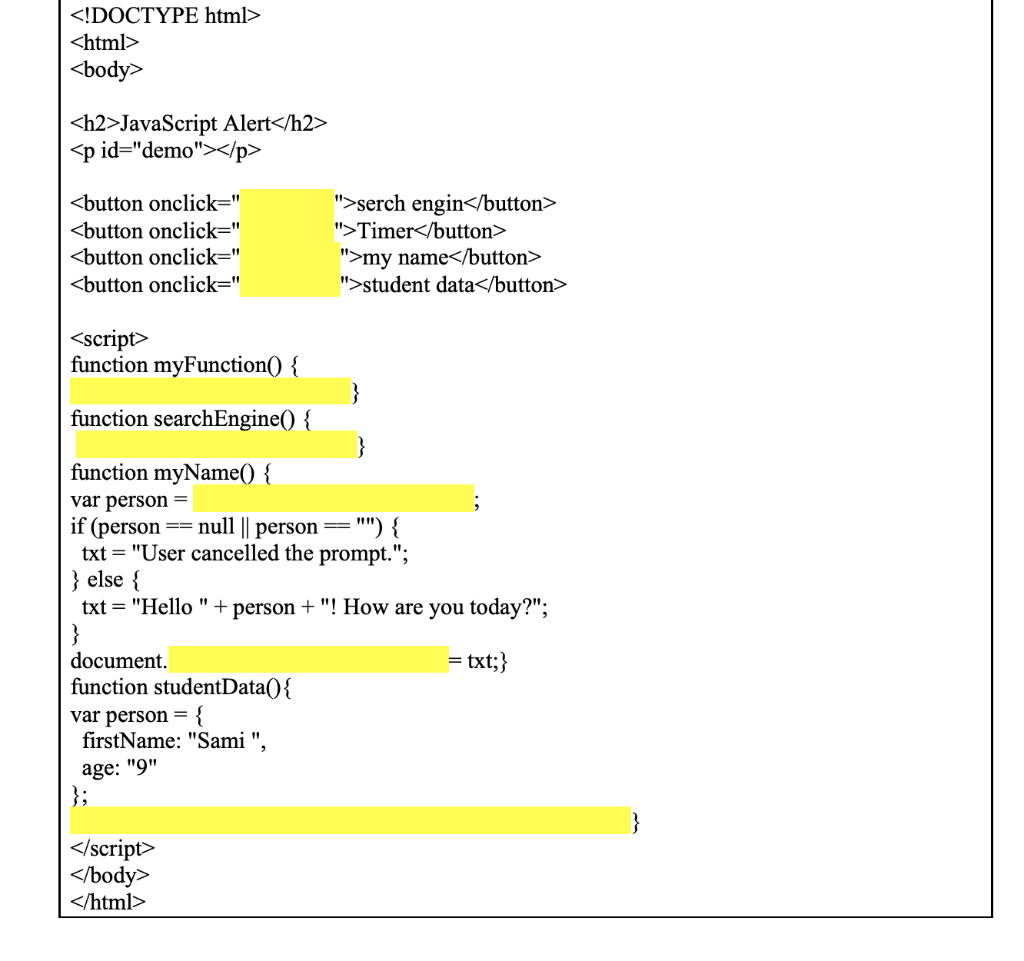
JavaScript Alert
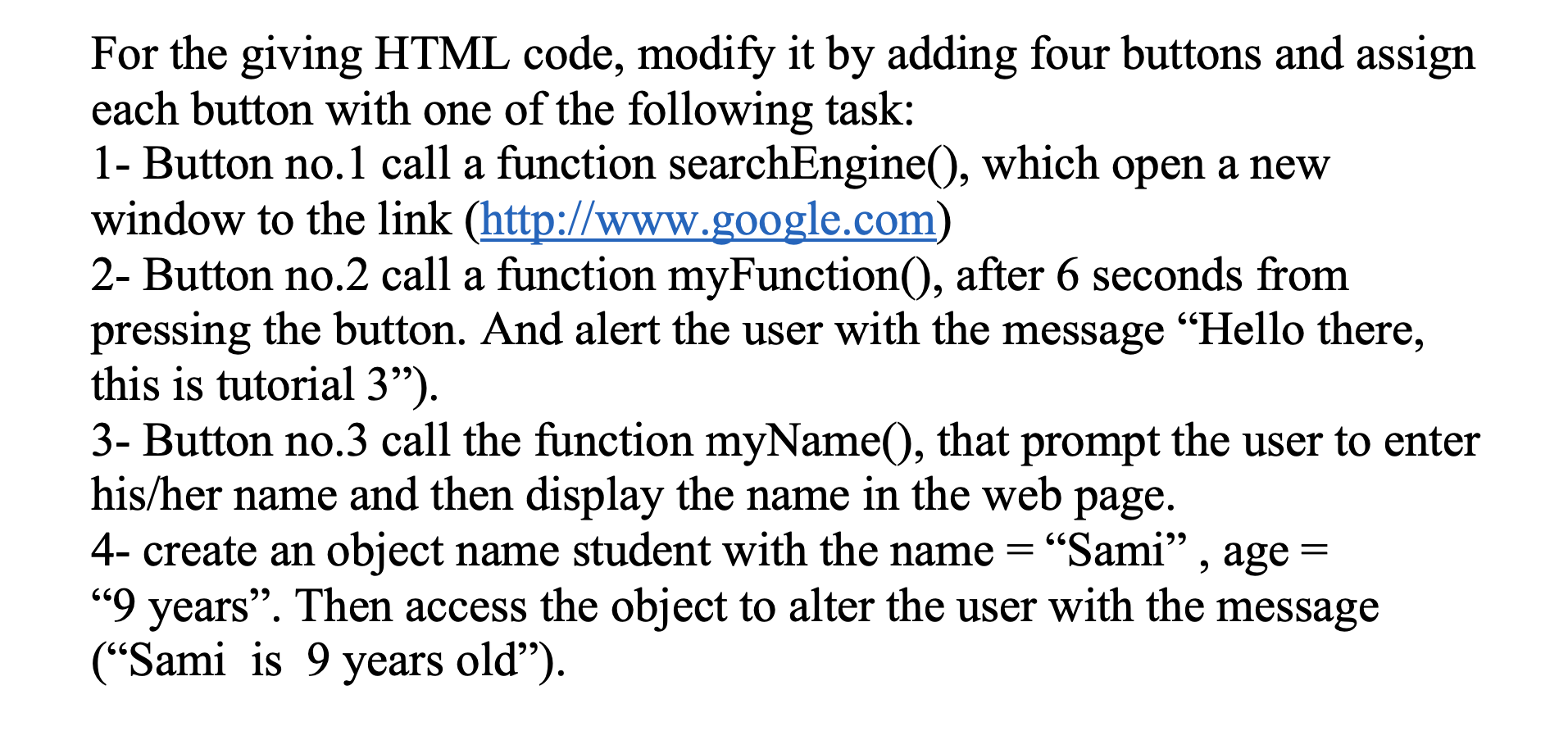
">Timer ">my name ">student data For the giving HTML code, modify it by adding four buttons and assign each button with one of the following task: 1- Button no.1 call a function searchEngine(), which open a new window to the link (http://www.google.com) 2- Button no.2 call a function myFunction(), after 6 seconds from pressing the button. And alert the user with the message "Hello there, this is tutorial 3). 3- Button no.3 call the function myName(), that prompt the user to enter his/her name and then display the name in the web page. 4- create an object name student with the name = Sami, age = 9 years. Then access the object to alter the user with the message (Sami is 9 years old)
Step by Step Solution
There are 3 Steps involved in it

Get step-by-step solutions from verified subject matter experts
 Study Help