







Question: JavaScript Concepts Create a Stopwatch using JavaScript Code JavaScript timing methods automate a particular task to be done on the fly without you having to
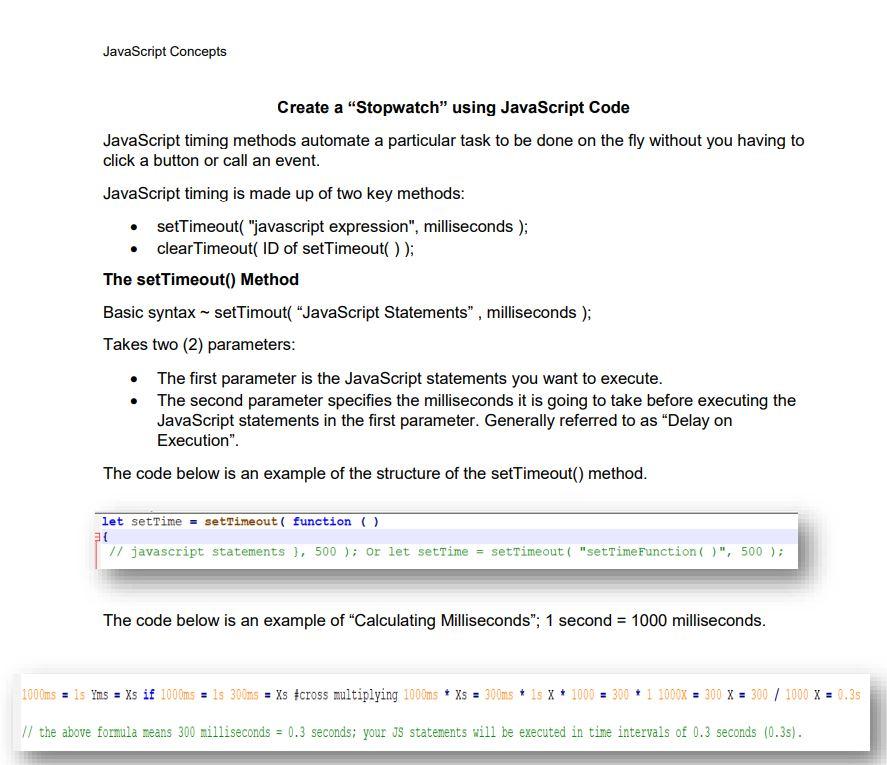
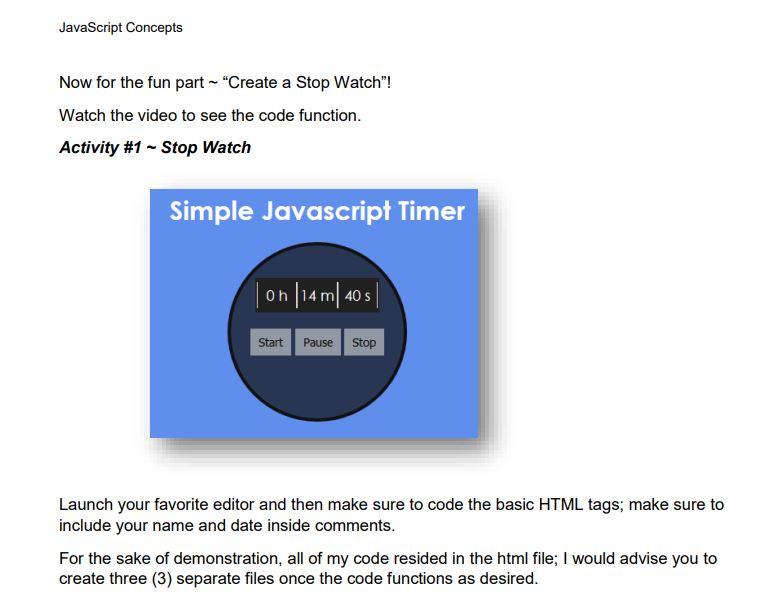
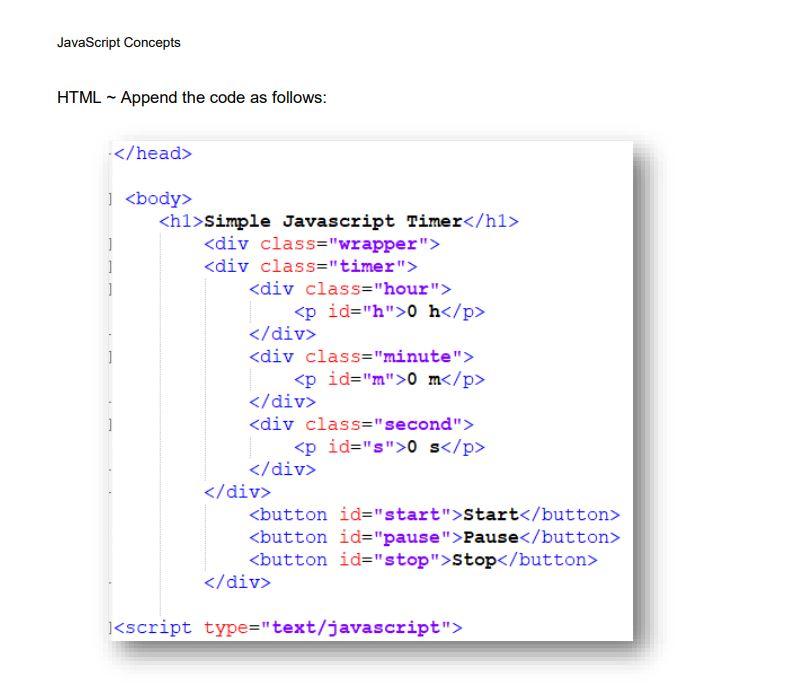
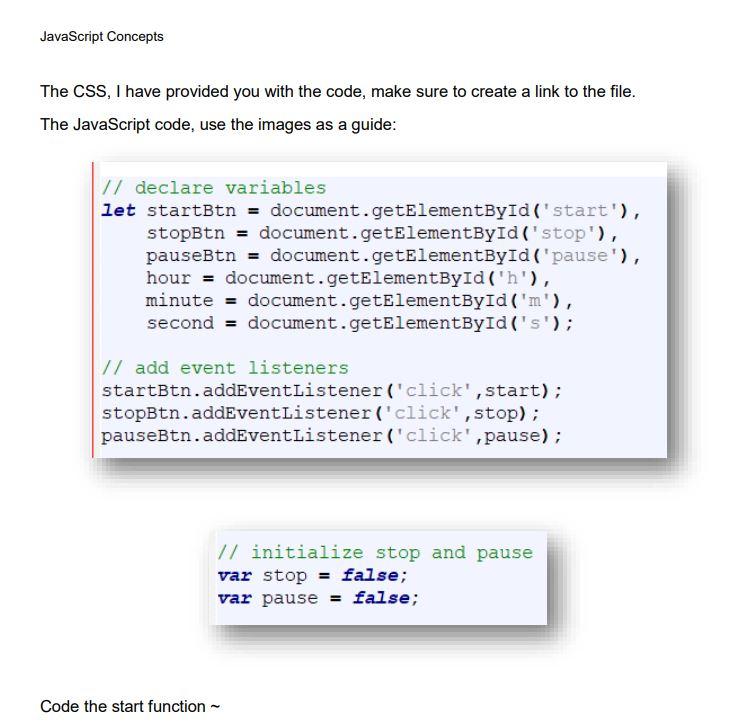
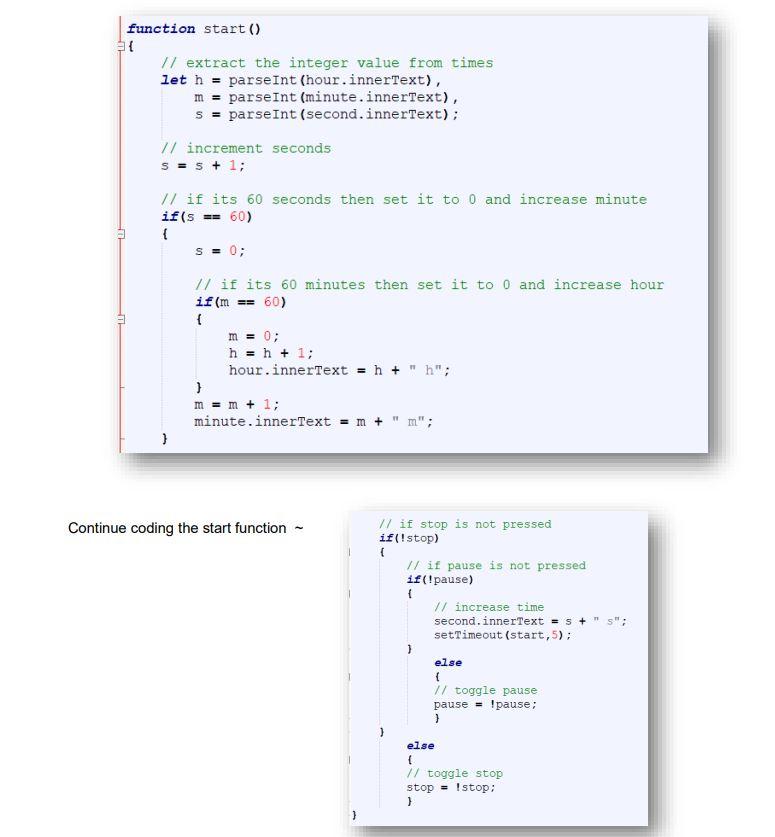
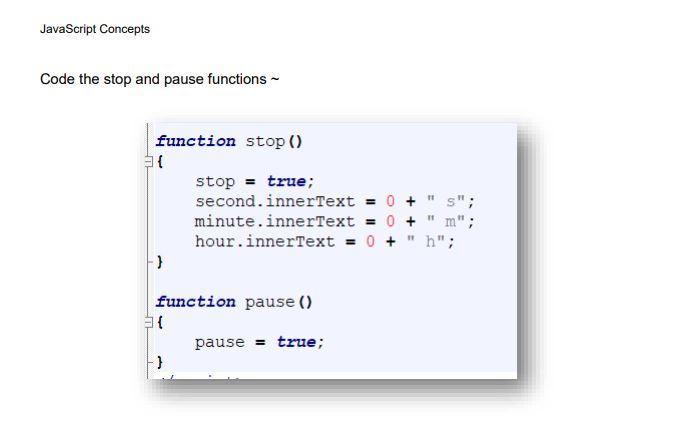
JavaScript Concepts Create a "Stopwatch" using JavaScript Code JavaScript timing methods automate a particular task to be done on the fly without you having to click a button or call an event. JavaScript timing is made up of two key methods: - setTimeout( "javascript expression", milliseconds); - clearTimeout( ID of setTimeout()); The setTimeout() Method Basic syntax setTimout( "JavaScript Statements", milliseconds ); Takes two (2) parameters: - The first parameter is the JavaScript statements you want to execute. - The second parameter specifies the milliseconds it is going to take before executing the JavaScript statements in the first parameter. Generally referred to as "Delay on Execution". The code below is an example of the structure of the setTimeout() method. let settime = settimeout ( function ( ) ( // javascript statements ), 500 ); Or let setTime = settimeout ( "settimeFunction ( )", 500 ) ; The code below is an example of "Calculating Milliseconds"; 1 second =1000 milliseconds. =1sYms=Xs if 1000m=1s300ms=Xs=cross multiplying 1000msXs=300mis1X1000=30011000X=300X=300/1000X=0.35 the above formula means 300 milliseconds =0.3 seconds; your Js statements will be executed in time intervals of 0.3 seconds (0.3s). JavaScript Concepts Now for the fun part "Create a Stop Watch"! Watch the video to see the code function. Activity \#1 Stop Watch Launch your favorite editor and then make sure to code the basic HTML tags; make sure to include your name and date inside comments. For the sake of demonstration, all of my code resided in the html file; I would advise you to create three (3) separate files once the code functions as desired. JavaScript Concepts HTML Append the code as follows: JavaScript Concepts The CSS, I have provided you with the code, make sure to create a link to the file. The JavaScript code, use the images as a guide: / I initialize stop and pause var stop = false; var pause = false; Code the start function Code the stop and pause functions
Step by Step Solution
There are 3 Steps involved in it

Get step-by-step solutions from verified subject matter experts
 Study Help