







Question: Javascript ES6 5. Write a function called calculateSalesTotals (20) This function should return an array with new two new keys (sale and total) The key
Javascript ES6
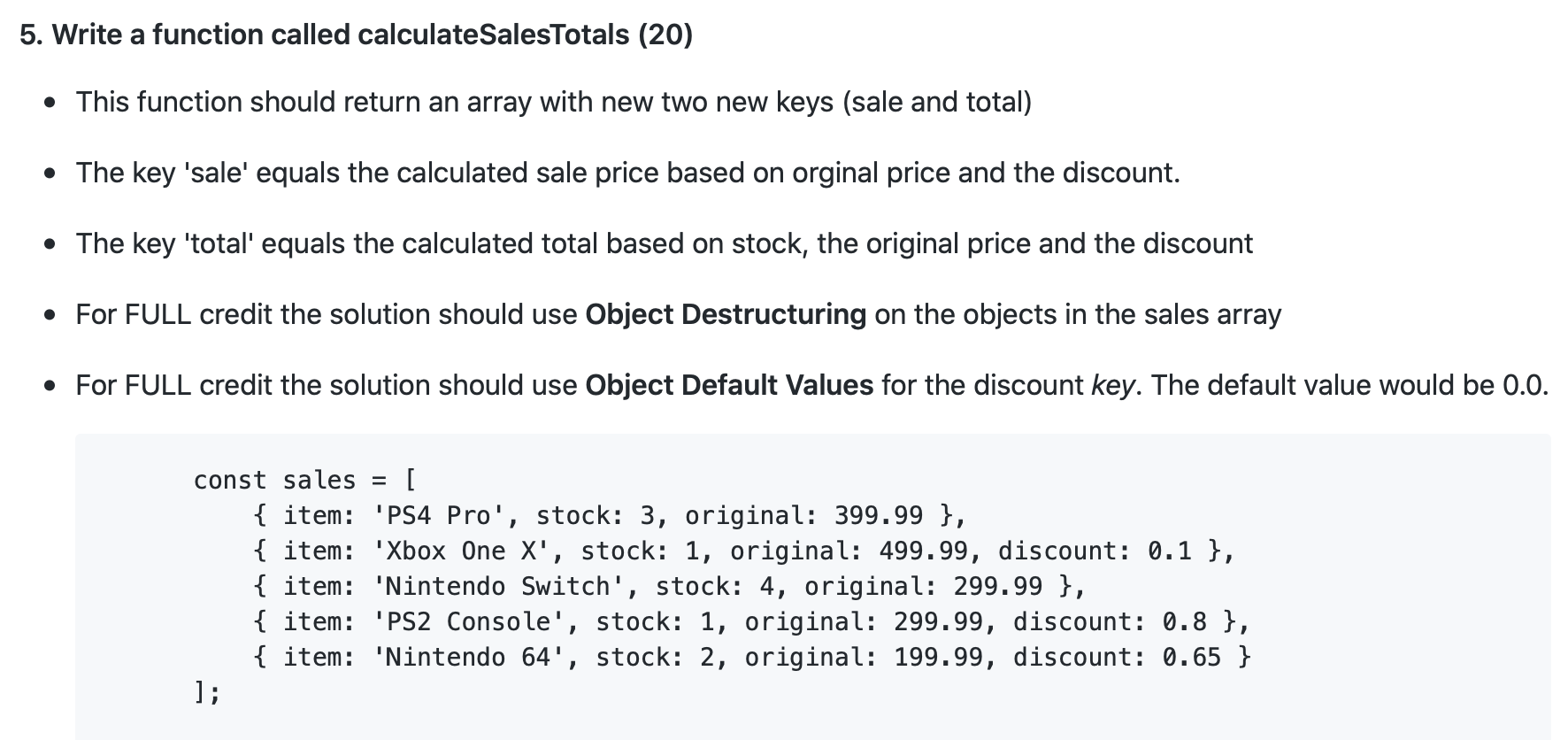
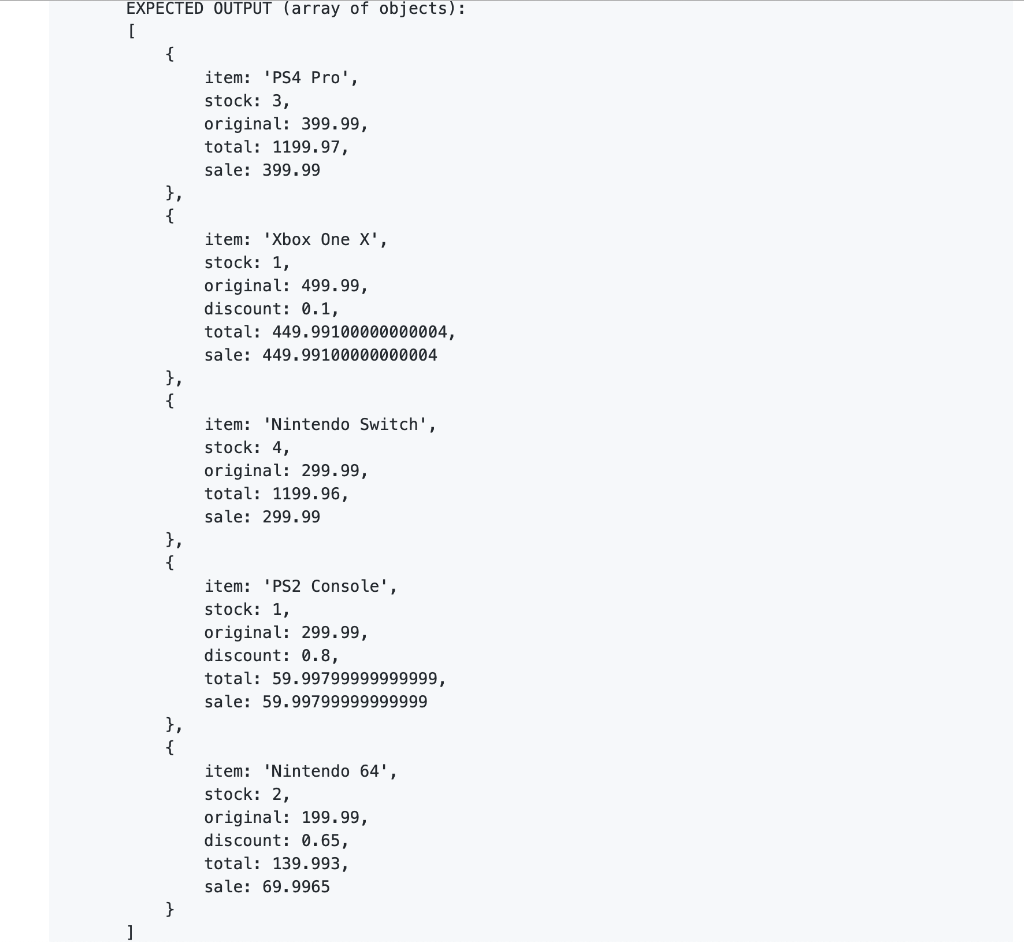
5. Write a function called calculateSalesTotals (20) This function should return an array with new two new keys (sale and total) The key 'sale' equals the calculated sale price based on orginal price and the discount. The key 'total' equals the calculated total based on stock, the original price and the discount For FULL credit the solution should use Object Destructuring on the objects in the sales array For FULL credit the solution should use Object Default Values for the discount key. The default value would be 0.0. const sales = [ { item: 'PS4 Pro', stock: 3, original: 399.99 }, { item: 'Xbox One X', stock: 1, original: 499.99, discount: 0.1 }, { item: 'Nintendo Switch', stock: 4, original: 299.99 }, { item: 'PS2 Console', stock: 1, original: 299.99, discount: 0.8 }, { item: 'Nintendo 64', stock: 2, original: 199.99, discount: 0.65 } EXPECTED OUTPUT (array of objects): item: 'PS4 Pro', stock: 3, original: 399.99, total: 1199.97, sale: 399.99 item: 'Xbox One X', stock: 1, original: 499.99, discount: 0.1, total: 449.99100000000004, sale: 449.99100000000004 item: 'Nintendo Switch', stock: 4, original: 299.99, total: 1199.96, sale: 299.99 item: 'PS2 Console', stock: 1, original: 299.99, discount: 0.8, total: 59.99799999999999, sale: 59.99799999999999 item: 'Nintendo 64', stock: 2, original: 199.99, discount: 0.65, total: 139.993, sale: 69.9965
Step by Step Solution
There are 3 Steps involved in it

Get step-by-step solutions from verified subject matter experts
 Study Help