







Question: javascript Exercise 1) Download the HTML file named B05-Exercise.zip from D2L. 2) The file quiz.html contains code for a web page that has a quiz
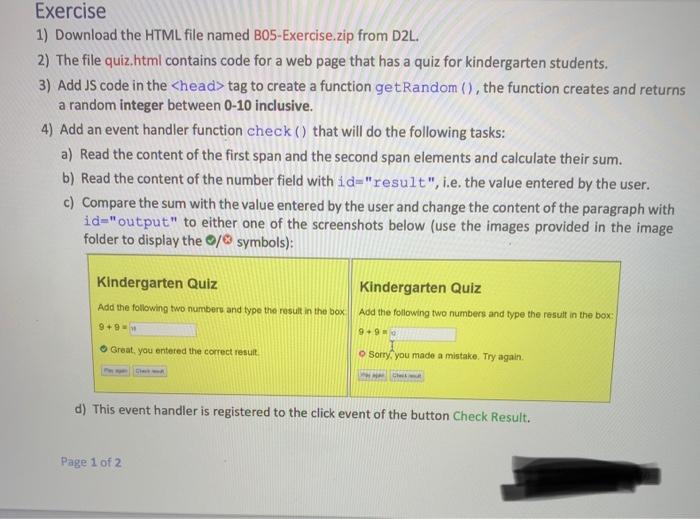
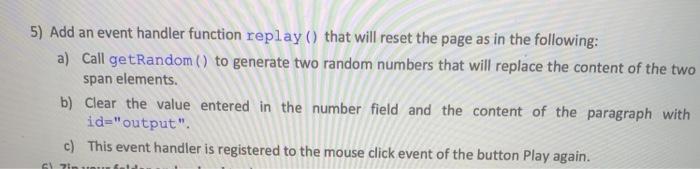
Exercise 1) Download the HTML file named B05-Exercise.zip from D2L. 2) The file quiz.html contains code for a web page that has a quiz for kindergarten students. 3) Add JS code in the tag to create a function getRandom(), the function creates and returns a random integer between 0-10 inclusive. 4) Add an event handler function check () that will do the following tasks: a) Read the content of the first span and the second span elements and calculate their sum. b) Read the content of the number field with id="result", i.e. the value entered by the user. c) Compare the sum with the value entered by the user and change the content of the paragraph with id="output" to either one of the screenshots below (use the images provided in the image folder to display the / symbols): Kindergarten Quiz Add the following two numbers and type the result in the box 9+9 Great, you entered the correct result Kindergarten Quiz Add the following two numbers and type the result in the box 9+99 Sorry, you made a mistake. Try again. Che d) This event handler is registered to the click event of the button Check Result. Page 1 of 2 5) Add an event handler function replay() that will reset the page as in the following: a) Call getRandom() to generate two random numbers that will replace the content of the two span elements. b) Clear the value entered in the number field and the content of the paragraph with id="output". c) This event handler is registered to the mouse click event of the button Play again. S2
Step by Step Solution
There are 3 Steps involved in it

Get step-by-step solutions from verified subject matter experts
 Study Help