



Question: (Java)Write an applet that will use a vertical toolbar (that the user can float out of the applet) to let the user pick what graphic
(Java)Write an applet that will use a vertical toolbar (that the user can float out of the applet) to let the user pick what graphic they would like to display. Use hot keys for the buttons on the toolbar as well. Attached are three Yankee home run images that the user can pick from (remember to add them to the project, where the program is in the package gui16). Then add a menu bar as a second way to choose what graphic to display. The buttons in the tool bar will also become the menu items in the menu.
Fill in the missing code below in the init() method and the actionPerformed() method. Instead of drawing the image in paint(), the drawing is done in the actionPerformed() since the source of the ActionEvent object determines the image to draw (this seems to sometimes cause the image not to draw the first time unless a double click is performed). package gui16; /* * Exercise 16-4 * This program will use a toolbar and menubar to pick a graphic */ import java.awt.*; import javax.swing.*; import java.awt.event.*; public class ex164 extends JApplet implements ActionListener { JButton b = new JButton("Brosius"); JButton m = new JButton("Martinez"); JButton j = new JButton("Jeter"); JToolBar bar = new JToolBar(SwingConstants.VERTICAL);
JMenuItem br = new JMenuItem("Brosius"); JMenuItem ma = new JMenuItem("Martinez"); JMenuItem je = new JMenuItem("Jeter"); JMenu homers = new JMenu("Home Runs"); JMenuBar mbar = new JMenuBar(); Container c; Image bros, mart, jet; public void init() { setSize(500, 500); c = getContentPane(); c.setLayout(new FlowLayout()); /* set hot keys, add buttons to the toolbar, add the toolbar into the applet, listen to the buttons, and get the images */ // then add menu bar with menu and menu items } public void actionPerformed(ActionEvent e) { Graphics g = getGraphics(); // to draw paint(g); // clear screen
// add e.getSource() being the menu items (or toolbar) to if tests // if click on b button draw brosius at 100, 100 if (e.getSource() == b) g.drawImage(bros, 100, 100, this); else if (e.getSource() == m) g.drawImage(mart, 100, 100, this); else if (e.getSource() == j) g.drawImage(jet, 100, 100, this); } }
brosius1.jpg 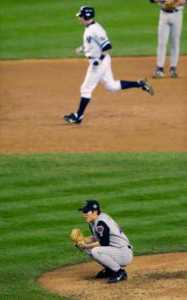
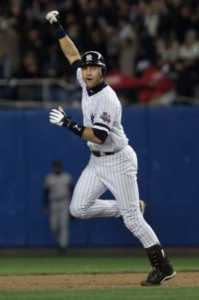
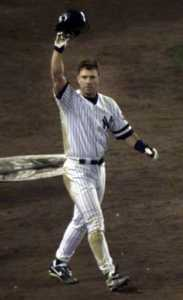
Step by Step Solution
There are 3 Steps involved in it

Get step-by-step solutions from verified subject matter experts