







Question: JScript help Output should looks like that: 1. To prevent your application from crashing unexpectedly due to a runtime error, you can write code that
JScript help

 Output should looks like that:
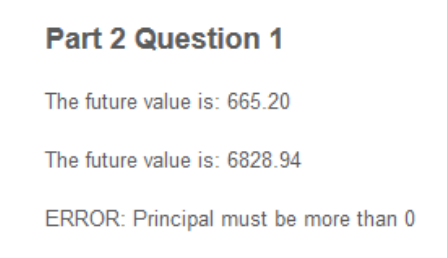
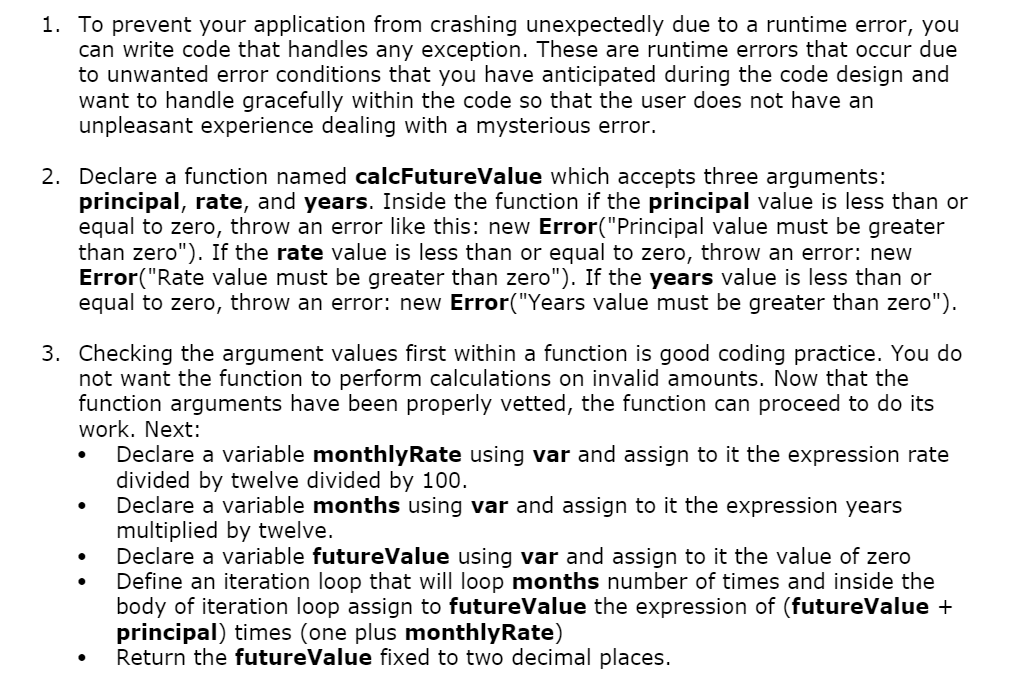
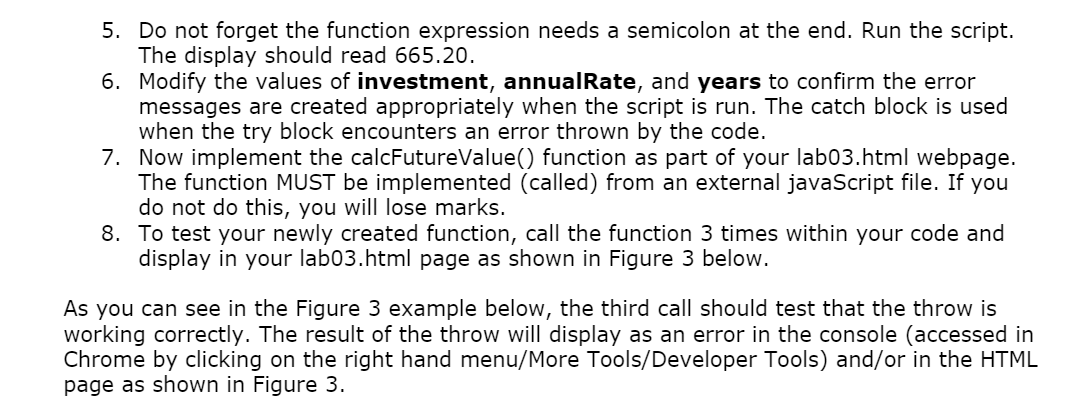
1. To prevent your application from crashing unexpectedly due to a runtime error, you can write code that handles any exception. These are runtime errors that occur due to unwanted error conditions that you have anticipated during the code design and want to handle gracefully within the code so that the user does not have an unpleasant experience dealing with a mysterious error. 2. Declare a function named calcFutureValue which accepts three arguments: principal, rate, and years. Inside the function if the principal value is less than or equal to zero, throw an error like this: new Error("Principal value must be greater than zero"). If the rate value is less than or equal to zero, throw an error: new Error("Rate value must be greater than zero"). If the years value is less than or equal to zero, throw an error: new Error("Years value must be greater than zero"). 3. Checking the argument values first within a function is good coding practice. You do not want the function to perform calculations on invalid amounts. Now that the function arguments have been properly vetted, the function can proceed to do its work. Next: Declare a variable monthlyRate using var and assign to it the expression rate divided by twelve divided by 100. Declare a variable months using var and assign to it the expression years multiplied by twelve. Declare a variable futureValue using var and assign to it the value of zero Define an iteration loop that will loop months number of times and inside the body of iteration loop assign to futureValue the expression of (futureValue + principal) times (one plus monthly Rate) Return the futureValue fixed to two decimal places. 4. Now we can test the function calcFutureValue by passing values in to the function. Declare a variable investment and assign to it the value of 10. Declare a variable annualRate and assign to it the value of 4; Declare a variable years and assign to it the value of 5; Call the function and pass in the values. Display the results to the console (console.log(calcFutureValue(investment, annualRate, years)); 5. Do not forget the function expression needs a semicolon at the end. Run the script. The display should read 665.20. 6. Modify the values of investment, annualRate, and years to confirm the error messages are created appropriately when the script is run. The catch block is used when the try block encounters an error thrown by the code. 7. Now implement the calcFutureValue() function as part of your lab03.html webpage. The function MUST be implemented (called) from an external javaScript file. If you do not do this, you will lose marks. 8. To test your newly created function, call the function 3 times within your code and display in your lab03.html page as shown in Figure 3 below. As you can see in the Figure 3 example below, the third call should test that the throw is working correctly. The result of the throw will display as an error in the console (accessed in Chrome by clicking on the right hand menu/More Tools/Developer Tools) and/or in the HTML page as shown in Figure 3. Part 2 Question 1 The future value is: 665.20 The future value is: 6828.94 ERROR: Principal must be more than 0
Step by Step Solution
There are 3 Steps involved in it

Get step-by-step solutions from verified subject matter experts
 Study Help