







Question: Just an example: Main Menu 1.Create new list 2.Show shopping lists Shopping lists menu 1.Add item 2.Edit item 3.Delete item 4.Mark as done undone It
Just an example:
Main Menu
1.Create new list
2.Show shopping lists
Shopping lists menu
1.Add item
2.Edit item
3.Delete item
4.Mark as done undone
It is up to you how this menu should be.
You just keep lists and list items in memory. Organization of your code file and workability of application is the key point for the answer.
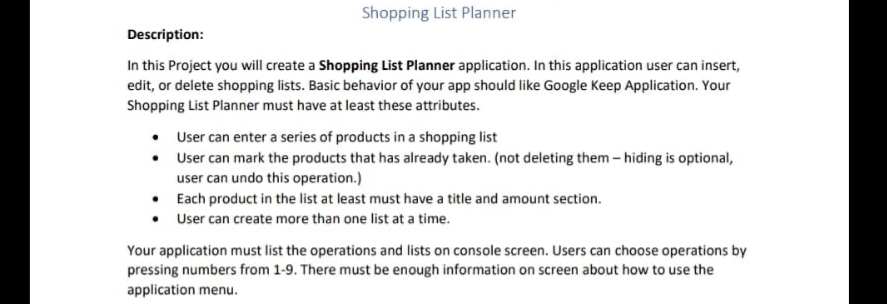
Shopping List Planner Description: In this Project you will create a Shopping List Planner application. In this application user can insert, edit, or delete shopping lists. Basic behavior of your app should like Google Keep Application. Your Shopping List Planner must have at least these attributes. User can enter a series of products in a shopping list User can mark the products that has already taken. (not deleting them - hiding is optional, user can undo this operation.) Each product in the list at least must have a title and amount section. User can create more than one list at a time. Your application must list the operations and lists on console screen. Users can choose operations by pressing numbers from 1-9. There must be enough information on screen about how to use the application menu
Step by Step Solution
There are 3 Steps involved in it

Get step-by-step solutions from verified subject matter experts
 Study Help