







Question: just enter the python code for the menu and make sure it is not a solution from last year 1. Main menu: Create a main
 just enter the python code for the menu and make sure it is not a solution from last year
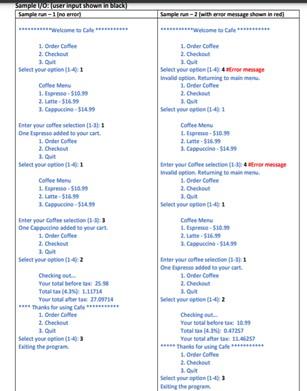
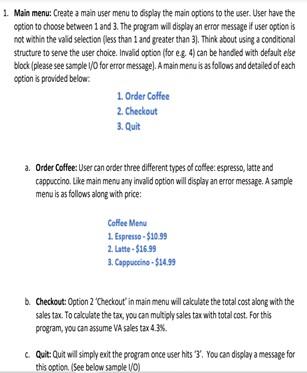
1. Main menu: Create a main user menu to display the main options to the user. User have the option to choose between 1 and 3. The program will display an error message if user option is not within the valid selection (less than I and greater than 3]. Think about using a conditional structure to serve the user choice. Invalid option for eg 4) can be handed with default else block (please see sample 1/0 for error message). A main meruis as follows and detailed of each option is provided below 1. Order Coffee 2. Checkout 3. Quit a Order Coffee: User can order three different types of coffee: espresso, latte and cappuccino. Like main menu any invalid option will display an error message. A sample menu is as follows along with price: Calle Menu 1. Espresso - $10.99 2. Latte - $16.99 3. Cappuccino-$14.99 Checkout: Option 2 "Checkout' in main menu wil calculate the total cost along with the sales tax. To calculate the tax, you can multiply sales tax with total cost. For this program, you can assume VA sales tax 4.3% c. Quit: Quit will simply exit the program once user hits *3You can display a message for this option. (See below sample 10)
Step by Step Solution
There are 3 Steps involved in it

Get step-by-step solutions from verified subject matter experts
 Study Help