







Question: Just need help with 5 (3) Here is a command liie sllli for name in file2[0-9].txt; do sed -1 -e 's/file/film/g' Sname; done form: 20171225_204539.jpg
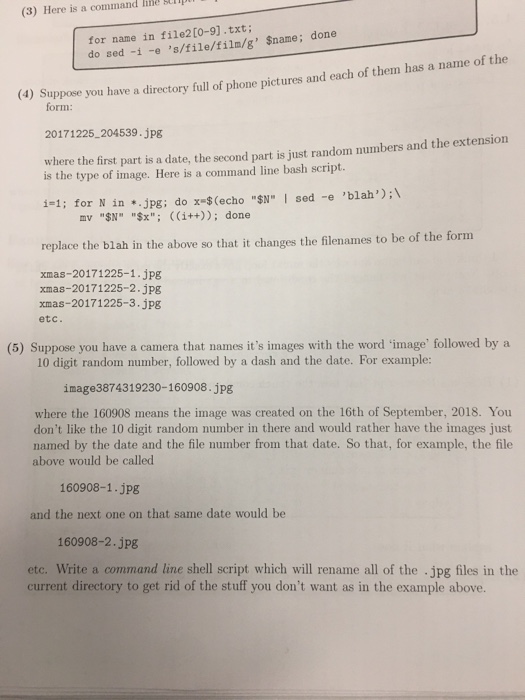
(3) Here is a command liie sllli for name in file2[0-9].txt; do sed -1 -e 's/file/film/g' Sname; done form: 20171225_204539.jpg where the first part is a date, the second part is just random numbers and the extension is the type of image. Here is a command line bash script. 1-1; for N in ..jpg: do x $ (echo "$N" I sed -e 'blah') replace the blah in the above so that it changes the filenames to be of the form mv "SN" "$x". ((1++)); done xmas-20171225-1.jpg xmas-20171225-2.jpg xmas-20171225-3.jpg etc. (5) Suppose you have a camera that names it's images with the word 'image' followed by a 10 digit random number, followed by a dash and the date. For example: image3874319230-160908.jpg where the 160908 means the image was created on the 16th of September, 2018. You don't like the 10 digit random number in there and would rather have the images just named by the date and the file number from that date. So that, for example, the file above would be called 160908-1.jpg and the next one on that same date would be 160908-2.jpg etc. Write a command line shell script which will rename all of the jpg files in the current directory to get rid of the stuff you don't want as in the example above
Step by Step Solution
There are 3 Steps involved in it

Get step-by-step solutions from verified subject matter experts
 Study Help