







Question: Just need some help, step by step in getting this assignment completed. 13 2 points Escape sequences can be added to the printf format. For
Just need some help, step by step in getting this assignment completed.
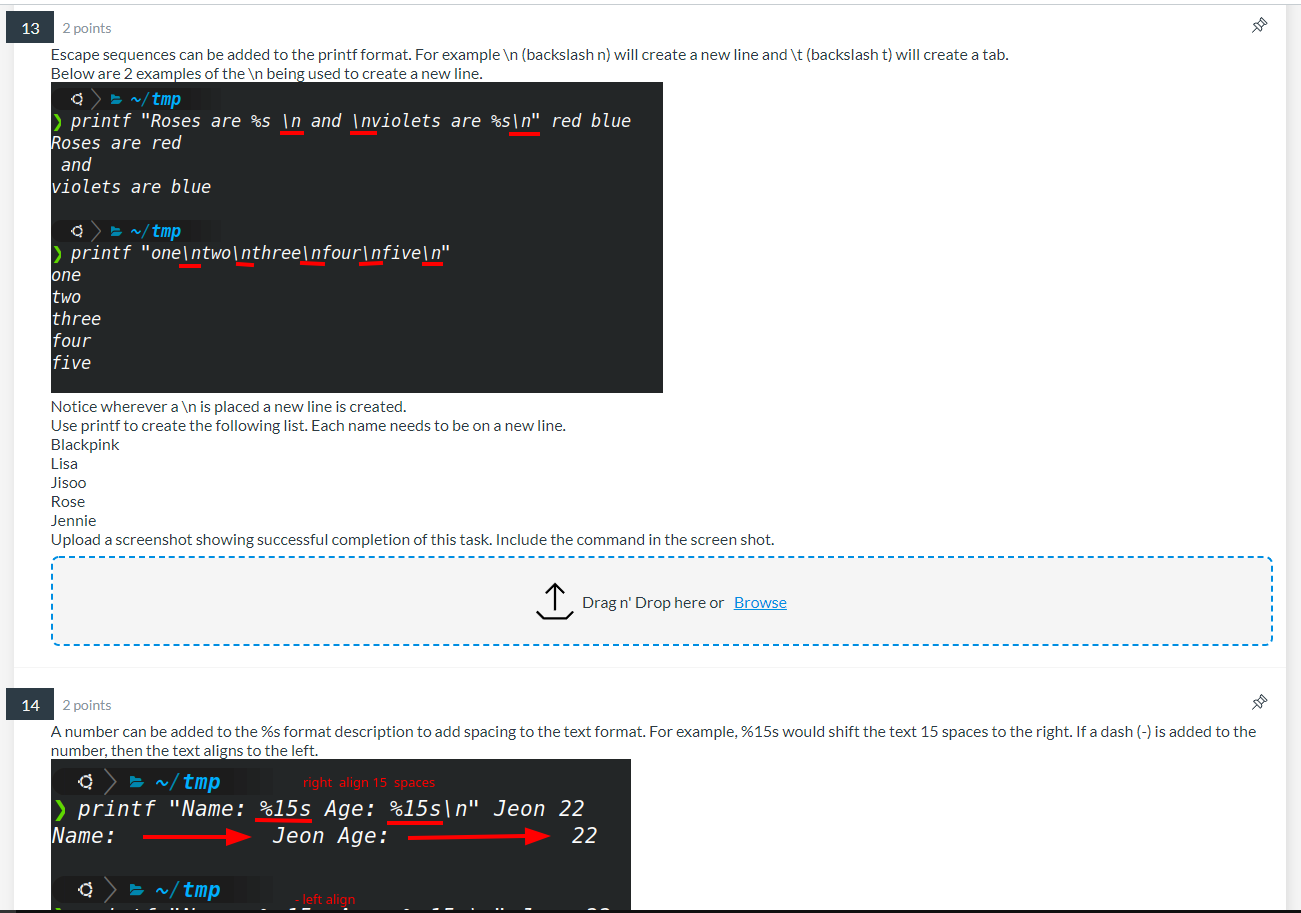
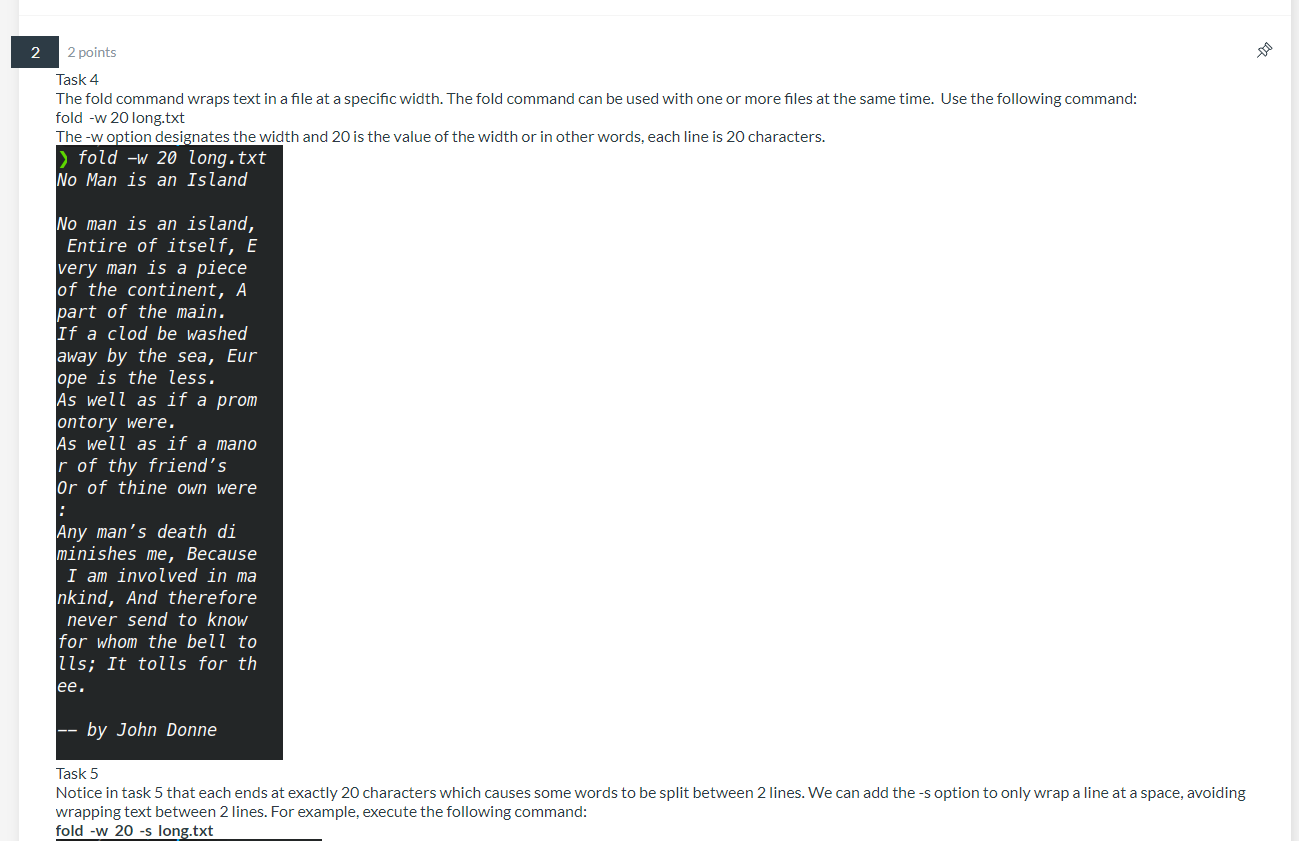
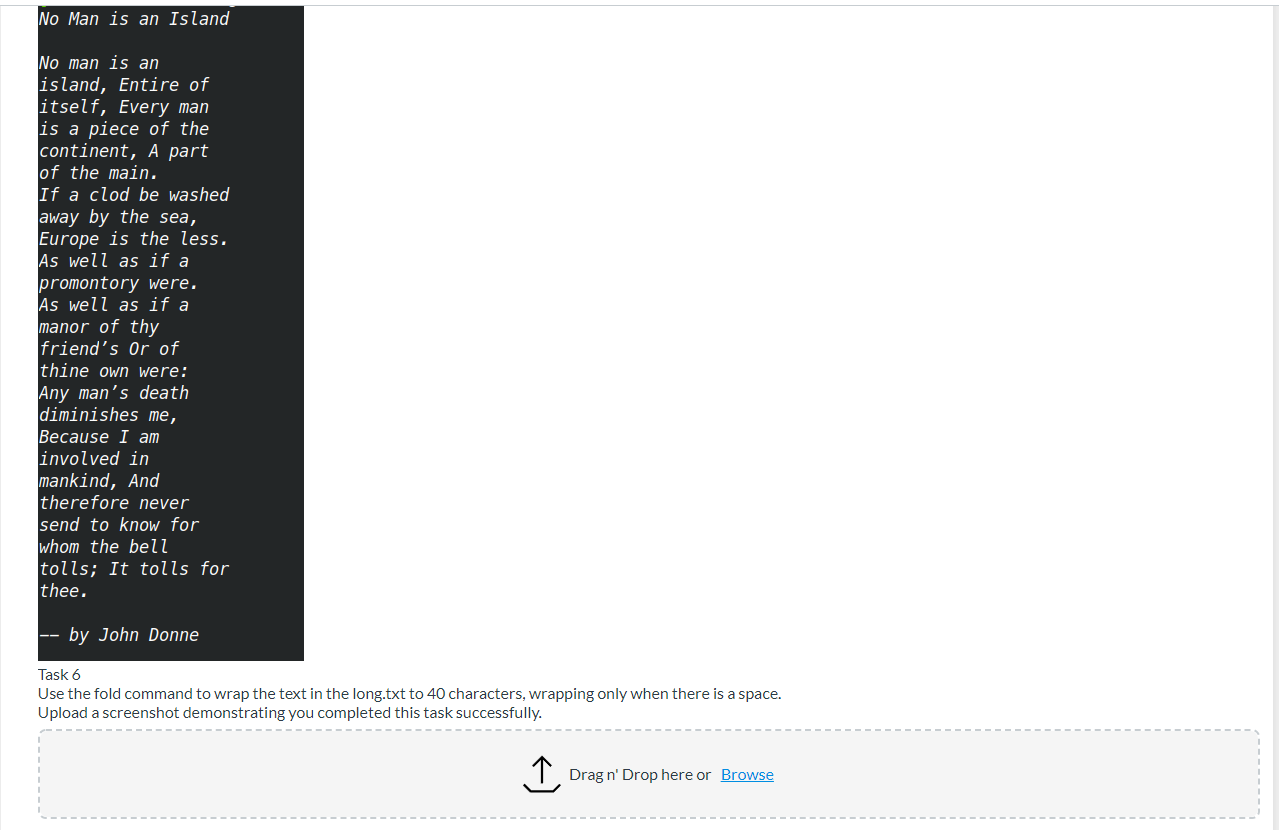
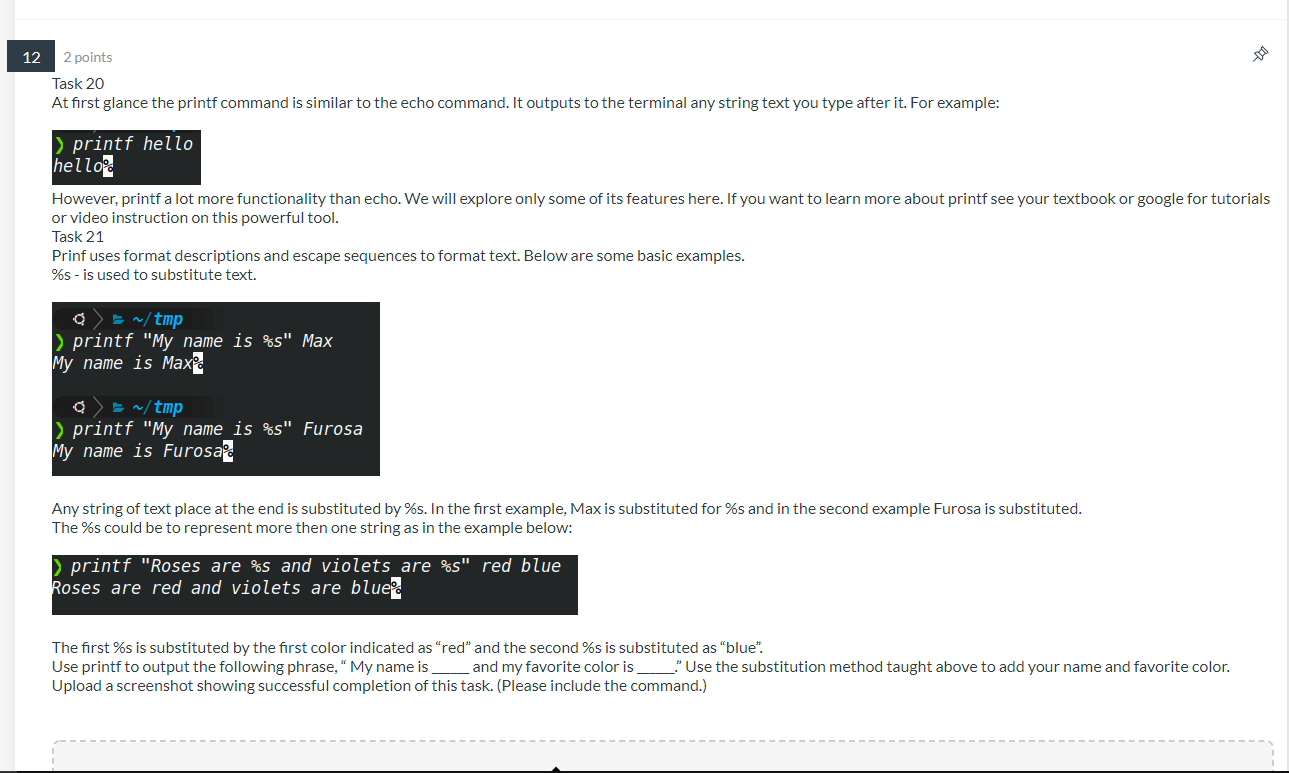
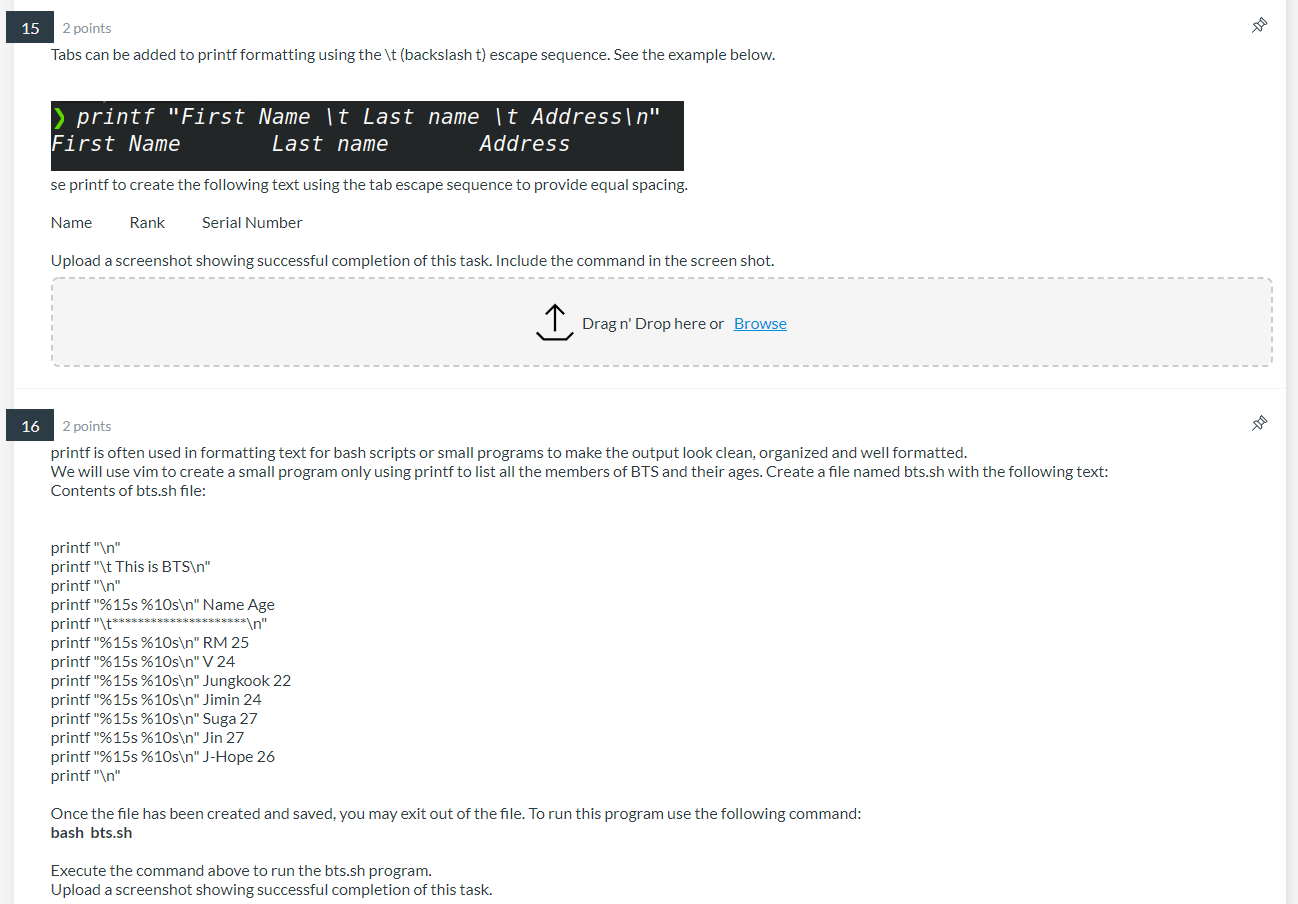
13 2 points Escape sequences can be added to the printf format. For example (backslash n) will create a new line and \t (backslash t) will create a tab. Below are 2 examples of the being used to create a new line. a>= ~/tmp > printf "Roses are %s and violets are %s " red blue Roses are red and violets are blue a>= ~/tmp > printf "one two three four five " one two three four five Notice wherever a is placed a new line is created. Use printf to create the following list. Each name needs to be on a new line. Blackpink Lisa Jisoo Rose Jennie Upload a screenshot showing successful completion of this task. Include the command in the screen shot. 14 2 points A number can be added to the %s format description to add spacing to the text format. For example, %15s would shift the text 15 spaces to the right. If a dash (-) is added to the number, then the text aligns to the left. ~/tmp right align 15 spaces > printf "Name: %15s Age: %15s " Jeon 22 Name: Jeon Age: 22 = ~/tmp Drag n' Drop here or Browse left align
Step by Step Solution
There are 3 Steps involved in it

Get step-by-step solutions from verified subject matter experts
 Study Help