







Question: ks Window Help Group Assignment 4 3 5 Points After coming up with the items for the questionnaire, the marketing research team went ahead and
ks Window Help
Group Assignment
Points
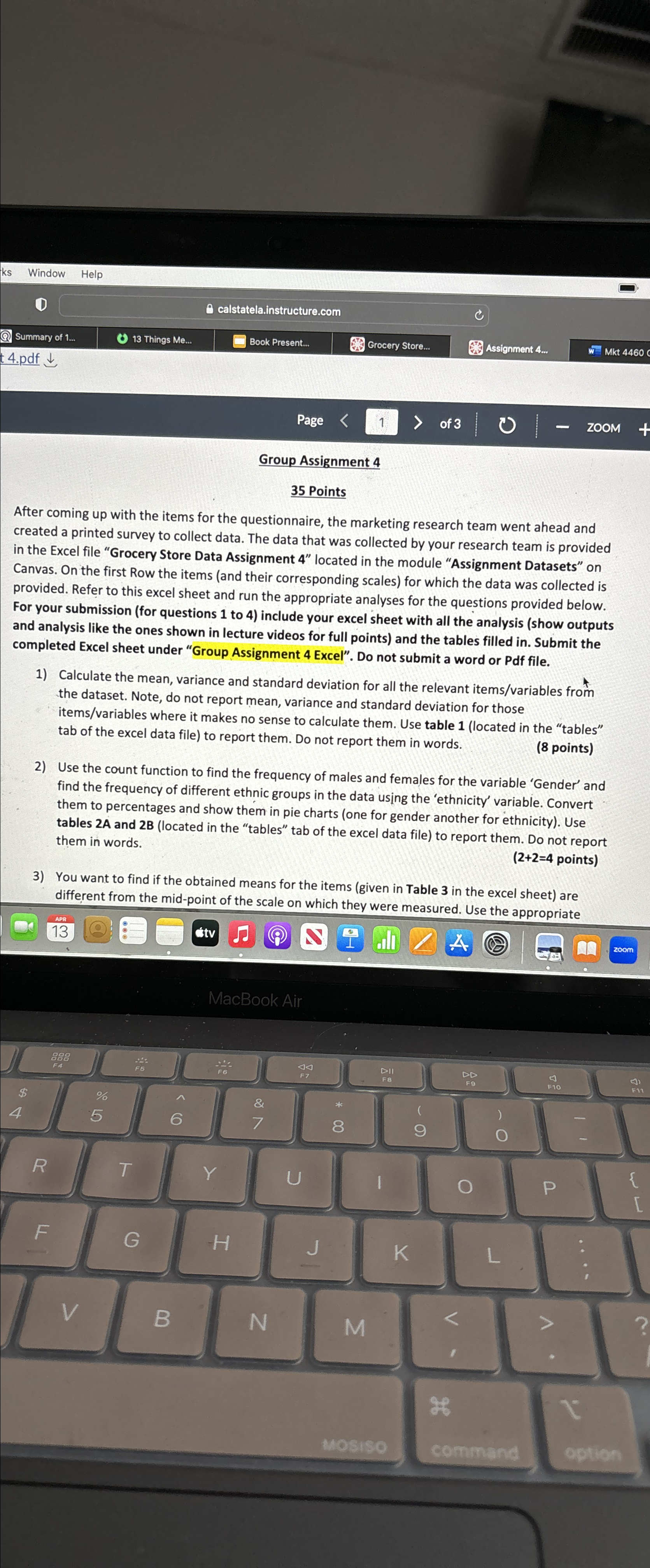
After coming up with the items for the questionnaire, the marketing research team went ahead and created a printed survey to collect data. The data that was collected by your research team is provided in the Excel file "Grocery Store Data Assignment located in the module "Assignment Datasets" on Canvas. On the first Row the items and their corresponding scales for which the data was collected is provided. Refer to this excel sheet and run the appropriate analyses for the questions provided below. For your submission for questions to include your excel sheet with all the analysis show outputs and analysis like the ones shown in lecture videos for full points and the tables filled in Submit the completed Excel sheet under "Group Assignment Excel". Do not submit a word or Pdf file.
Calculate the mean, variance and standard deviation for all the relevant itemsvariables from the dataset. Note, do not report mean, variance and standard deviation for those itemsvariables where it makes no sense to calculate them. Use table located in the "tables" tab of the excel data file to report them. Do not report them in words.
points
Use the count function to find the frequency of males and females for the variable 'Gender' and find the frequency of different ethnic groups in the data using the 'ethnicity' variable. Convert them to percentages and show them in pie charts one for gender another for ethnicity Use tables A and B located in the "tables" tab of the excel data file to report them. Do not report them in words.
points
You want to find if the obtained means for the items given in Table in the excel sheet are different from the midpoint of the scale on which they were measured. Use the appropriate
Step by Step Solution
There are 3 Steps involved in it
1 Expert Approved Answer
Step: 1 Unlock

Question Has Been Solved by an Expert!
Get step-by-step solutions from verified subject matter experts
Step: 2 Unlock
Step: 3 Unlock
 Study Help