







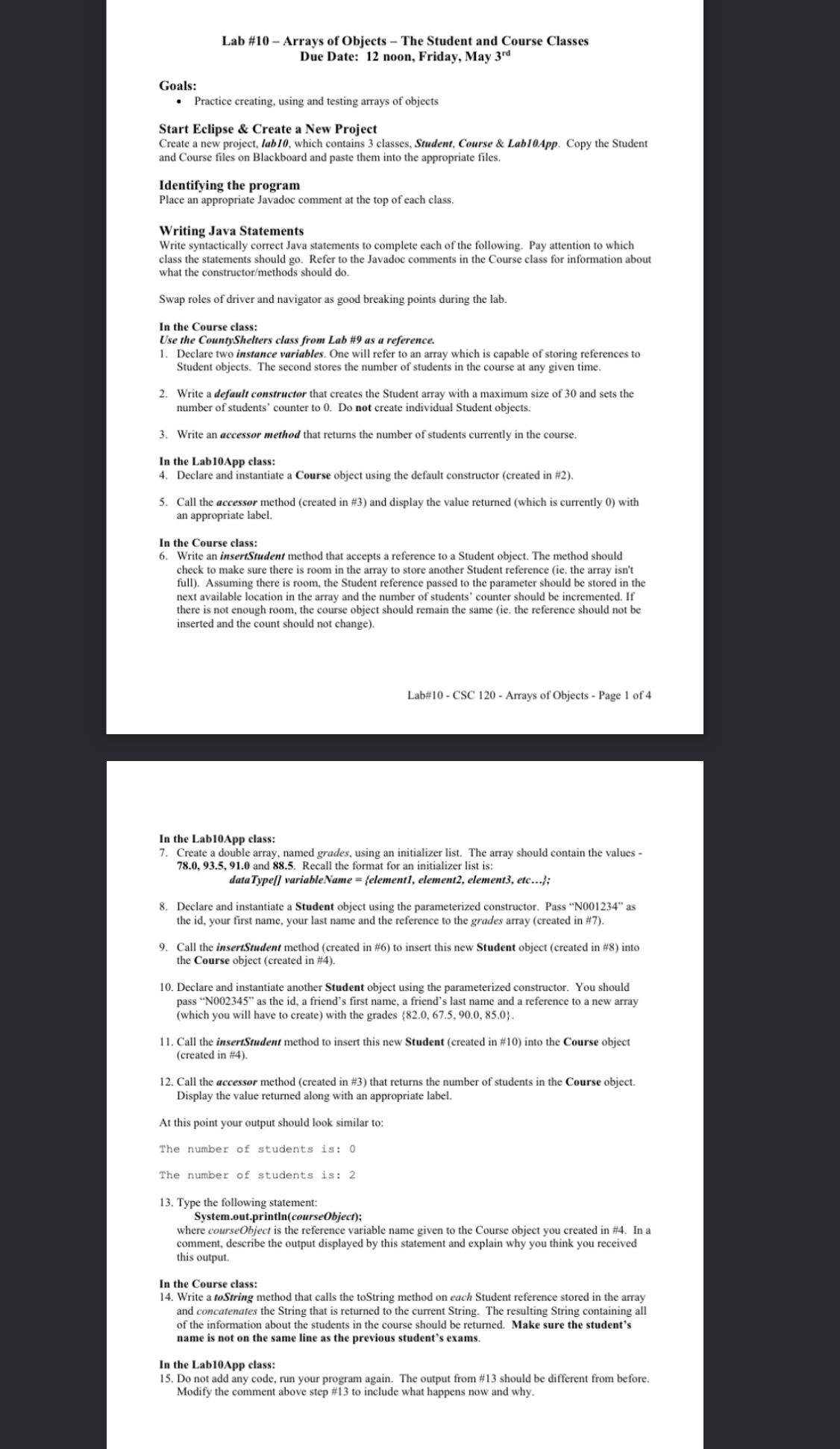
Question: Lab # 1 0 - Arrays of Objects - The Student and Course Classes Due Date: 1 2 noon, Friday, May 3 r d Goals:
Lab # Arrays of Objects The Student and Course Classes
Due Date: noon, Friday, May
Goals:
Practice creating, using and testing arrays of objects
Start Eclipse & Create a New Project
Create a new project, lab which contains classes, Student, Course & LabApp. Copy the Student and Course files on Blackboard and paste them into the appropriate files.
Identifying the program
Place an appropriate Javadoc comment at the top of each class.
Writing Java Statements
Write syntactically correct Java statements to complete each of the following. Pay attention to which class the statements should go Refer to the Javadoc comments in the Course class for information about what the constructormethods should do
Swap roles of driver and navigator as good breaking points during the lab.
In the Course class:
Use the CountyShelters class from Lab # as a reference.
Declare two instance variables. One will refer to an array which is capable of storing references to Student objects. The second stores the number of students in the course at any given time.
Write a default constructor that creates the Student array with a maximum size of and sets the number of students' counter to Do not create individual Student objects.
Write an accessor method that returns the number of students currently in the course.
In the LabApp class:
Declare and instantiate a Course object using the default constructor created in #
Call the accessor method created in # and display the value returned which is currently with an appropriate label.
In the Course class:
Write an insertStudent method that accepts a reference to a Student object. The method should check to make sure there is room in the array to store another Student reference ie the array isn't full Assuming there is room, the Student reference passed to the parameter should be stored in the next available location in the array and the number of students' counter should be incremented. If there is not enough room, the course object should remain the same ie the reference should not be inserted and the count should not change
Lab# CSC Arrays of Objects Page of
In the LabApp class:
Create a double array, named grades, using an initializer list. The array should contain the values and Recall the format for an initializer list is:
Declare and instantiate a Student object using the parameterized constructor. Pass N as the id your first name, your last name and the reference to the grades array created in #
Call the insertStudent method created in # to insert this new Student object created in # into the Course object created in #
Declare and instantiate another Student object using the parameterized constructor. You should pass N as the id a friend's first name, a friend's last name and a reference to a new array which you will have to create with the grades
Call the insertStudent method to insert this new Student created in # into the Course object created in #
Call the accessor method created in # that returns the number of students in the Course object Display the value retumed along with an appropriate label.
At this point your output should look similar to:
The number of students is:
The number of students is:
Type the following statement:
System.out.printlncourseObject;
where courseObject is the reference variable name given to the Course object you created in # In a comment, describe the output displayed by this statement and explain why you think you received this output.
In the Course class:
Write a toString method that calls the toString method on each Student reference stored in the array and concatenates the String that is returned to the current String. The resulting String containing all of the information about the students in the course should be returned. Make sure the student's name is not on the same line as the previous student's exams.
In the LabApp class:
Do not add any code, run your program again. The output from # should be different from before, Modify the comment above step # to include what happens now and why.
Step by Step Solution
There are 3 Steps involved in it
1 Expert Approved Answer
Step: 1 Unlock

Question Has Been Solved by an Expert!
Get step-by-step solutions from verified subject matter experts
Step: 2 Unlock
Step: 3 Unlock
 Study Help