







Question: Lab 10- Arrays 1. Please copy the following code into your IDE and ensure it compiles. public class Lab10 public static void main(Stringl] args) inf]
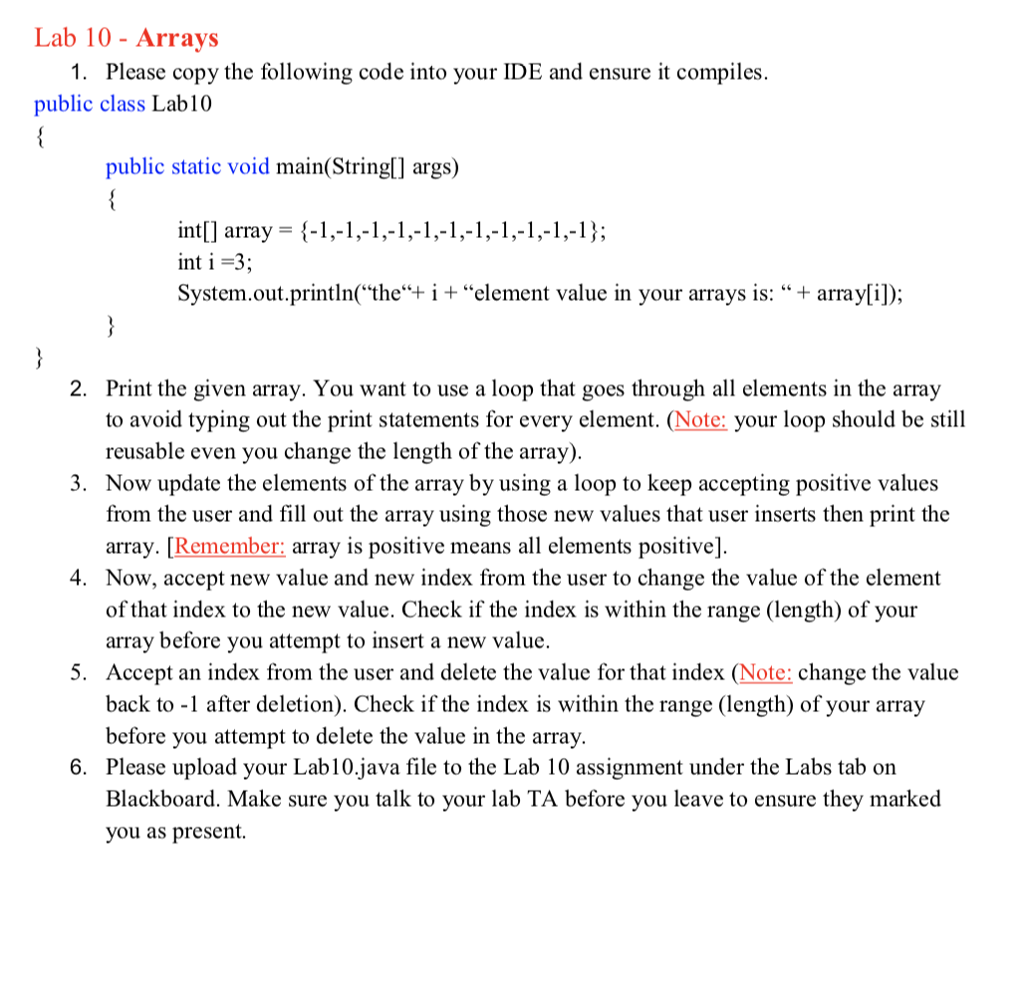
Lab 10- Arrays 1. Please copy the following code into your IDE and ensure it compiles. public class Lab10 public static void main(Stringl] args) inf] array= {-I,-1,-1,-1,-1,-1,-1,-1,-1,-1,-1); int i -3 System.out.,printlnthei+ "element value in your arrays is: "+ array[il); Print the given array. You want to use a loop that goes through all elements in the array to avoid typing out the print statements for every element. (Note: your loop should be still reusable even you change the length of the array 2. . Now update the elements of the array by using a loop to keep accepting positive values from the user and fill out the array using those new values that user inserts then print the array. [Remember: array is positive means all elements positive]. Now, accept new value and new index from the user to change the value of the element of that index to the new value. Check if the index is within the range (length) of your array before you attempt to insert a new value. Accept an index from the user and delete the value for that index (Note: change the value back to -1 after deletion). Check if the index is within the range (length) of your array before you attempt to delete the value in the array. Please upload your Lab10.java file to the Lab 10 assignment under the Labs tab on Blackboard. Make sure you talk to your lab TA before you leave to ensure they marked you as present 4. 5. 6
Step by Step Solution
There are 3 Steps involved in it

Get step-by-step solutions from verified subject matter experts
 Study Help