







Question: Lab 10-1 File Processing - Reading from a file You must submit your own work. Start your code with three comment lines explaining what your

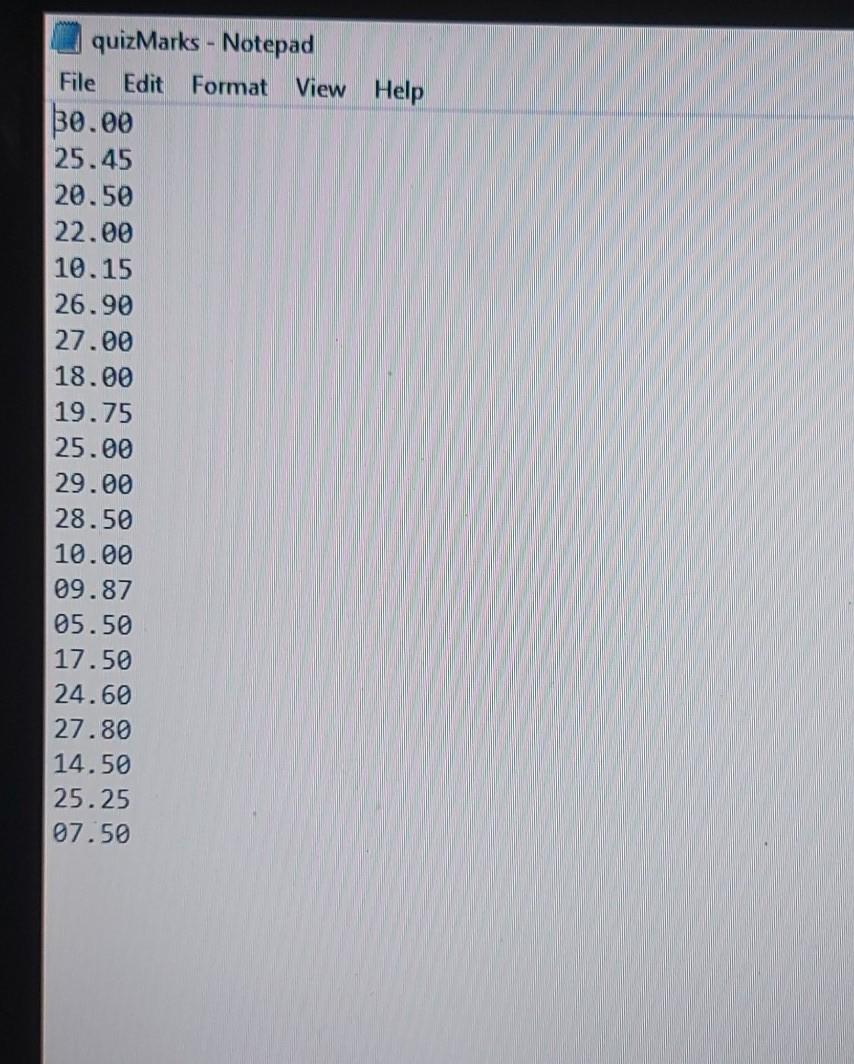
Lab 10-1 File Processing - Reading from a file You must submit your own work. Start your code with three comment lines explaining what your program does, your name as the author, and today's date. Write your code in one file named FileReading.py In your program use the text file quizMarks.txt for data input. Download this file to your computer. Define and call the following functions in your program "FileReading.py". Note: Before calling any of the functions you need to open the file, after calling the function you need to close the file. Name of the first function: creatList(...) This function has one parameter which takes the file object name. The function reads all marks from the file one-by-one. It adds marks into a new list. The function returns the newly created list of marks to the main program. The function is called from the main program. Name of the second function: lineCount(...) This function has one parameter which takes the file object name. The function reads each line of the file and counts it into a variable. The function returns the value of the counted lines (i.e., how many lines in the file) to the main program. The function is called from the main program. --- Name of the third function:. printSpecificLine(...) This void function has two parameters, the file name object and line number to be printed. If such a line exists, it will print (not return) the line as specified in the parameter, otherwise it will print: "No such line." To test this function, try to print line 20 and line 200 (does not exist). quizMarks.txt 7 November 2020, 9:33 PM quizMarks - Notepad File Edit Format View Help $0.00 25.45 20.50 22.00 10.15 26.90 27.00 18.00 19.75 25.00 29.00 28.50 10.00 09.87 05.50 17.50 24.60 27.80 14.50 25.25 07.50
Step by Step Solution
There are 3 Steps involved in it

Get step-by-step solutions from verified subject matter experts
 Study Help