







Question: Lab 2 - Instructions Total Marks 3 0 Work in groups of two ( 2 ) . Follow the instructions listed below. Complete the whole
Lab Instructions
Total Marks
Work in groups of two
Follow the instructions listed below.
Complete the whole lab within one Power BI file.
Ensure the first and last names for both group members are included in Power Bl filename.
firstname lastname firstname lastname
One group member must upload the Power BI file to "Lab within Meskanas Moodle
Step Download Marks
Create one new folder on drive c: called "data".
Download all seven files from "Lab Data" Into the c:ldata" folder.
Step Load Files Marks
Load all the files into Power BI
Step Clean the Data Marks
Ensure all the Queries are:
Error free
No blank columns exist
No blank rows exist
No duplicate column headers, for example columns headers are A B C with the first row containing descriptive text.
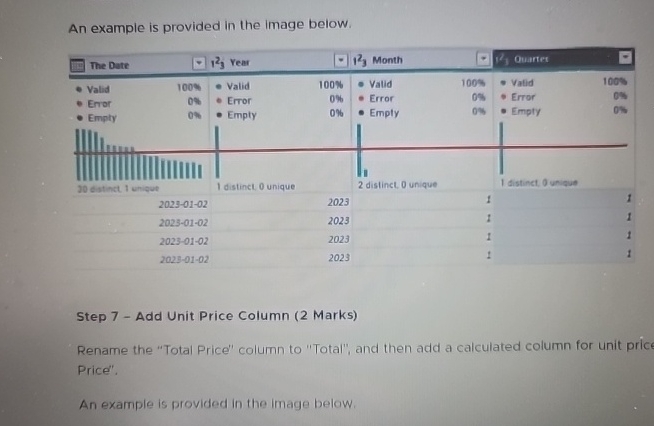
An example is provided in the image below.
An example is provided in the image below.
Step Add Unit Price Column Marks
Rename the "Total Price" column to "Total", and then add a calculated column for unit prict Price".
An example is provided in the image below.
Step by Step Solution
There are 3 Steps involved in it
1 Expert Approved Answer
Step: 1 Unlock

Question Has Been Solved by an Expert!
Get step-by-step solutions from verified subject matter experts
Step: 2 Unlock
Step: 3 Unlock
 Study Help