







Question: Lab 2 - Verifying a Password (in class) CSCI 251 Problem Statement To determine whether or not the password and the verify password are equivalent,
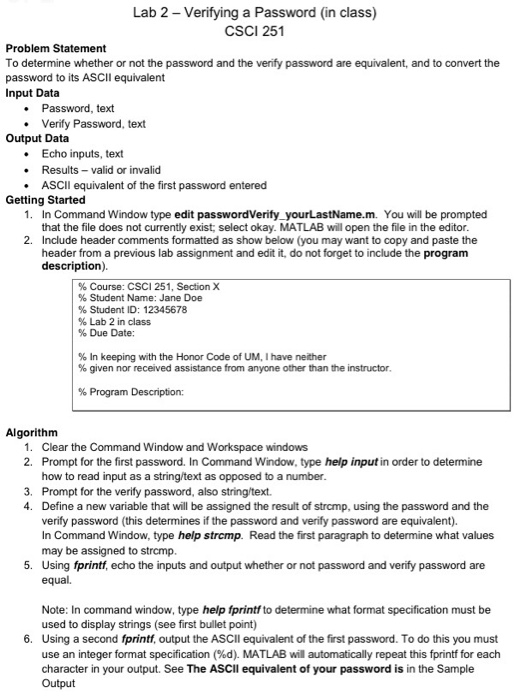
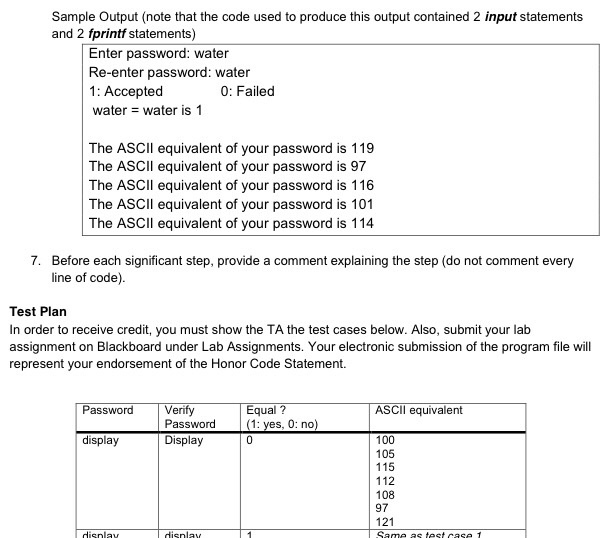
Lab 2 - Verifying a Password (in class) CSCI 251 Problem Statement To determine whether or not the password and the verify password are equivalent, and to convert the password to its ASCIl equivalent Input Data Password, text Verify Password, text Output Data Echo inputs, text Results- valid or invalid ASCIl equivalent of the first password entered . Getting Started 1. In Command Window type edit passwordVerify yourLastName.m. You will be prompted that the file does not currently exist; select okay. MATLAB will open the file in the editor 2. Include header comments formatted as show below (you may want to copy and paste the header from a previous lab assignment and edit it, do not forget to include the program description) % Course: CSCI 251, Section X % Student Name: Jane Doe % Student ID: 12345678 %Lab 2 in class % Due Date: % In keeping with the Honor Code of UM, I have neither % given nor received assistance from anyone other than the instructor. % Program Description: Algorithm 1. Clear the Command Window and Workspace windows 2. Prompt for the first password. In Command Window, type help input in order to determine how to read input as a string/text as opposed to a number. 3. Prompt for the verify password, also string/text. 4. Define a new variable that will be assigned the result of strcmp, using the password and the verify password (this determines if the password and verify password are equivalent) In Command Window, type help strcmp. Read the first paragraph to determine what values may be assigned to strcmp. 5. Using fprintf, echo the inputs and output whether or not password and verify password are equal. Note: In command window, type help fprintf to determine what format specification must be used to display strings (see first bullet point) 6. Using a second fprintf, output the ASCll equivalent of the first password. To do this you must use an integer format specification (%d). MATLAB wil automatically repeat this fprintf for each character in your output. See The ASCII equivalent of your password is in the Sample Output
Step by Step Solution
There are 3 Steps involved in it

Get step-by-step solutions from verified subject matter experts
 Study Help