







Question: Lab 2-0hms & Kirchoffs L Sample Lab report for PH Portfolio Tasks -2018-51 ENG10004 Portf ilearn.swin.edu.au/bbcswebdav/pid-7105272-dt-content-rid-41221630 2/courses/2018-HS1-ENG10004-228169/ENG1000 2. Global variables Global variables can be used
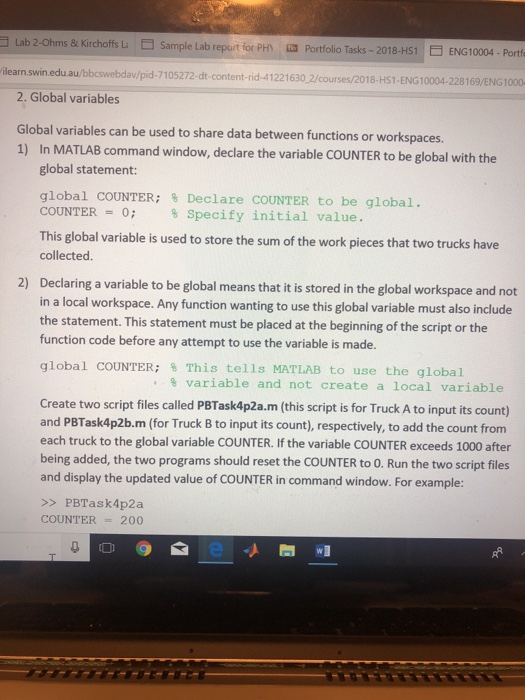
Lab 2-0hms & Kirchoffs L Sample Lab report for PH Portfolio Tasks -2018-51 ENG10004 Portf ilearn.swin.edu.au/bbcswebdav/pid-7105272-dt-content-rid-41221630 2/courses/2018-HS1-ENG10004-228169/ENG1000 2. Global variables Global variables can be used to share data between functions or workspaces. 1) In MATLAB command window, declare the variable COUNTER to be global with the global statement: global COUNTER; % Declare COUNTER to be global. COUNTER 0; % Specify initial value. This global variable is used to store the sum of the work pieces that two trucks have collected. Declaring a variable to be global means that it is stored in the global workspace and not in a local workspace. Any function wanting to use this global variable must also include the statement. This statement must be placed at the beginning of the script or the function code before any attempt to use the variable is made. global COUNTER; % This tells MATLAB to use the global 2) % variable and not create a local variable Create two script files called PBTask4p2a.m (this script is for Truck A to input its count) and PBTask4p2b.m (for Truck B to input its count), respectively, to add the count from each truck to the global variable COUNTER. If the variable COUNTER exceeds 1000 after being added, the two programs should reset the COUNTER to 0. Run the two script files and display the updated value of COUNTER in command window. For example: >>PBTask4p2a COUNTER 200 Lab 2-0hms & Kirchoffs L Sample Lab report for PH Portfolio Tasks -2018-51 ENG10004 Portf ilearn.swin.edu.au/bbcswebdav/pid-7105272-dt-content-rid-41221630 2/courses/2018-HS1-ENG10004-228169/ENG1000 2. Global variables Global variables can be used to share data between functions or workspaces. 1) In MATLAB command window, declare the variable COUNTER to be global with the global statement: global COUNTER; % Declare COUNTER to be global. COUNTER 0; % Specify initial value. This global variable is used to store the sum of the work pieces that two trucks have collected. Declaring a variable to be global means that it is stored in the global workspace and not in a local workspace. Any function wanting to use this global variable must also include the statement. This statement must be placed at the beginning of the script or the function code before any attempt to use the variable is made. global COUNTER; % This tells MATLAB to use the global 2) % variable and not create a local variable Create two script files called PBTask4p2a.m (this script is for Truck A to input its count) and PBTask4p2b.m (for Truck B to input its count), respectively, to add the count from each truck to the global variable COUNTER. If the variable COUNTER exceeds 1000 after being added, the two programs should reset the COUNTER to 0. Run the two script files and display the updated value of COUNTER in command window. For example: >>PBTask4p2a COUNTER 200
Step by Step Solution
There are 3 Steps involved in it

Get step-by-step solutions from verified subject matter experts
 Study Help